

Comparison

 Amie
AmieByDesign vs Amie
Amie runs your meetings and todos. ByDesign runs the goals behind them.
Amie is a calendar-first app: Google and Outlook sync both ways, todos you drag into gaps, AI Scheduling inside your preferred hours, meeting notes with AI summaries, scheduling links and an Ask Amie chat, on web, Mac, Windows and iOS. ByDesign shares the AI calendar and adds the layer above it: goals the AI turns into a plan you approve, habits with streaks, goal pages, nested notes, a year-to-day canvas, Kanban, a Pomodoro timer and team chat, on iPad and Android too.
What you get with ByDesign that Amie doesn’t offer
AI that starts from the goal
Say a goal and get tasks, subtasks, courses and deadlines on your calendar, with a goal page that tracks progress. Amie turns a sentence into a todo or event and places unscheduled todos into gaps; it doesn’t build a plan from a goal.
Habits, goals and notes beyond the meeting
A habit tracker with streaks and stats, goal pages with progress, and nested pages you can publish. In Amie “a habit is just a recurring block with a todo attached”, pages are meeting notes first, and there are no goal pages or streak counts.
Your whole year on one canvas
Year, quarter, month, week and day on one zoomable surface, with sticky notes, images and pinned pages. Amie shows a day, week or month, with no year view, Kanban or canvas.
Every device, and a team that can talk
Web, Mac, Windows, iOS, iPad and Android, with shared pages, assignments and chat. Amie runs on web, Mac, Windows and iOS, with workspaces for teams and no team chat.
ByDesign vs Amie, feature by feature
Only the differences. What both apps do the same is listed underneath.
- Included
- Limited
- Not available
AI planning
AI goal plans
ByDesign
Included: Built and scheduledTasks, subtasks, courses and deadlines land on your calendar; AI and AI Plus plansAmie
Not available: Events from a sentenceAsk Amie creates and updates events and drafts emails; the MCP server handles todos; no plan built from a goalAI scheduling with a preview you approve
ByDesign
Included: Preview, then acceptConflicts shown; nothing saves until you say so; AI and AI Plus plansAmie
Limited: AI SchedulingPlaces unscheduled todos into calendar gaps within your preferred times; “AI suggestions aren’t final”, but no preview-and-approve flow is describedVoice control
ByDesign
Included: Mic and hands-freeOptional wake phrase; AI and AI Plus plansAmie
Not available: Voice recordings for meeting notes instead
Calendar and views
Year-to-day planning canvas
ByDesign
Included: Year to dayYear, quarter, month, week and day on one zoomable surface; AI and AI Plus plansAmie
Limited: Day, week, month and agendaNo year viewKanban boards
ByDesign
Included: Custom columnsMain board plus boards per pageAmie
Not available: NoSticky notes, images and pinned pages on the calendar
ByDesign
Included: YesAmie
Not available: NoCustomisable dashboard
ByDesign
Included: Drag-and-drop widgetsScore board, tasks, habits, inbox, pinned pages, KanbanAmie
Not available: Menu bar app on Mac
Habits, notes and focus
Habit tracker
ByDesign
Included: Check-ins and streaksSkip a day, stats, habits with friendsAmie
Limited: Recurring blocks“A habit is just a recurring block with a todo attached”, per Amie; streaks show only as your week on the calendar, with no counter or statsGoals with progress
ByDesign
Included: Goal pagesTasks, resources, percent complete, shareableAmie
Not available: NoNotes and pages
ByDesign
Included: Nested pagesTables, code, embeds, sub-pages, backlinks; publish to the webAmie
Limited: Pages and meeting notesPages are “primarily meeting notes”, with AI summaries and notes on eventsCourses and roadmaps from the Hub
ByDesign
Included: The HubCourses, roadmaps and a habit library; schedule a roadmap straight onto your calendarAmie
Not available: NoTime tracking on tasks
ByDesign
Included: Start and pause on any taskTotals per task; “most tracked” filterAmie
Limited: Ask AmieAsk how much time you spent on something; no timer on todos
Collaboration and platforms
Share pages and assign tasks
ByDesign
Included: View, comment or editAssign tasks; @mention in commentsAmie
Limited: WorkspacesCollaborate with your team, assign action items from meeting notes and co-host booking linksBuilt-in chat
ByDesign
Included: Direct and groupThreads, reactions, pollsAmie
Not available: AI chat onlyAsk Amie answers you; no chat between teammatesApps
ByDesign
Included: Web, Mac, Windows, iOS, iPad and AndroidAmie
Limited: Web, Mac, Windows and iOSNo iPad or Android app listed
Amie column based on documentation, AI Scheduling, tasks, pages, Google Calendar, MCP, changelog, download, routines and habit tracker on October 26, 2026. If something has changed, email info@bydesign.io.
Both apps cover the basics
- An AI assistant that creates and updates events
- Auto-scheduling within your preferred hours
- Google and Outlook calendar sync
- Todos with times, durations and recurring schedules
- Natural-language input
- MCP server for AI assistants
- Pomodoro timer
- Per-seat team plans
- Sync across devices
Why people switch from Amie to ByDesign
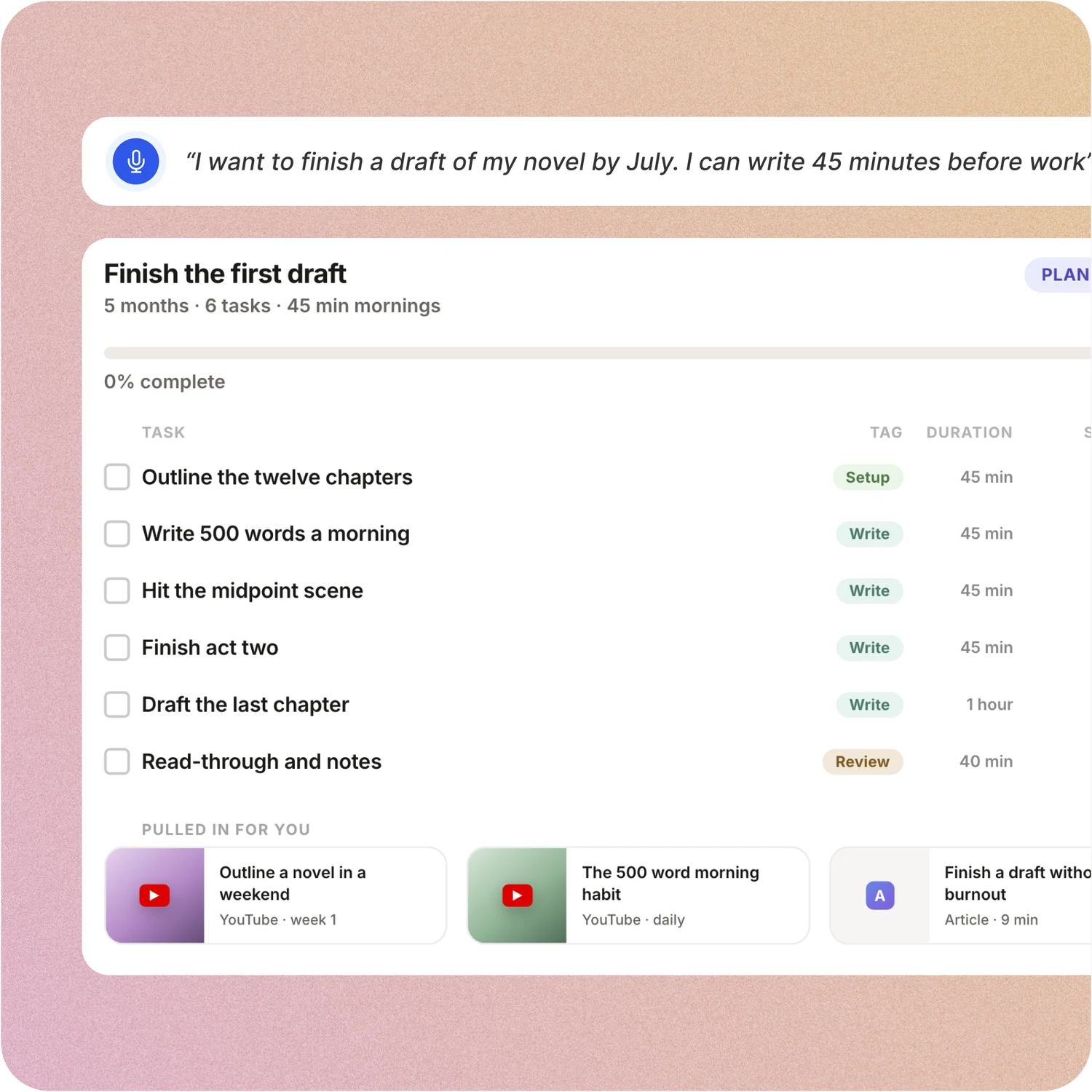
Say the goal. Get a scheduled plan.
Tell ByDesign what you want to achieve. It asks a few questions, then builds the tasks, subtasks, courses and deadlines and schedules them around the life you already have. Replan in one message.
Amie: Amie turns “Call mom tomorrow 3pm for 30 min” into a todo and lets AI Scheduling drop unscheduled todos into free slots. The goal, the milestones and the courses to get there aren’t part of the model.
Habits, goals and focus, built in
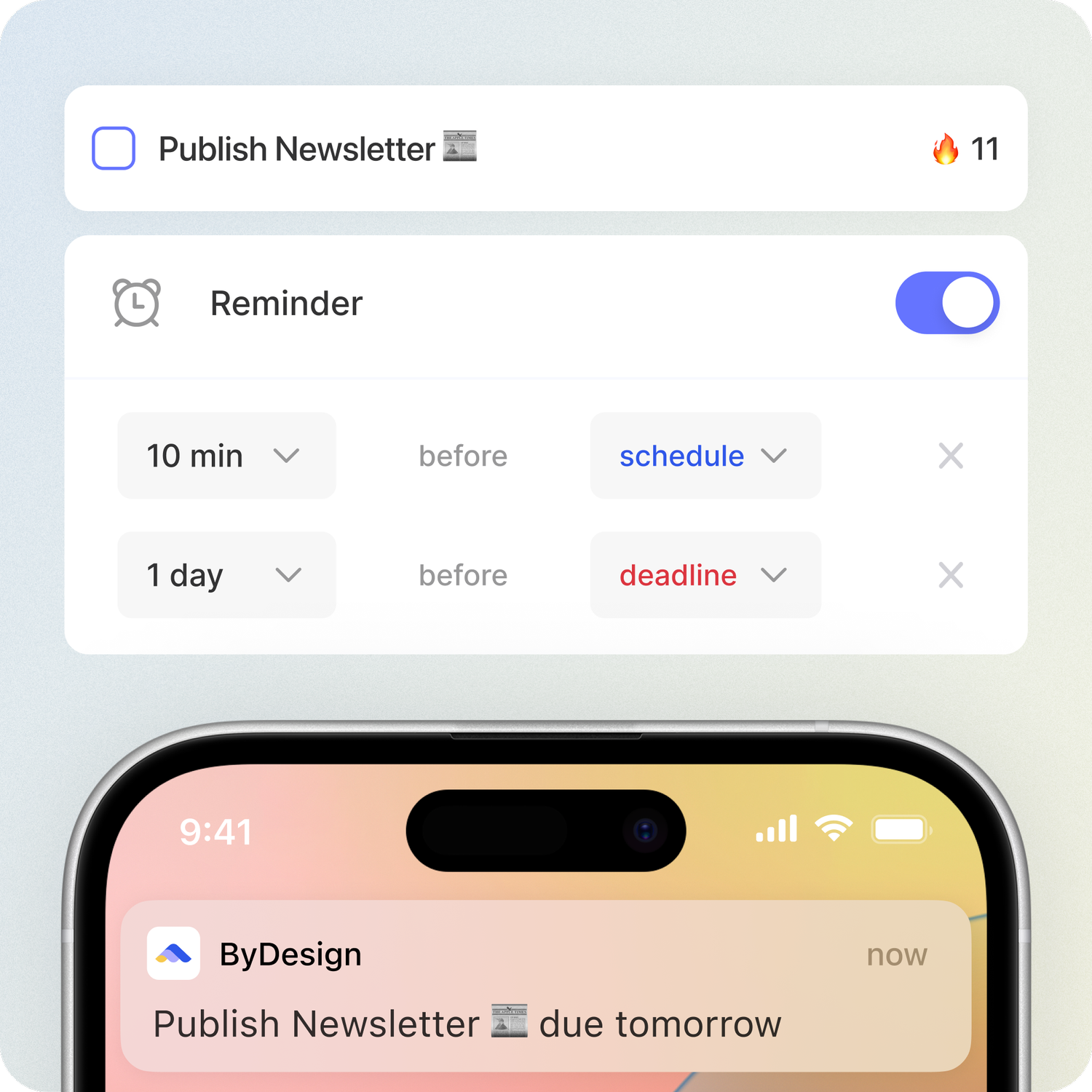
Track habits with streaks and stats, keep goal pages with progress, run a Pomodoro and track time on any task. Open ByDesign in the morning and it already works.
Amie: Amie has Pomodoro timers in the Mac menu bar and can tell you how much time you spent on something. A habit is a recurring block on the calendar, with no streak counter, goal pages or course library.
Your whole year on one surface
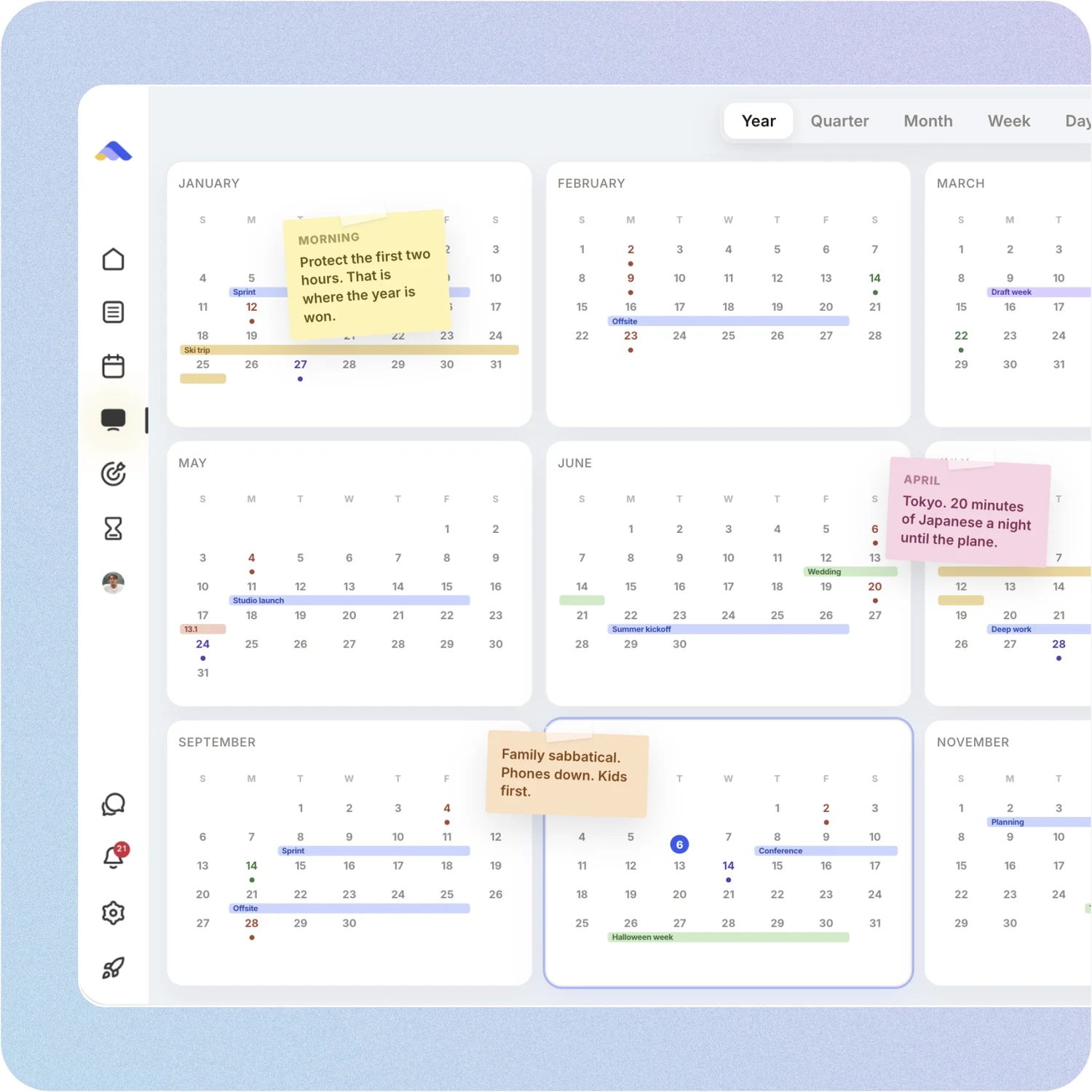
The planning canvas zooms from the full year down to a single day. Pin goals, notes and milestones where they belong, drag anything, and the plan keeps up.
Amie: Amie’s calendar shows a day, week, month or agenda. There is no year view, no Kanban board and no canvas for sticky notes and images.
A workspace your team can live in
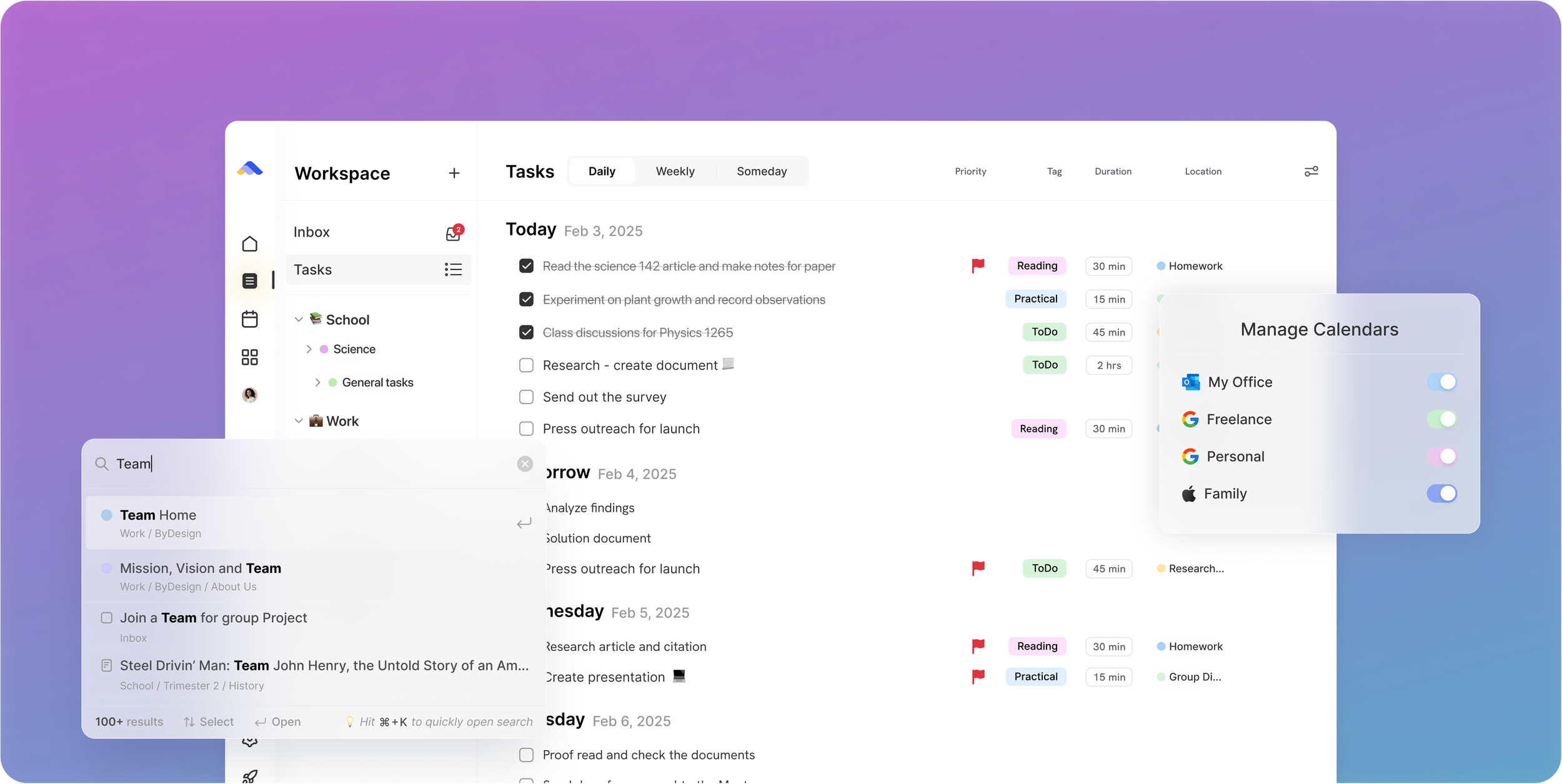
Share pages with view, comment or edit access, assign tasks, @mention people in comments and chat without leaving the app. Add seats from the app on a team plan.
Amie: Amie’s workspaces let a team collaborate, assign action items from meeting notes and share booking links with co-hosts. There is no team chat.
Don’t take our word for it.
From Callio
Can I just say I love you. Finally, a good-looking app that isn’t complex as hell. There are tears in my eyes. I’ll happily pay for this!💯
From adsm1993
Omg I downloaded the app and this is MY DREAM! Is like an easier onenote/word/calendar/notes in ONE🙏
From N
First off, let me say: ByDesign’s clean, minimal UI is one of the loveliest I’ve used. The overall visual clarity helps me stay focused, and honestly? I find myself oddly fond of it. Also, this might sound funny, but one of the reasons I felt drawn to ByDesign is something you once wrote: that you’re a “productivity app addict.” As someone who’s tried nearly every productivity app under the sun... I felt so seen. That’s when I knew: Okay, this one’s made by someone like me. With love (and a very biased eye) from your fan, Narae 😊💜
Make the switch in three steps
No setup project. Start free, connect the calendar you already use, and give ByDesign your first goal.
- Start your free trial. No credit card.
- Connect your Google, Apple or Outlook calendar.
- Say your first goal and watch the plan land on your calendar.
Ready for the plan above the calendar?
Start free. No credit card. Tell ByDesign a goal and watch the plan land on your calendar.
Try ByDesign free