

Comparison

 Goals Wizard
ByDesign vs Goals Wizard
Goals Wizard coaches you through the goal. ByDesign plans it and runs your week.
Goals Wizard is a guided personal-growth program: set goals with milestones, build habits and routines, plan each day, journal and reflect, with templates or ChatGPT-powered goal planning, on iPhone, iPad, Apple Watch, Android and the web. ByDesign takes the goal further: AI builds the tasks and schedules them around your hours with a preview you approve, your calendar syncs both ways, and a Pomodoro timer, Kanban, a year-to-day canvas and team chat live in the same app.
What you get with ByDesign that Goals Wizard doesn’t offer
AI that schedules the plan, not just sets it up
Say a goal and ByDesign writes the tasks, subtasks, courses and deadlines and places them on your calendar around your hours, with a preview you approve. Goals Wizard’s AI goal planning, built on ChatGPT, drafts SMART goals and action plans; the daily and weekly planning is yours to do by hand.
A calendar that syncs both ways
Edit an event in ByDesign or in Google and Apple Calendar and both stay right, with Outlook and ICS subscriptions too. Goals Wizard has weekly planning and calendar views of its own; two-way sync with Google or Apple Calendar isn’t among the features it lists.
Focus, boards and the long view
A Pomodoro timer, time tracking on any task, Kanban boards, and a canvas from the year down to the day with sticky notes and pinned pages. Goals Wizard has focus routines, a Time Log of planned versus spent time, and daily and weekly planning.
Every platform, and your team
Web, Mac, Windows, iOS, iPad and Android, with shared pages, assignments, chat and per-seat team plans. Goals Wizard runs on iPhone, iPad, Apple Watch, Android and the web, shares progress with an accountability group, and sells coaching separately.
ByDesign vs Goals Wizard, feature by feature
Only the differences. What both apps do the same is listed underneath.
- Included
- Limited
- Not available
AI planning
AI goal plans
ByDesign
Included: Built and scheduledTasks, subtasks, courses and deadlines land on your calendar; AI and AI Plus plansGoals Wizard
Limited: AI goal planningChatGPT-powered SMART goals and action plans, or templates, or by hand; days and weeks are planned by youAI scheduling with a preview you approve
ByDesign
Included: Preview, then acceptConflicts shown; nothing saves until you say so; AI and AI Plus plansGoals Wizard
Not available: Not in its feature listAuto-schedule around your hours
ByDesign
Included: Rules you setWork hours, breaks, buffers, max hours a day, split long tasksGoals Wizard
Not available: Not in its feature listDays and weeks are planned by handPlanning assistant chat
ByDesign
Included: In the app, full contextSees your calendar, goals, habits and notes; moves and reschedules items; AI and AI Plus plansGoals Wizard
Limited: AI goal planning and a ChatGPT connectorAI drafts goals and action plans in the app; the connector, on paid plans, lets ChatGPT reach your data; no chat that moves your calendarVoice control
ByDesign
Included: Mic and hands-freeOptional wake phrase; AI and AI Plus plansGoals Wizard
Not available: Not in its feature list
Calendar and views
Two-way calendar sync
ByDesign
Included: Google and AppleEdit events in either place; Outlook and ICS subscriptions tooGoals Wizard
Not available: Calendar views of its ownWeekly planning and calendar views; two-way sync isn’t among the features it listsYear-to-day planning canvas
ByDesign
Included: Year to dayYear, quarter, month, week and day on one zoomable surface; AI and AI Plus plansGoals Wizard
Limited: Daily planner and weekly planningPlus calendar views; no year viewKanban boards
ByDesign
Included: Custom columnsMain board plus boards per pageGoals Wizard
Not available: Not in its feature listSticky notes, images and pinned pages on the calendar
ByDesign
Included: YesGoals Wizard
Not available: NoCustomisable dashboard
ByDesign
Included: Drag-and-drop widgetsScore board, tasks, habits, inbox, pinned pages, KanbanGoals Wizard
Limited: Progress and reflectionProgress on each goal plus guided check-ins; no widgets
Notes, focus and learning
Notes and pages
ByDesign
Included: Nested pagesTables, code, embeds, sub-pages, backlinks; publish to the webGoals Wizard
Limited: Notes and journalingCapture thoughts, lessons and ideas; no nested pagesCourses and roadmaps from the Hub
ByDesign
Included: The HubCourses, roadmaps and a habit library; schedule a roadmap straight onto your calendarGoals Wizard
Limited: Guided programClarity, Goals and Action modules with routines and check-ins; one-on-one coaching for a feePomodoro timer
ByDesign
Included: Built in25/5/15 cycles with a floating timerGoals Wizard
Limited: Focus routinesTimeboxing, focus cycles and deep focus blocks as routinesTime tracking on tasks
ByDesign
Included: Start and pause on any taskTotals per task; “most tracked” filterGoals Wizard
Limited: Time LogPlanned versus spent time per activity, with a time allocation chart
Collaboration and platforms
MCP for Claude, ChatGPT and other assistants
ByDesign
Included: YesClaude Desktop, Claude Code and ChatGPT guidesGoals Wizard
Limited: ChatGPT connectorAvailable on paid plans; no MCP server listedShare pages and assign tasks
ByDesign
Included: View, comment or editAssign tasks; @mention in commentsGoals Wizard
Limited: Share progressWith an accountability team or mastermind groupBuilt-in chat
ByDesign
Included: Direct and groupThreads, reactions, pollsGoals Wizard
Not available: Not in its feature listTeam plans
ByDesign
Included: Per seatAdd or remove members in settingsGoals Wizard
Not available: Personal plans“Team Collaboration” means sharing progress with an accountability group; coaching is sold separatelyApps
ByDesign
Included: Web, Mac, Windows, iOS, iPad and AndroidGoals Wizard
Limited: iPhone, iPad, Apple Watch, Android and webRuns on Apple-silicon Macs as the iPad app; no Windows app listed
Goals Wizard column based on App Store listing, features, programs and FAQ on October 26, 2026. If something has changed, email info@bydesign.io.
Both apps cover the basics
- Goals with milestones and progress
- Habit tracker and routines
- One-time and recurring tasks in a daily planner
- Notes and journaling
- Templates to start from
- Sync across devices
- Multiple interface languages
Why people switch from Goals Wizard to ByDesign
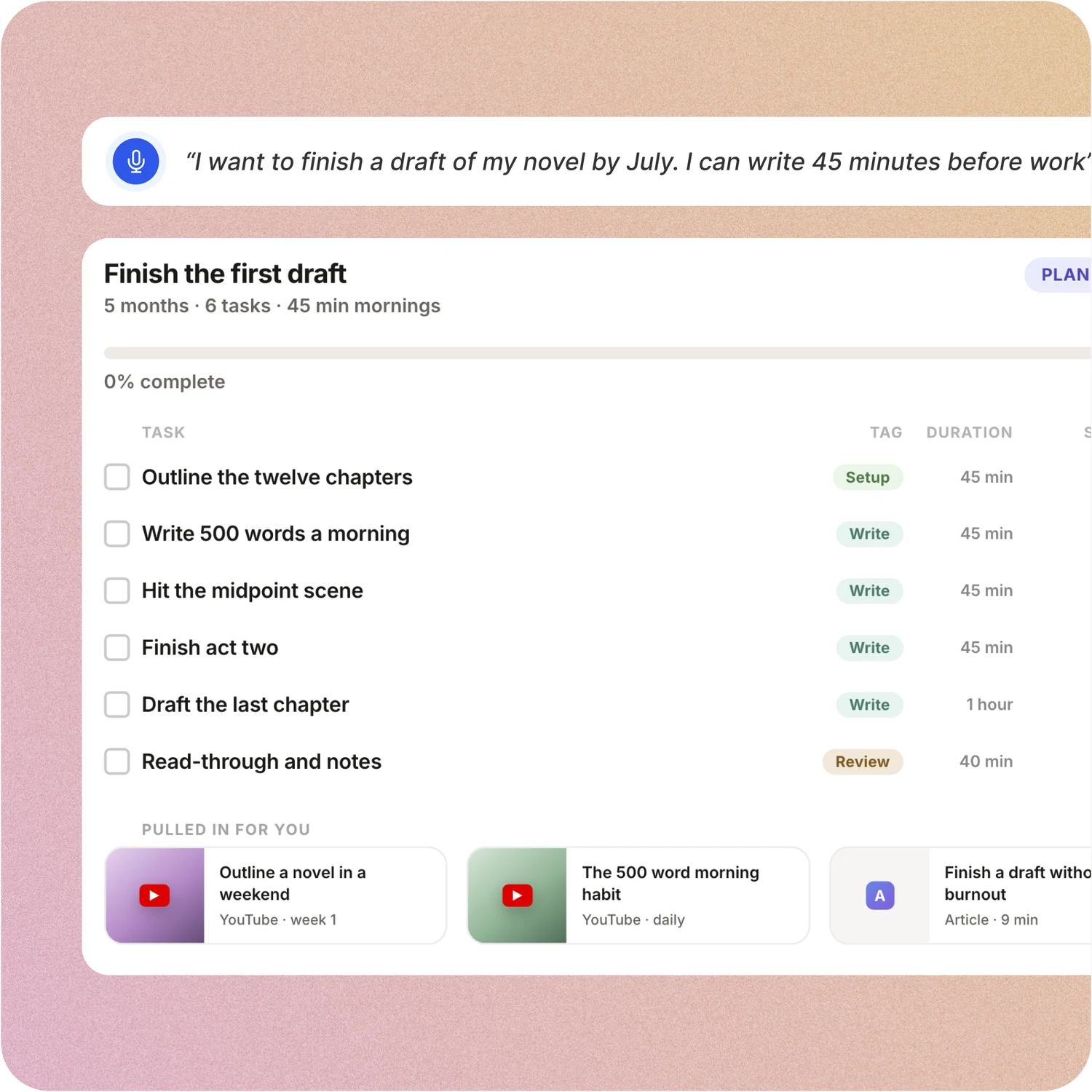
Say the goal. Get a scheduled plan.
Tell ByDesign what you want to achieve. It asks a few questions, then builds the tasks, subtasks, courses and deadlines and schedules them around the life you already have. Replan in one message.
Goals Wizard: Goals Wizard walks you through its Clarity, Goals and Action modules: define the goal, break it into milestones and action steps, then plan each day in the morning routine. Its AI goal planning drafts SMART goals and action plans; the schedule is still yours to build.
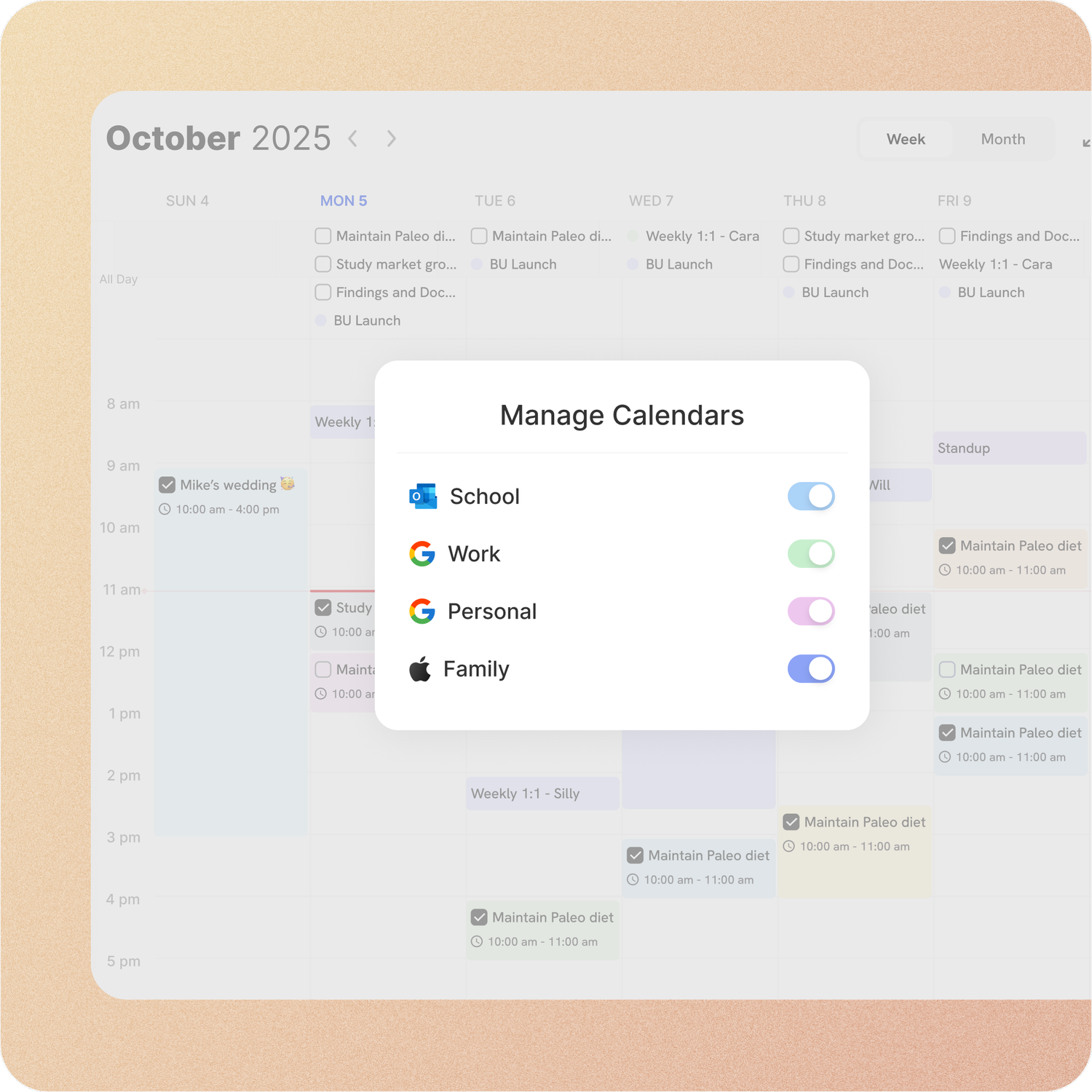
Your calendar, both ways
Connect Google or Apple Calendar and edit an event in either place, with Outlook and ICS subscriptions too. Auto-scheduling fills the real gaps around the meetings already there.
Goals Wizard: Goals Wizard’s daily planner and calendar views hold the tasks you add there. A two-way sync with the calendar you already use isn’t among the features it lists.
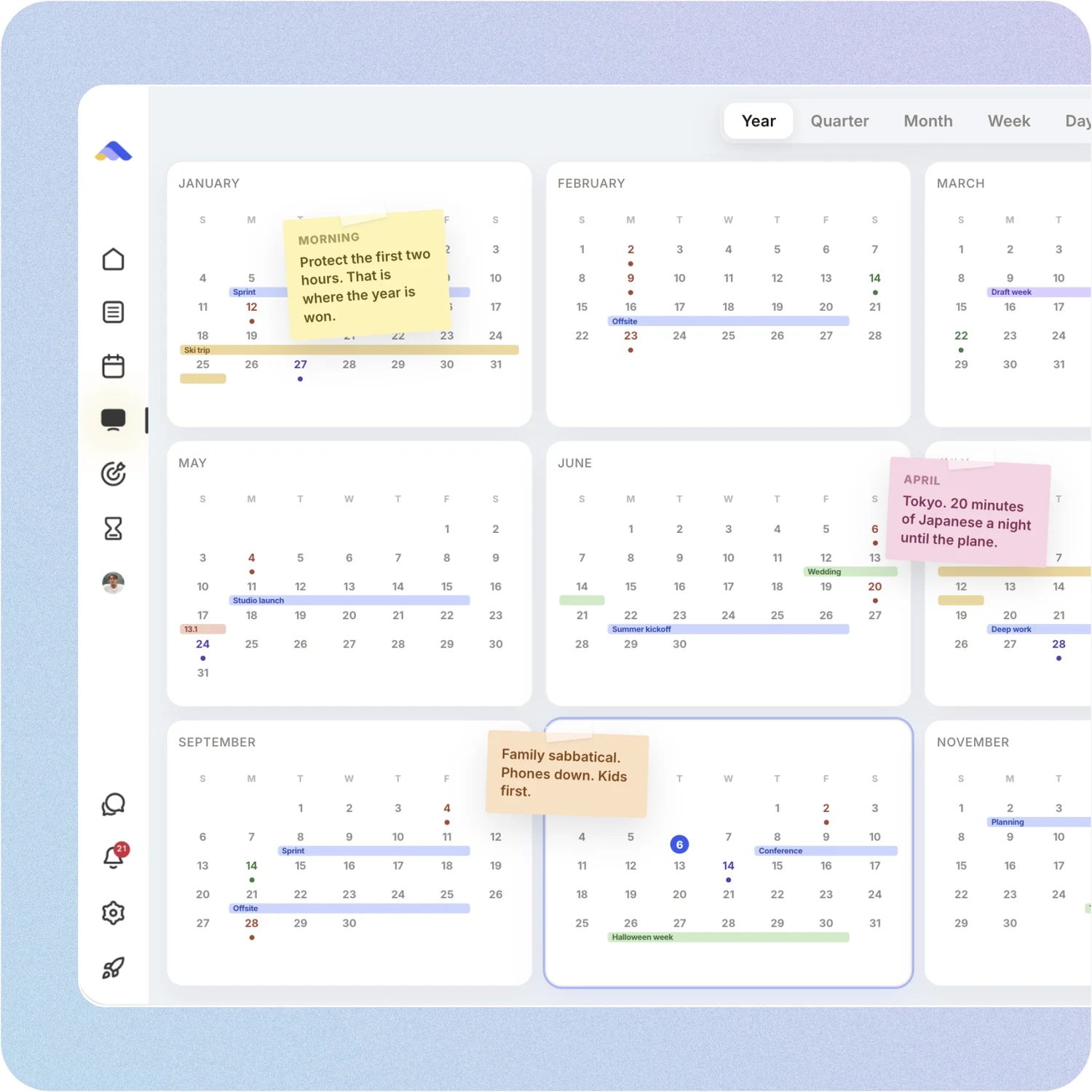
Your whole year on one surface
The planning canvas zooms from the full year down to a single day. Pin goals, notes and milestones where they belong, drag anything, and the plan keeps up.
Goals Wizard: Goals Wizard plans in days and weeks, with milestones and progress on each goal. There is no zoomable year view, no Kanban and no canvas to pin notes and images onto.
On every device, with your team
ByDesign runs on the web, Mac, Windows, iOS, iPad and Android. Share pages, assign tasks, @mention in comments and chat in the app.
Goals Wizard: Goals Wizard runs on iPhone, iPad, Apple Watch, Android and the web. You can share progress with an accountability team or mastermind group, and buy one-on-one coaching for an additional fee; assigning tasks and chat aren’t part of it.
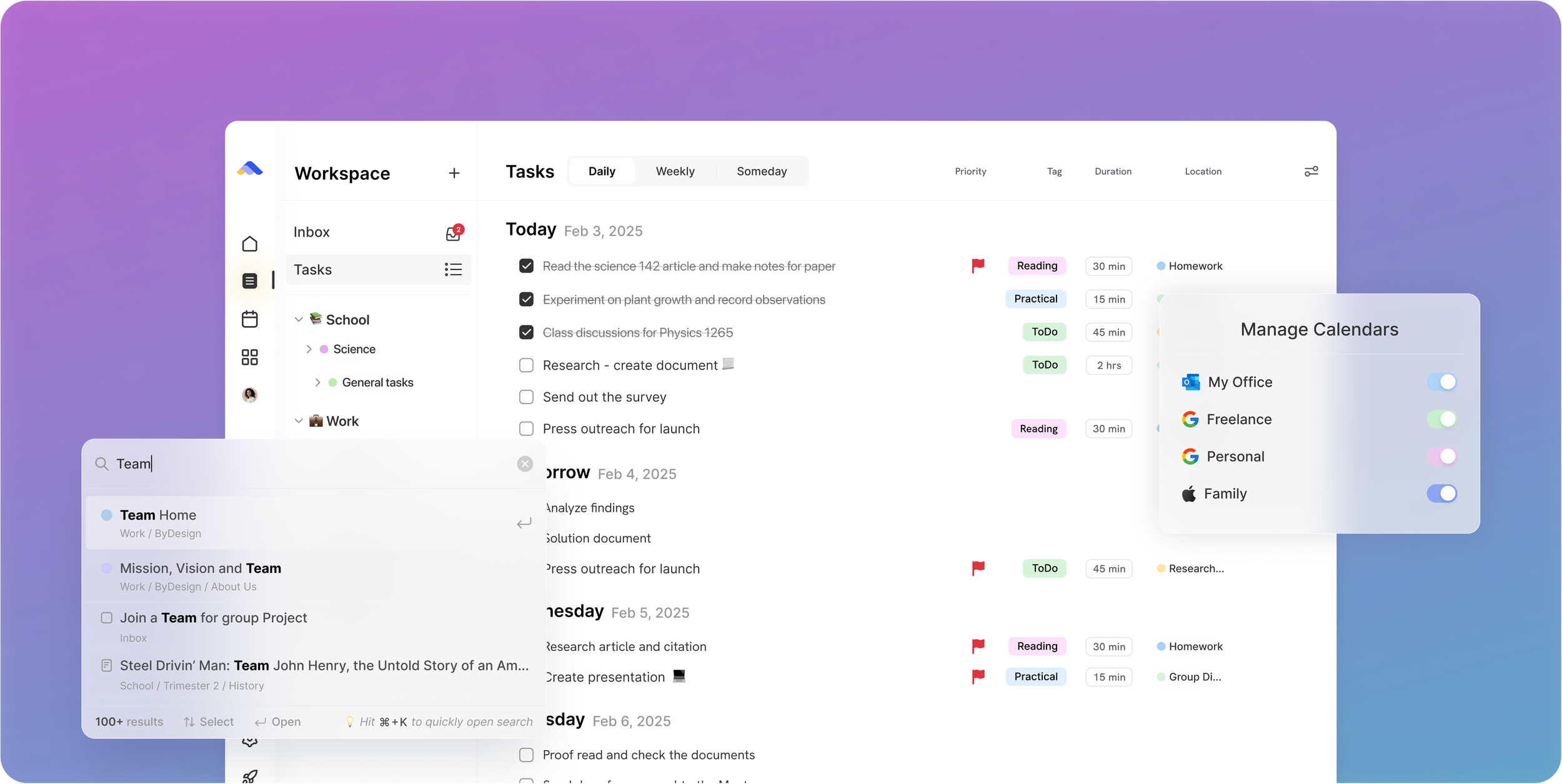
Don’t take our word for it.
From Daniel
Honestly, Notion was really exhausting for me... Your product works in the simplest way. I’m a product designer, and I’d love to share my feedback with you after using it more :)
From Petey M.
I used to keep a calendar, a to-do list, and a project app. ByDesign replaced all of them. It’s clean, it works, and I haven’t needed anything else.
From Callio
Can I just say I love you. Finally, a good-looking app that isn’t complex as hell. There are tears in my eyes. I’ll happily pay for this!💯
Make the switch in three steps
No setup project. Start free, connect the calendar you already use, and give ByDesign your first goal.
- Start your free trial. No credit card.
- Connect your Google, Apple or Outlook calendar.
- Say your first goal and watch the plan land on your calendar.
Ready for a plan that runs itself?
Start free. No credit card. Tell ByDesign a goal and watch the plan land on your calendar.
Try ByDesign free