

Comparison

 Griply
ByDesign vs Griply
Griply makes you build the plan. ByDesign builds it with you.
Both apps put goals first. Only one turns a goal into a scheduled plan, keeps your whole year on one canvas, syncs with Google, Apple and Outlook, and works with the AI you already use.
What you get with ByDesign that Griply doesn’t offer
AI goal plans and scheduling
Say the goal. ByDesign builds the tasks, subtasks, courses and deadlines, then schedules them around your calendar. Griply has no AI features.
Works with Claude and ChatGPT
An MCP server lets the assistant you already use add tasks, read your schedule and plan your day. Griply doesn’t offer one.
Apple, Google and Outlook calendars
Two-way sync with Google and Apple, an Outlook connection, and guest invites with Google Meet links. Griply syncs Google and Outlook only.
Built for sharing
Share pages with view, comment or edit access, assign tasks, @mention in comments, chat in the app, and add seats on a team plan. Griply has no sharing at all.
ByDesign vs Griply, feature by feature
Only the differences. What both apps do the same is listed underneath.
- Included
- Limited
- Not available
AI planning
AI goal plans
ByDesign
Included: AI-builtType or speak a goal; get tasks, resources and a schedule. Replan in one message; AI and AI Plus plansGriply
Limited: ManualYou build vision, life areas, goals, subgoals and tasks yourselfAI scheduling with a preview you approve
ByDesign
Included: Preview, then acceptConflicts shown, step-by-step undo; nothing saves until you say so; AI and AI Plus plansGriply
Not available: No AI featuresPlanning assistant chat
ByDesign
Included: Full contextCreates, moves and reschedules items; finds time with people; answers questions about your week; AI and AI Plus plansGriply
Not available: NoVoice control
ByDesign
Included: Mic and hands-freeOptional wake phrase; AI and AI Plus plansGriply
Not available: NoAuto-schedule around your hours
ByDesign
Included: Rules you setWork hours, breaks, buffers, max hours a day, split long tasks, Find TimeGriply
Limited: Focus blocksPlaced by hand
Planning views
Year-to-day planning canvas
ByDesign
Included: Year to dayYear, quarter, month, week and day on one zoomable surface; AI and AI Plus plansGriply
Limited: Gantt timelineMonth to 5-year Gantt of goals, subgoals and projects; day, 4-day, week and month calendarsSticky notes, images and pinned pages on the calendar
ByDesign
Included: YesGriply
Not available: NoTask lists: daily, weekly, someday
ByDesign
Included: Plus All Tasks and Kanban tabsGriply
Limited: Today, Upcoming, Inbox and Smart ListsKanban boards
ByDesign
Included: Custom columnsMain board plus boards per pageGriply
Not available: NoCustomisable dashboard
ByDesign
Included: Drag-and-drop widgetsScore board, tasks, habits, inbox, pinned pages, KanbanGriply
Limited: Insights dashboard
Tasks and time
Pomodoro timer
ByDesign
Included: Built in25/5/15 cycles with a floating timerGriply
Not available: NoTime tracking on tasks
ByDesign
Included: Start and pause on any taskTotals per task; “most tracked” filterGriply
Limited: Duration estimates only
Notes, pages and templates
Notes and pages
ByDesign
Included: Block editorHeadings, to-dos, tables, code, embeds, sub-pages, backlinksGriply
Limited: Descriptions on tasks and projectsCourses and roadmaps from the Hub
ByDesign
Included: The HubCourses, roadmaps, templates and a habit library; schedule a roadmap straight onto your calendarGriply
Limited: Goal templates
Habits and goals
Habits with friends
ByDesign
Included: Shared streak boardInvite friends, comments and likesGriply
Not available: NoShare a goal
ByDesign
Included: Read-only linkRecipients can add it to their own goalsGriply
Not available: No
Calendar and integrations
Calendar sync
ByDesign
Included: Google, Apple and OutlookTwo-way with Google and Apple; subscribe to any calendar by ICSGriply
Limited: Google and Outlook onlyPer Griply’s calendar integration guideMCP for Claude, ChatGPT and other assistants
ByDesign
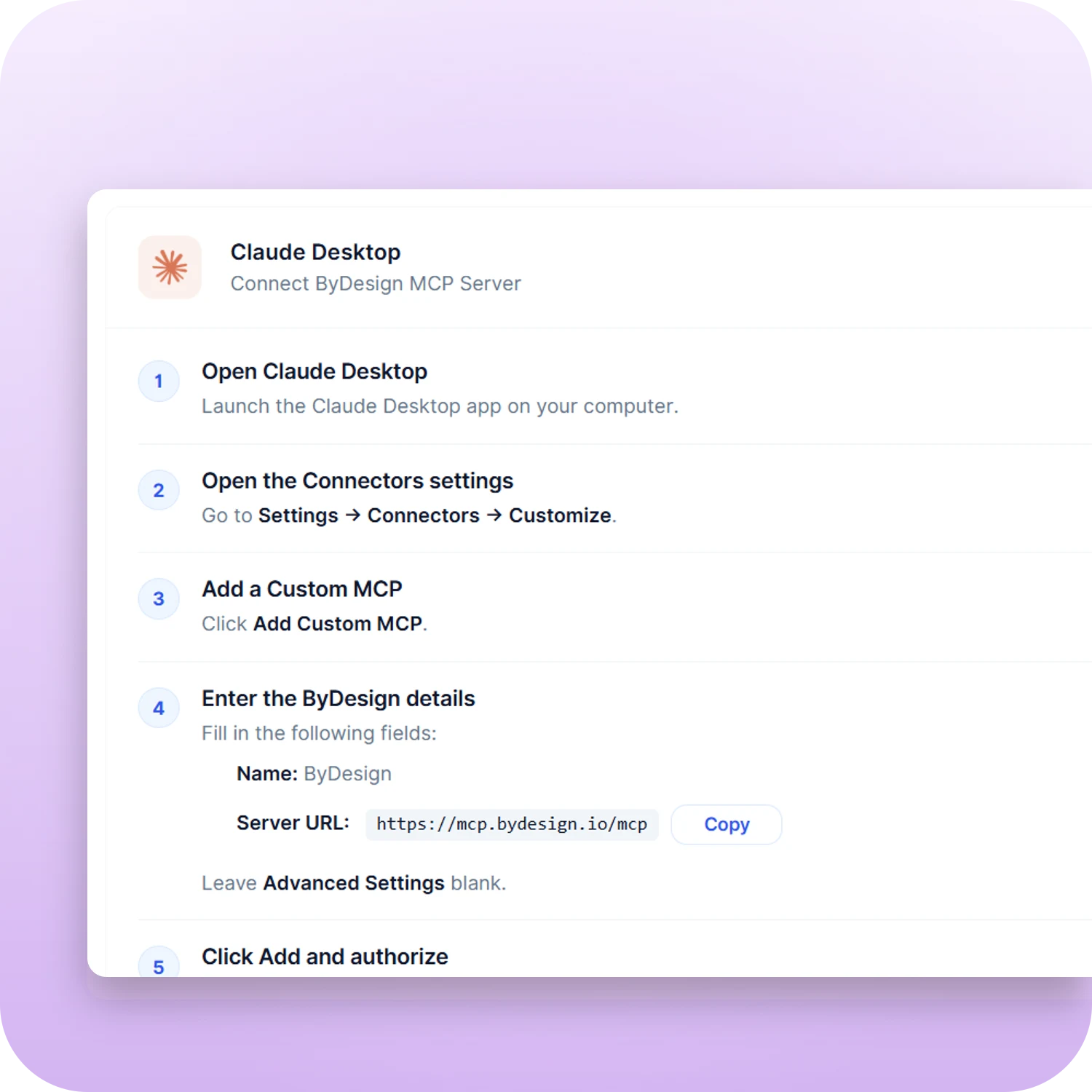
Included: YesClaude Desktop, Claude Code and ChatGPT guides; revocable accessGriply
Not available: No
Collaboration
Share pages
ByDesign
Included: View, comment or editLink sharing, access requests, transfer ownershipGriply
Not available: NoAssign tasks and comment
ByDesign
Included: YesInline comments, threads, @mentionsGriply
Not available: NoBuilt-in chat
ByDesign
Included: Direct and groupThreads, reactions, pollsGriply
Not available: NoTeam plans
ByDesign
Included: Per seatAdd or remove members in settingsGriply
Not available: No
Griply column based on help centre, changelog, features, task-manager, time-management and pricing on October 23, 2026. If something has changed, email info@bydesign.io.
Both apps cover the basics
- Tasks with subtasks, priorities and tags
- Recurring tasks
- Deadlines and reminders
- Duration estimates
- Inbox for quick capture
- Natural-language quick add
- Habit tracking with streaks
- Day, week and month calendar views
- Time blocking
- Web, Mac, Windows, iOS and Android apps
- Dark mode
- Multiple languages
- Keyboard shortcuts
- Home-screen widgets on iOS and Android
- Event guests and Google Meet links
Why people switch from Griply to ByDesign
Say the goal. Get the plan.
Tell ByDesign what you want to achieve. It asks a few questions, then builds a step-by-step plan with tasks, subtasks, courses and deadlines, and schedules it around the life you already have. Replan with one message.
Griply: In Griply you create the vision, life areas, goals, subgoals, projects and tasks yourself. Its planning is manual by design.
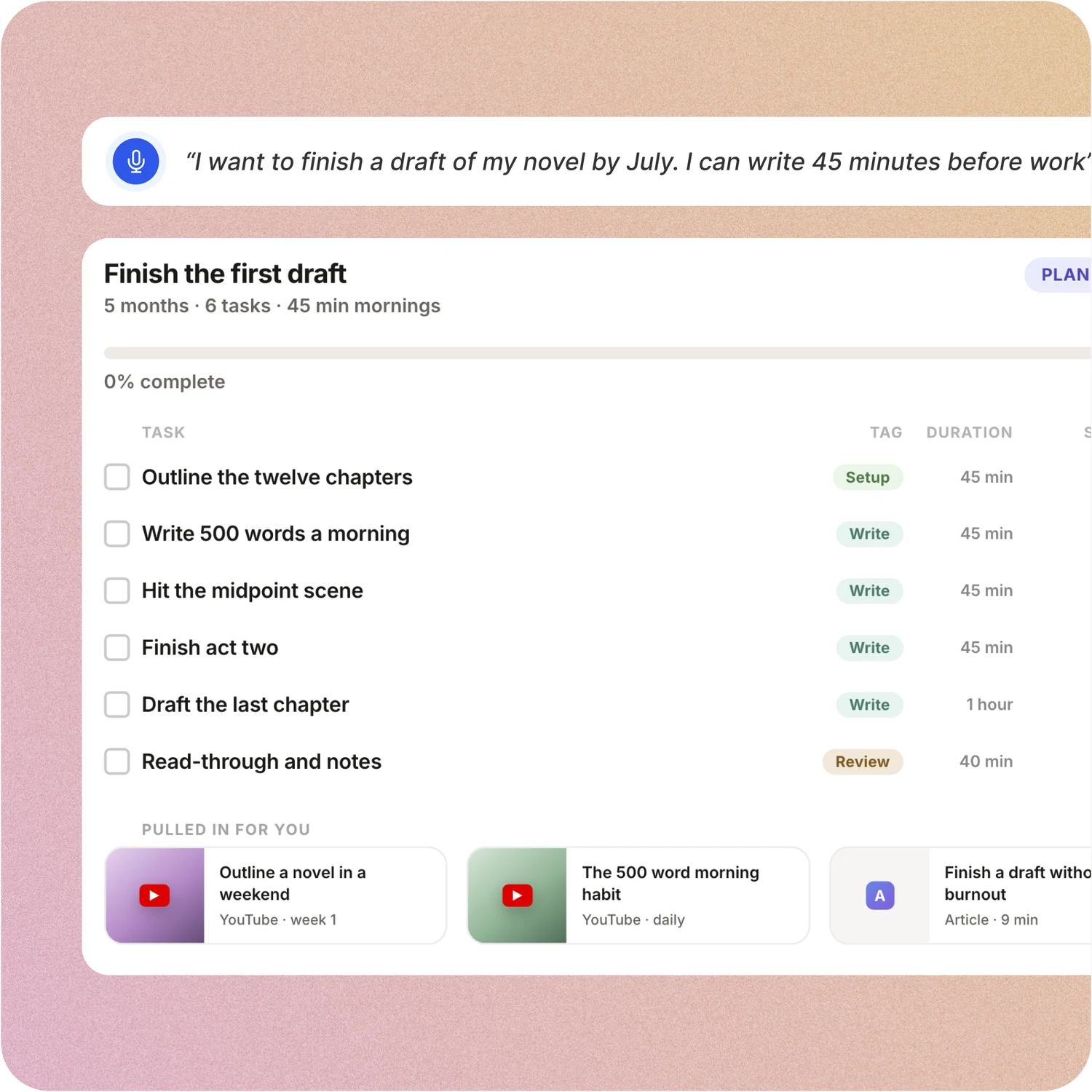
Your whole year on one surface
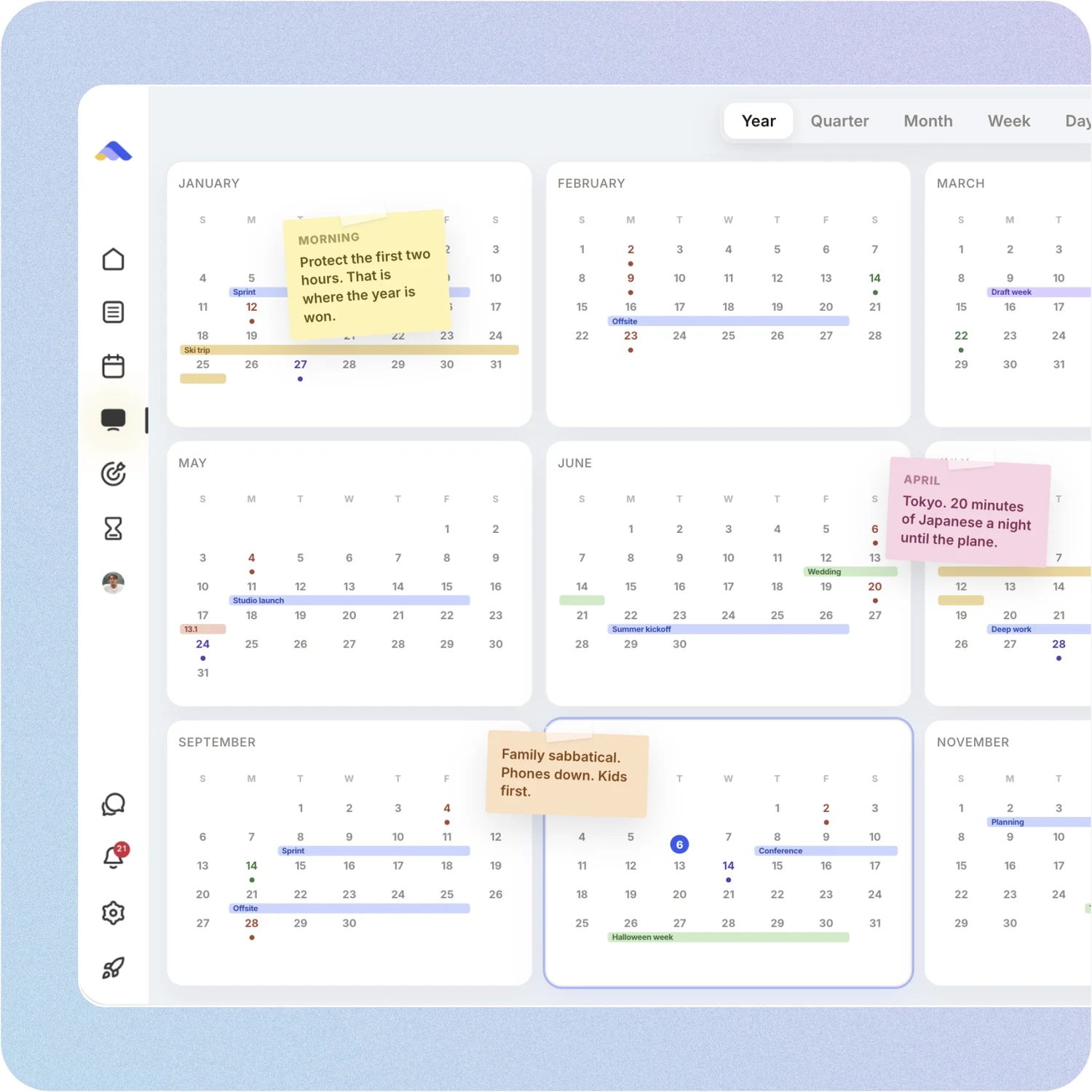
The planning canvas zooms from the full year down to a single day. Pin goals, notes and milestones where they belong, drag anything, and the plan keeps up.
Griply: Griply shows goals and projects on a Gantt timeline on desktop, and a goal roadmap on iOS, in its Premium plan.
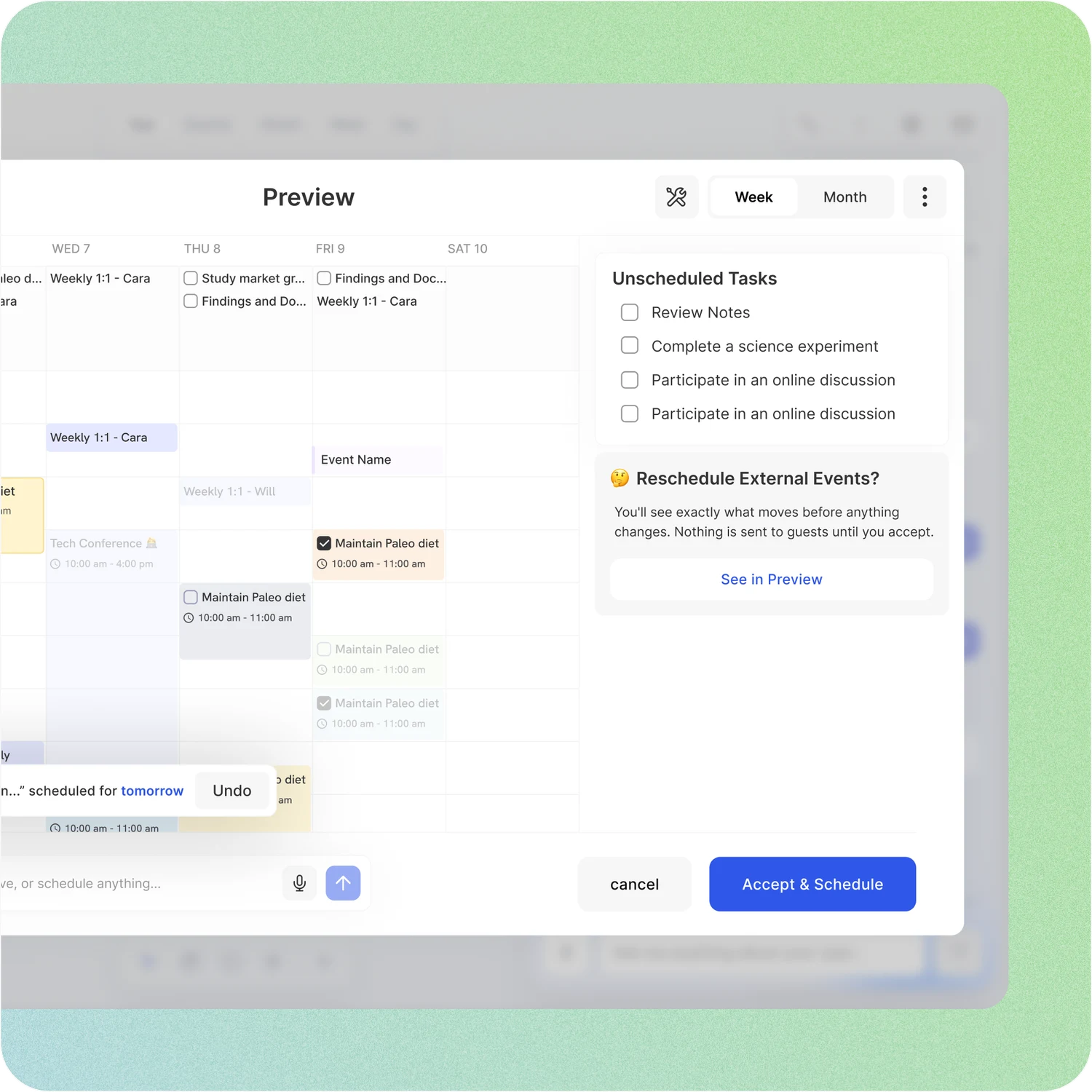
Scheduling you approve first
Say “plan my week” and ByDesign drafts the changes on a preview of your calendar. Nothing is saved until you accept. Events sync with Google, Apple and Outlook.
Griply: Griply has calendar time blocking, but every block is placed by hand.
Works with the AI you already use
Connect ByDesign to Claude, ChatGPT or any MCP-capable assistant and ask it to add tasks, read your schedule or plan your day from the chat you already use.
Griply: Griply has no MCP server or assistant integration.
Don’t take our word for it.
From Daniel
Honestly, Notion was really exhausting for me... Your product works in the simplest way. I’m a product designer, and I’d love to share my feedback with you after using it more :)
From Petey M.
I used to keep a calendar, a to-do list, and a project app. ByDesign replaced all of them. It’s clean, it works, and I haven’t needed anything else.
App Store Review
I have tried pretty much every calendar app and this one is the best I’ve tried.
Make the switch in three steps
No setup project. Start free, connect the calendar you already use, and give ByDesign your first goal.
- Start your free trial. No credit card.
- Connect your Google, Apple or Outlook calendar.
- Say your first goal and watch the plan land on your calendar.
Ready to plan your year, not just your day?
Start free. No credit card. Tell ByDesign a goal and watch the plan land on your calendar.
Try ByDesign free