

Comparison

 Lunatask
ByDesign vs Lunatask
Lunatask keeps your life private. ByDesign plans it with you, and with your team.
Lunatask is an encrypted personal system: tasks in areas with goals, habits with streaks, a mood tracker (energy and stress on Premium), a journal, Markdown notes, a relationships tracker and Pomodoro-style timers, with calendars flowing in one way. ByDesign keeps the habits, goals and notes and adds what Lunatask leaves out: AI that turns a goal into scheduled tasks you approve, two-way calendar sync, week, month and year views, sharing and chat, a web app and 12 languages.
What you get with ByDesign that Lunatask doesn’t offer
AI that builds the plan
Say a goal and get tasks, subtasks, courses and deadlines on your calendar, with a preview you approve. Lunatask has no AI features; you set priorities and estimates and plan each day by hand.
A calendar that syncs both ways, with a week, month and year
Edit events in ByDesign or in Google and Apple Calendar, and see your plan by day, week, month, quarter or year. Lunatask shows today and tomorrow, and its calendar integrations are “one-way only”, flowing into Lunatask on Premium.
Share it, assign it, talk about it
Share pages, assign tasks, @mention in comments and chat in the app on a team plan. Lunatask can share a note; its FAQ says end-to-end encryption makes broader sharing “difficult”, and there are no assignments, chat or team plans.
On the web, in your language
ByDesign runs in the browser and in 12 languages. Lunatask has no web app yet (the Lunatask 3 rewrite is meant to enable one) and no localisations, per its documentation.
ByDesign vs Lunatask, feature by feature
Only the differences. What both apps do the same is listed underneath.
- Included
- Limited
- Not available
AI planning
AI goal plans
ByDesign
Included: Built and scheduledTasks, subtasks, courses and deadlines land on your calendar; AI and AI Plus plansLunatask
Not available: No AI featuresAI scheduling with a preview you approve
ByDesign
Included: Preview, then acceptConflicts shown; nothing saves until you say so; AI and AI Plus plansLunatask
Not available: NoAuto-schedule around your hours
ByDesign
Included: Rules you setWork hours, breaks, buffers, max hours a day, split long tasksLunatask
Not available: Time blocking by handDrag planned tasks onto today’s calendar; habits with a set time appear automaticallyPlanning assistant chat
ByDesign
Included: In the app, full contextSees your calendar, goals, habits and notes; moves and reschedules items; AI and AI Plus plansLunatask
Not available: NoVoice control
ByDesign
Included: Mic and hands-freeOptional wake phrase; AI and AI Plus plansLunatask
Limited: Siri through ShortcutsCapture tasks on iPhone, Apple Watch and HomePod
Calendar and views
Two-way calendar sync
ByDesign
Included: Google and AppleEdit events in either place; Outlook and ICS subscriptions tooLunatask
Limited: One-way, inboundGoogle, Outlook, iCloud and CalDAV flow into Lunatask on Premium; “one-way only”, per its docsYear-to-day planning canvas
ByDesign
Included: Year to dayYear, quarter, month, week and day on one zoomable surface; AI and AI Plus plansLunatask
Limited: Today and tomorrowNo week, month or year viewKanban boards
ByDesign
Included: Custom columnsMain board plus boards per pageLunatask
Limited: Kanban workflowStatus sections stacked vertically rather than columnsSticky notes, images and pinned pages on the calendar
ByDesign
Included: YesLunatask
Limited: Quick NoteOne scratchpad note always visible beside your tasks; nothing on a calendarCustomisable dashboard
ByDesign
Included: Drag-and-drop widgetsScore board, tasks, habits, inbox, pinned pages, KanbanLunatask
Not available: No
Learning, focus and languages
Courses and roadmaps from the Hub
ByDesign
Included: The HubCourses, roadmaps and a habit library; schedule a roadmap straight onto your calendarLunatask
Not available: NoTime tracking on tasks
ByDesign
Included: Start and pause on any taskTotals per task; “most tracked” filterLunatask
Not available: Timers without logged-time reportsLanguages
ByDesign
Included: 12 languagesThe assistant answers in your languageLunatask
Not available: English only“We don’t provide localizations in our apps at the moment”
Collaboration and platforms
MCP for Claude, ChatGPT and other assistants
ByDesign
Included: YesClaude Desktop, Claude Code and ChatGPT guidesLunatask
Not available: Public API and ZapierNo official MCP serverShare pages and assign tasks
ByDesign
Included: View, comment or editAssign tasks; @mention in commentsLunatask
Limited: Note sharingShare a note; end-to-end encryption makes broader sharing “difficult”, per its FAQ; no assignmentsBuilt-in chat
ByDesign
Included: Direct and groupThreads, reactions, pollsLunatask
Not available: NoTeam plans
ByDesign
Included: Per seatAdd or remove members in settingsLunatask
Not available: NoApps
ByDesign
Included: Web, Mac, Windows, iOS, iPad and AndroidLunatask
Limited: Mac, Windows, Linux, iOS and AndroidNo web app yet; the Lunatask 3 rewrite is meant to enable one
Lunatask column based on pricing, tasks, calendar, habits, timers, workflows, common questions, voice assistants, API and releases on October 26, 2026. If something has changed, email info@bydesign.io.
Both apps cover the basics
- Habit tracker with streaks
- Goals with progress
- Tasks with priorities, estimates and recurring schedules
- Notes with Markdown
- Pomodoro-style timers
- Time blocking
- Sync across devices
Why people switch from Lunatask to ByDesign
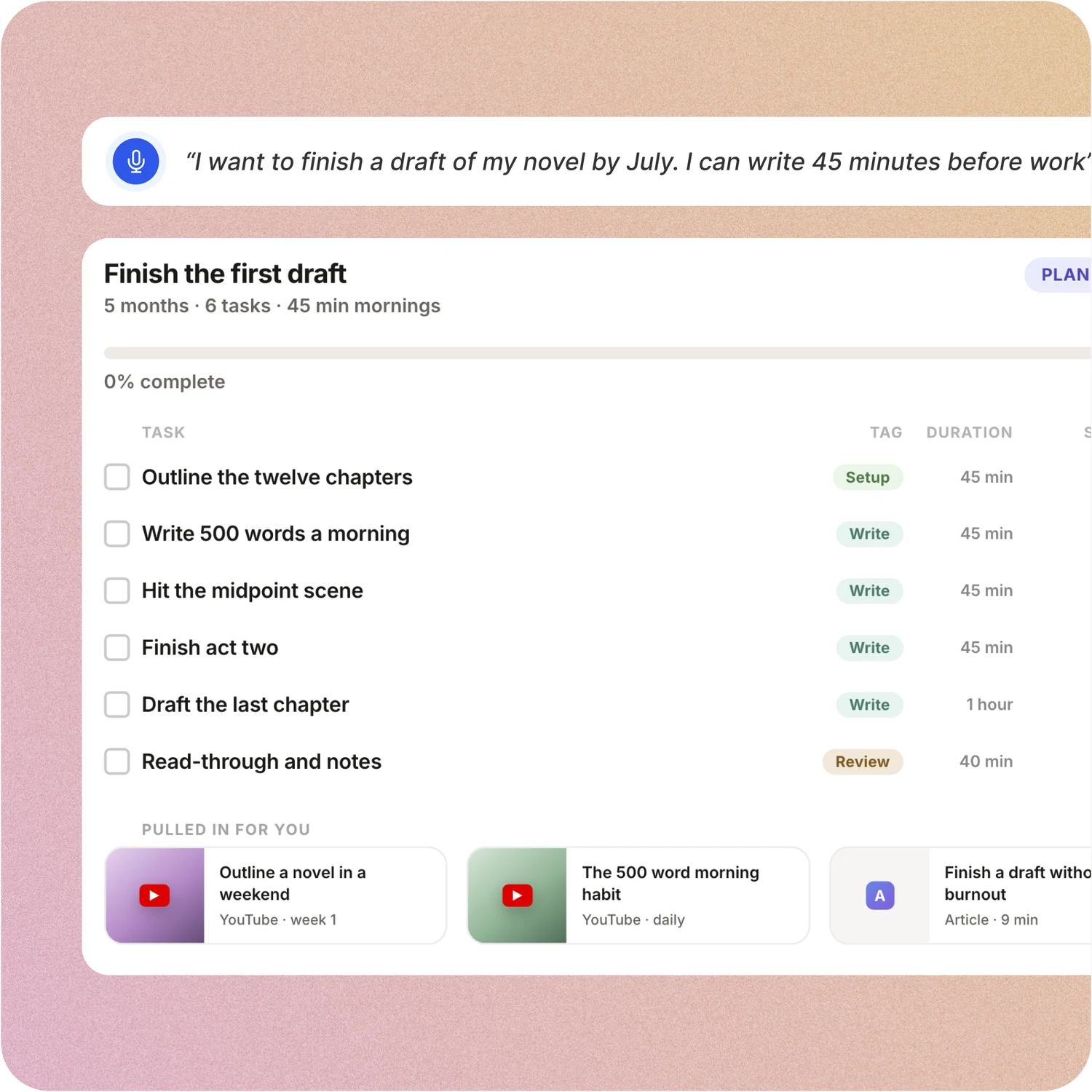
Say the goal. Get a scheduled plan.
Tell ByDesign what you want to achieve. It asks a few questions, then builds the tasks, subtasks, courses and deadlines and schedules them around the life you already have. Replan in one message.
Lunatask: Lunatask sorts tasks by age, status, priority and urgency, and you drag planned tasks onto today’s calendar. There is no AI, so the plan, the estimates and the schedule are yours to build.
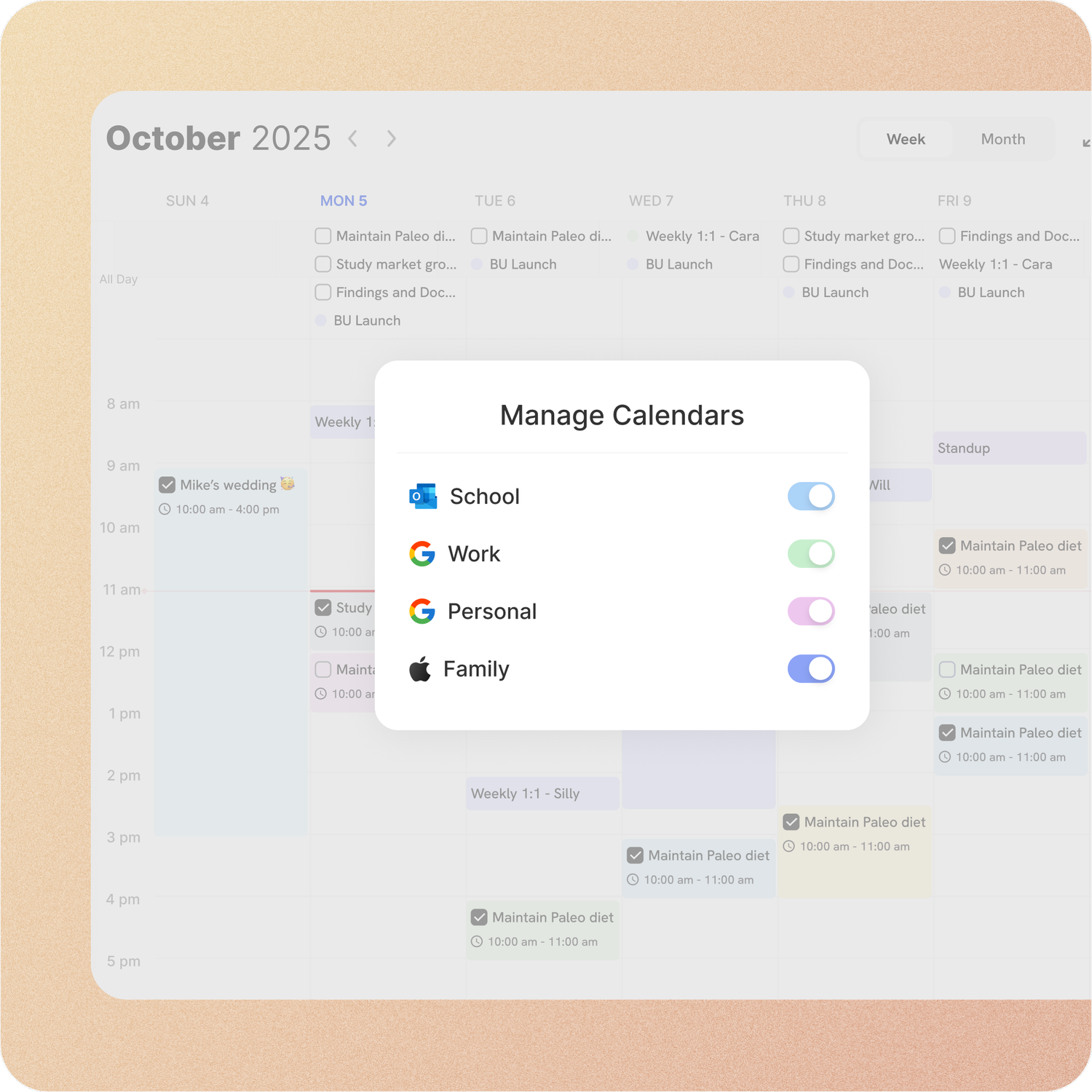
Your calendar, both ways
Connect Google or Apple Calendar and edit an event in either place, with Outlook and ICS subscriptions too. Auto-scheduling fills the real gaps around the meetings already there.
Lunatask: Lunatask’s calendar integrations bring Google, Outlook, iCloud and CalDAV events in, one way, on Premium. Time blocking works on the built-in today calendar; there is no week or month view and nothing schedules tasks for you.
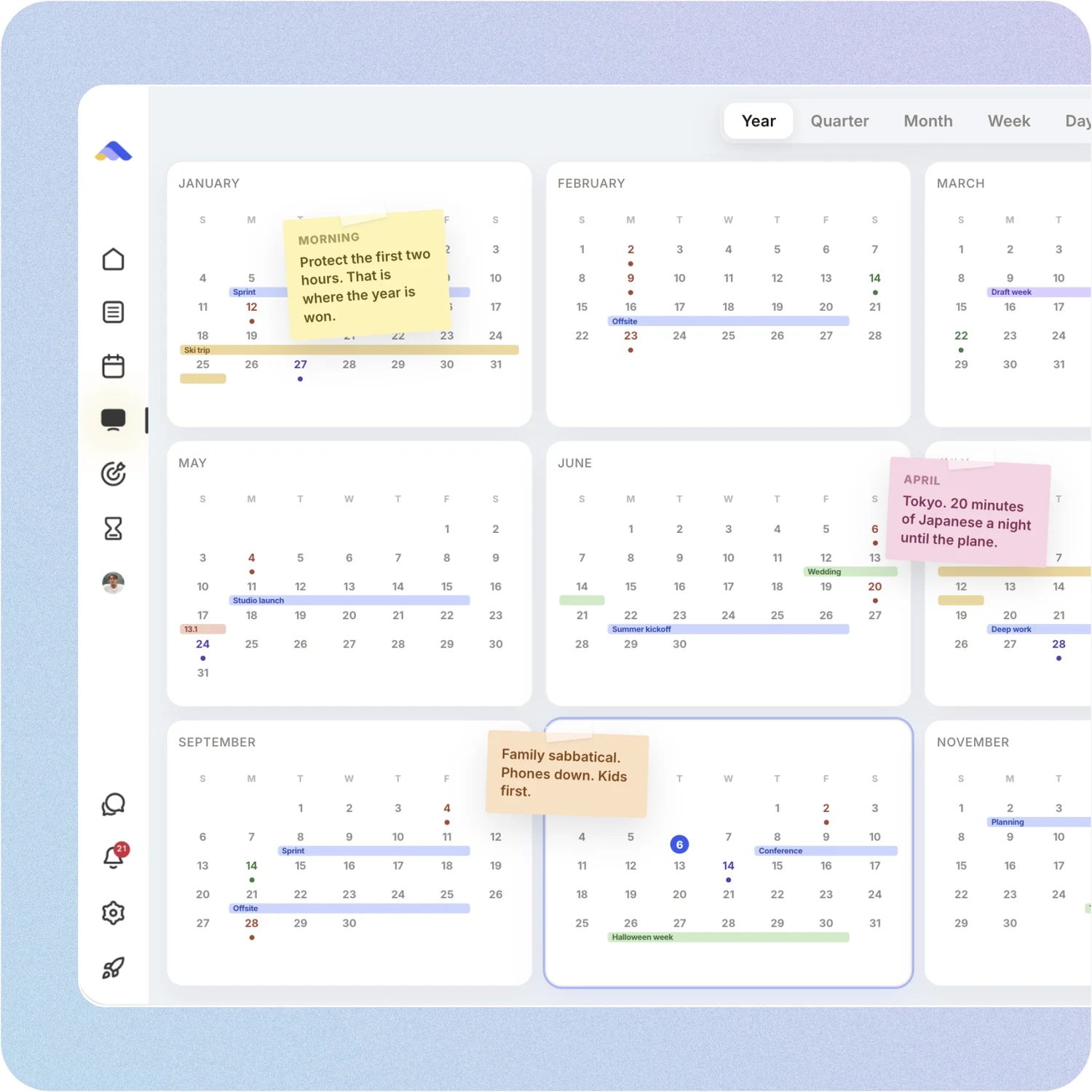
Your whole year on one surface
The planning canvas zooms from the full year down to a single day. Pin goals, notes and milestones where they belong, drag anything, and the plan keeps up.
Lunatask: Lunatask shows today, and tomorrow when the sidebar is wide. Its calendar docs say the team lacks the capacity for week or month views for now, and there is no year view or canvas.
A workspace your team can live in
Share pages with view, comment or edit access, assign tasks, @mention people in comments and chat without leaving the app. Add seats from the app on a team plan.
Lunatask: Lunatask is built for one person with end-to-end encryption; it can share a note, and its FAQ says broader sharing is difficult for that reason. There are no assignments, chat or team plans.
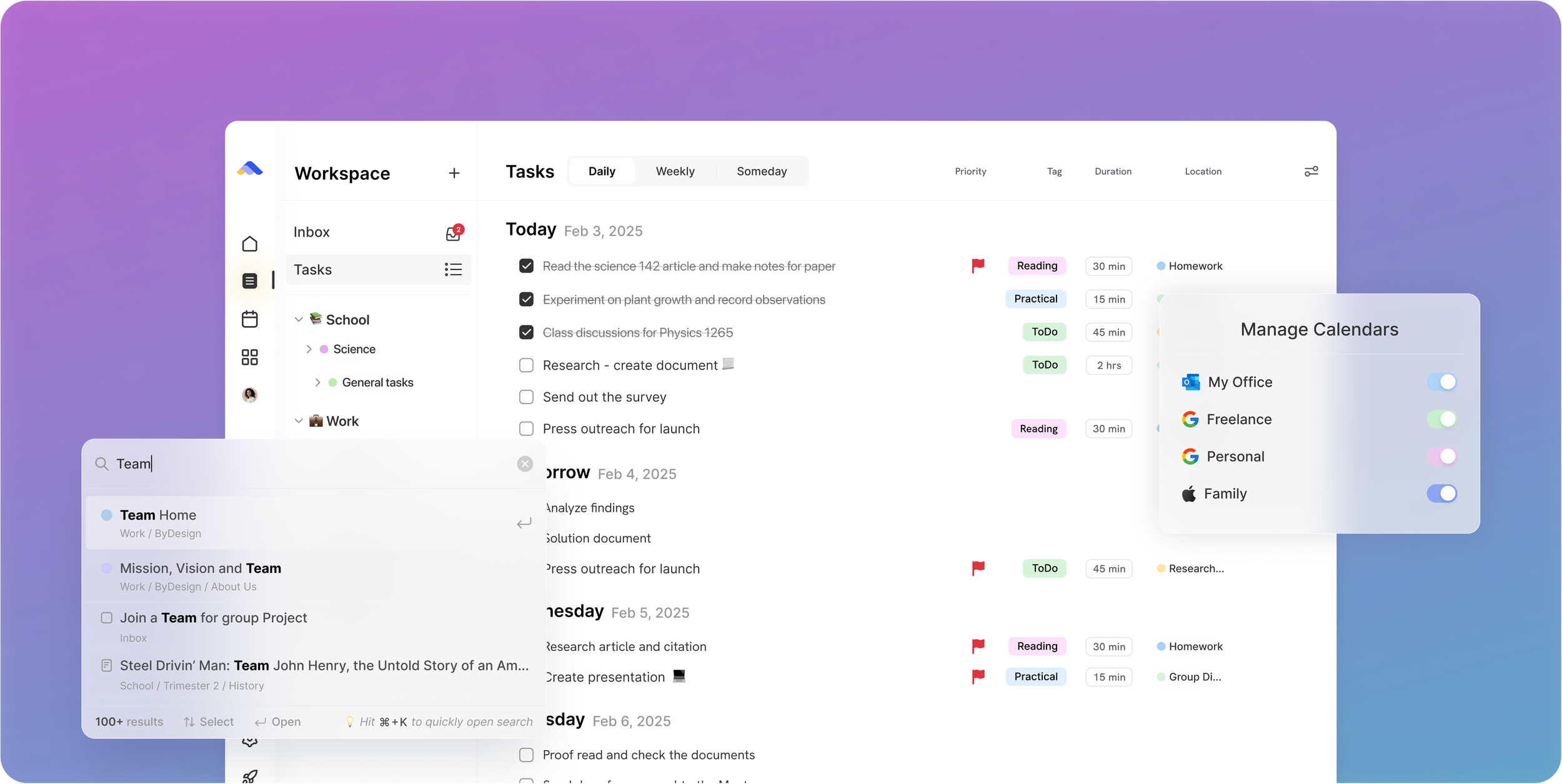
Don’t take our word for it.
From E
I really like ByDesign - a lot. I was looking for something that works for me but is also simple and intuitive enough to work for my 12 yr old daughter who needs to start planning out her homework and chores around her other calendar events. I think this is it - and I have looked at a lot of your competitors - Notion, Motion, Tick Tick, To-Do, Todoist. None have the simplicity of user interface combined with the rich features (but not overly complex). love it😍
From Daniel
Honestly, Notion was really exhausting for me... Your product works in the simplest way. I’m a product designer, and I’d love to share my feedback with you after using it more :)
App Store Review
I have tried pretty much every calendar app and this one is the best I’ve tried.
Make the switch in three steps
No setup project. Start free, connect the calendar you already use, and give ByDesign your first goal.
- Start your free trial. No credit card.
- Connect your Google, Apple or Outlook calendar.
- Say your first goal and watch the plan land on your calendar.
Ready for a plan you can share?
Start free. No credit card. Tell ByDesign a goal and watch the plan land on your calendar.
Try ByDesign free