

Comparison

 OmniFocus
ByDesign vs OmniFocus
OmniFocus is the GTD system for Apple devices. ByDesign plans the goal and runs the day.
OmniFocus gives you an inbox, projects, tags, defer and due dates, Review, and a Forecast that lists your actions next to your calendar events, with custom perspectives and automation in Pro. ByDesign starts further back: goals, habits, notes and a year canvas, with AI that builds the plan from a goal, schedules it around your hours and shows you before anything saves, on every platform, with sharing and chat.
What you get with ByDesign that OmniFocus doesn’t offer
AI that builds and schedules the plan
Say a goal and get tasks, subtasks, courses and deadlines on your calendar, with a preview you approve. OmniFocus 4.9 adds Siri AI in beta, which can create and edit actions and break a goal into steps on OS 27, and Apple Intelligence date parsing; nothing schedules the work for you.
A calendar you can edit, both ways
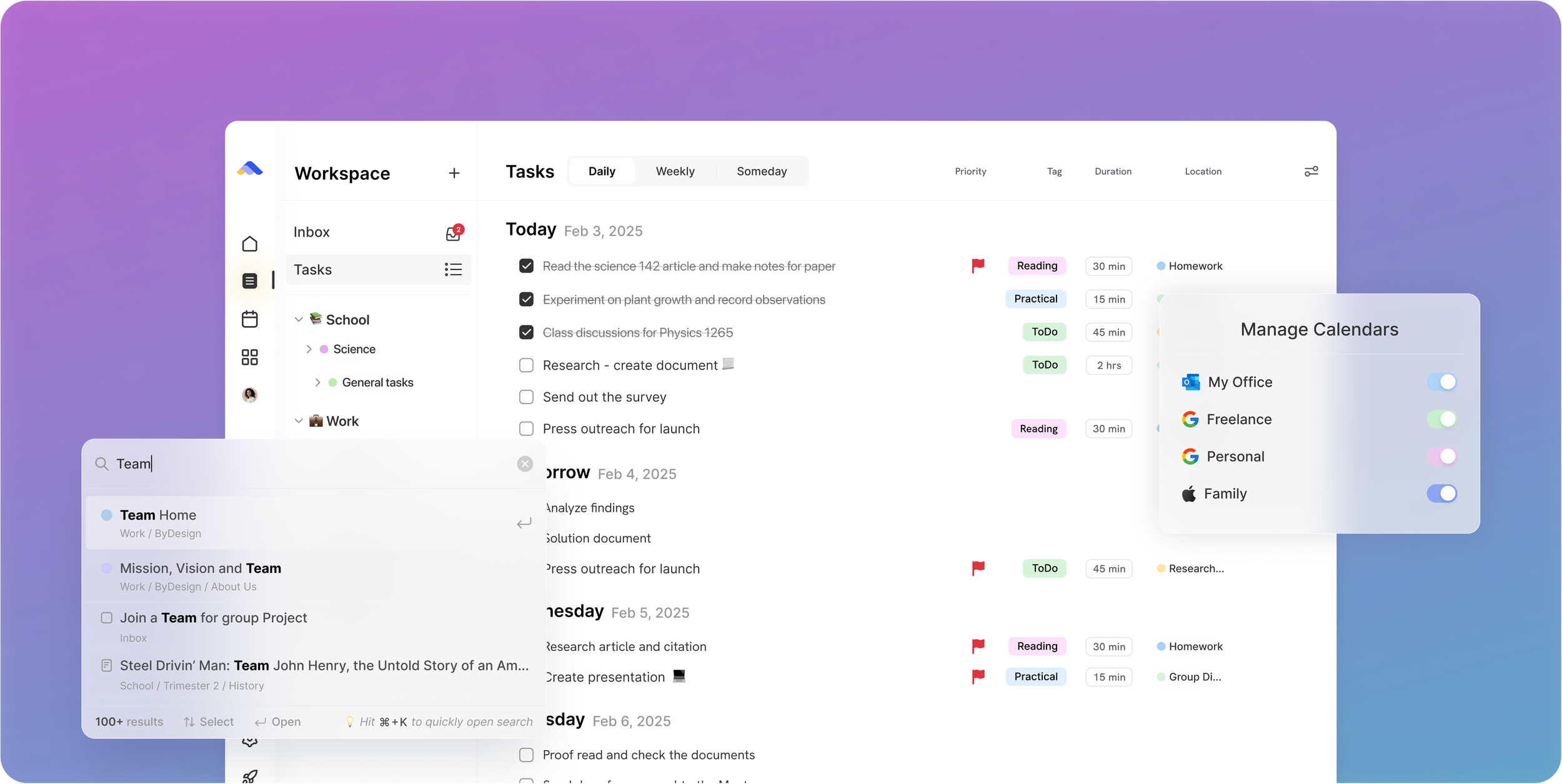
Edit an event in ByDesign or in Google and Apple Calendar and both stay right, with Outlook and ICS subscriptions too. OmniFocus’s Forecast shows your device’s calendar events “for display purposes” only; they open in Apple Calendar or the calendar app you pick, and the web app doesn’t show them at all.
Goals, habits, notes and a year on one canvas
Goal pages with progress, a habit tracker with streaks and stats, nested pages, and a year-to-quarter-to-day canvas. OmniFocus has projects and folders, repeating actions, rich-text notes on actions, and a Forecast list with a one-month sidebar.
Every platform, and your team
Web, Mac, Windows, iOS, iPad and Android, with shared pages, assignments, chat and per-seat team plans. OmniFocus runs on Apple devices; Android and PC get the paid web companion, and there is no shared workspace to assign or discuss work in.
ByDesign vs OmniFocus, feature by feature
Only the differences. What both apps do the same is listed underneath.
- Included
- Limited
- Not available
AI planning
AI goal plans
ByDesign
Included: Built and scheduledTasks, subtasks, courses and deadlines land on your calendar; AI and AI Plus plansOmniFocus
Limited: Siri AI, betaOn OS 27 with Siri AI beta access, Siri can break a goal into actions in OmniFocus; no courses, deadlines or calendar placementAI scheduling with a preview you approve
ByDesign
Included: Preview, then acceptConflicts shown; nothing saves until you say so; AI and AI Plus plansOmniFocus
Not available: Forecast listDue items, flagged items and events by day, ordered by hand in the Flexible layoutAuto-schedule around your hours
ByDesign
Included: Rules you setWork hours, breaks, buffers, max hours a day, split long tasksOmniFocus
Not available: Estimated durations onlyUsed for the latest start date, not for placing actionsPlanning assistant chat
ByDesign
Included: In the app, full contextSees your calendar, goals, habits and notes; moves and reschedules items; AI and AI Plus plansOmniFocus
Limited: Siri, betaAsk Siri about your OmniFocus items or to flag what’s on screen; no chat inside the appVoice control
ByDesign
Included: Mic and hands-freeOptional wake phrase; AI and AI Plus plansOmniFocus
Limited: Siri and Apple Voice ControlCreate and edit actions through Siri AI on OS 27; Voice Control support on Mac
Calendar and views
Two-way calendar sync
ByDesign
Included: Google and AppleEdit events in either place; Outlook and ICS subscriptions tooOmniFocus
Limited: Forecast reads your calendarsEvents from the device’s calendars show beside actions “for display purposes” and open in Apple Calendar or the app you pick; not in OmniFocus for the WebYear-to-day planning canvas
ByDesign
Included: Year to dayYear, quarter, month, week and day on one zoomable surface; AI and AI Plus plansOmniFocus
Limited: ForecastDay tiles plus a sidebar calendar for the next month; no year viewKanban boards
ByDesign
Included: Custom columnsMain board plus boards per pageOmniFocus
Not available: On the roadmap“Most of the initial design work done”; engineering starts after OmniGraffle 8 ships, per Omni’s July 2026 updateSticky notes, images and pinned pages on the calendar
ByDesign
Included: YesOmniFocus
Not available: NoCustomisable dashboard
ByDesign
Included: Drag-and-drop widgetsScore board, tasks, habits, inbox, pinned pages, KanbanOmniFocus
Limited: Custom perspectives, ProFilter and group your actions by rules; home-screen widgets, no in-app dashboard
Notes, habits and goals
Notes and pages
ByDesign
Included: Nested pagesTables, code, embeds, sub-pages, backlinks; publish to the webOmniFocus
Limited: Rich-text notes on actionsWith attachments; no standalone pagesHabit tracker
ByDesign
Included: Check-ins and streaksSkip a day, stats, habits with friendsOmniFocus
Limited: Repeat schedulesActions repeat on real-world schedules; no streaks or statsGoals with progress
ByDesign
Included: Goal pagesTasks, resources, percent complete, shareableOmniFocus
Not available: Projects and folders insteadCourses and roadmaps from the Hub
ByDesign
Included: The HubCourses, roadmaps and a habit library; schedule a roadmap straight onto your calendarOmniFocus
Not available: Project templates through automation, ProPomodoro timer
ByDesign
Included: Built in25/5/15 cycles with a floating timerOmniFocus
Not available: NoTime tracking on tasks
ByDesign
Included: Start and pause on any taskTotals per task; “most tracked” filterOmniFocus
Limited: Estimated durationEstimate how long an action will take; no timer
Collaboration and platforms
MCP for Claude, ChatGPT and other assistants
ByDesign
Included: YesClaude Desktop, Claude Code and ChatGPT guidesOmniFocus
Limited: In progressOmni says it is working towards MCP support; today, customers wire it up themselves through Omni Automation, a Pro featureShare pages and assign tasks
ByDesign
Included: View, comment or editAssign tasks; @mention in commentsOmniFocus
Not available: Single-userEach person keeps their own database; Omni is “working toward” Omni Links for OmniFocusBuilt-in chat
ByDesign
Included: Direct and groupThreads, reactions, pollsOmniFocus
Not available: NoTeam plans
ByDesign
Included: Per seatAdd or remove members in settingsOmniFocus
Limited: Team licencesBuy seats for employees; each person’s OmniFocus stays their ownApps
ByDesign
Included: Web, Mac, Windows, iOS, iPad and AndroidOmniFocus
Limited: Mac, iPhone, iPad, Watch and Vision ProAndroid and PC only through OmniFocus for the Web, a paid companion without calendar events
OmniFocus column based on features, specs, manual: Forecast, manual: Inspector, release notes, Siri AI post, 2026 roadmap update and buy on October 26, 2026. If something has changed, email info@bydesign.io.
Both apps cover the basics
- Inbox and natural-language dates
- Projects, folders and tags
- Due dates, reminders and flags or priorities
- Flexible repeat schedules
- Rich-text notes with attachments
- Sync across devices
- Home-screen widgets
- Keyboard shortcuts
- Multiple interface languages
Why people switch from OmniFocus to ByDesign
Say the goal. Get a scheduled plan.
Tell ByDesign what you want to achieve. It asks a few questions, then builds the tasks, subtasks, courses and deadlines and schedules them around the life you already have. Replan in one message.
OmniFocus: OmniFocus is built for capture and review: you write the actions, file them into projects, set defer and due dates and work the list. Siri AI, in beta on OS 27, can add actions and break a goal into steps, but nothing lands on a calendar.
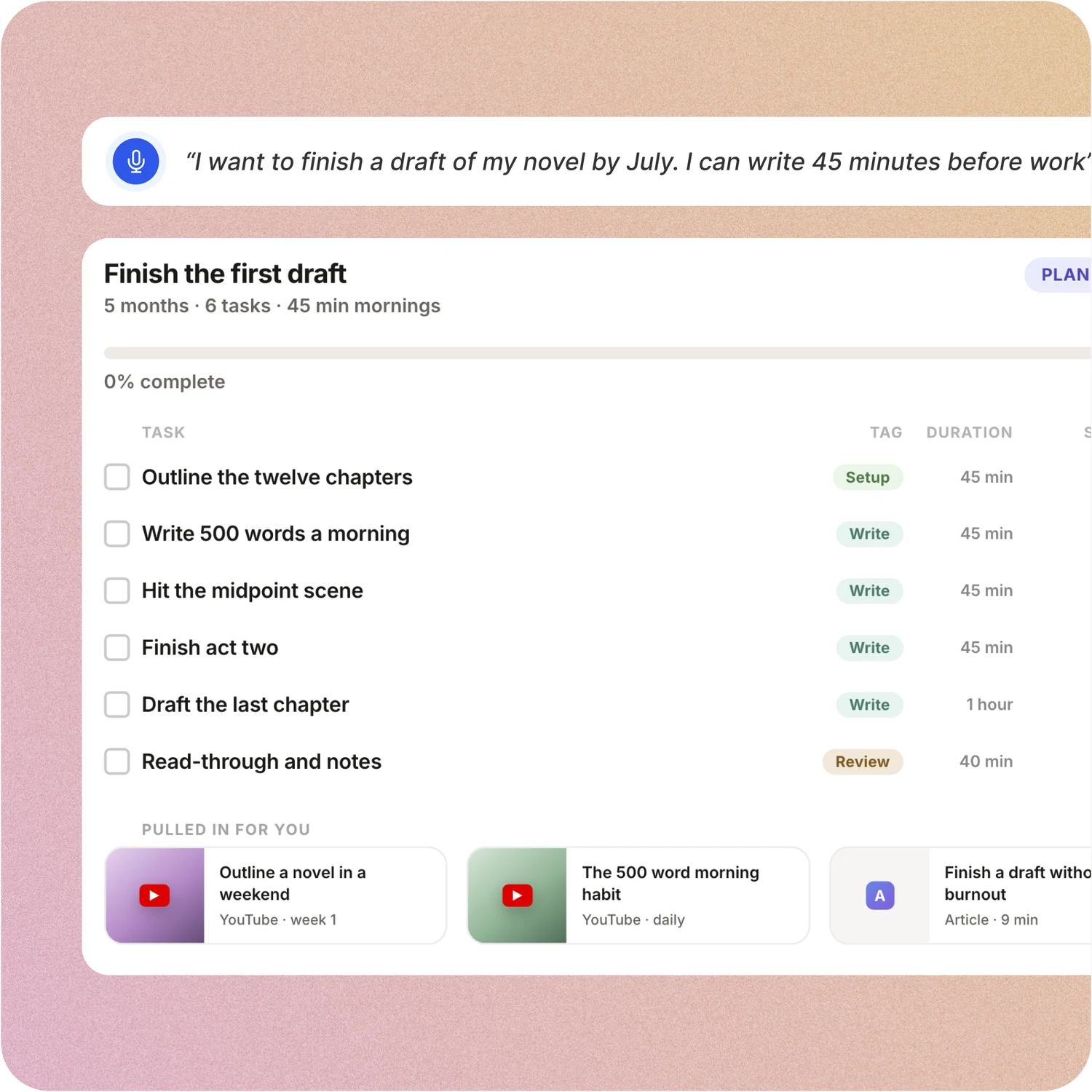
A schedule you approve, not a list you work through
Set your hours, breaks and buffers once. ByDesign places tasks into the real gaps, splits long ones, shows the proposed week and waits for your OK.
OmniFocus: OmniFocus’s Forecast is a reorderable list of due items, flagged items and calendar events by day. Estimated durations exist, but nothing places an action into a time slot for you.
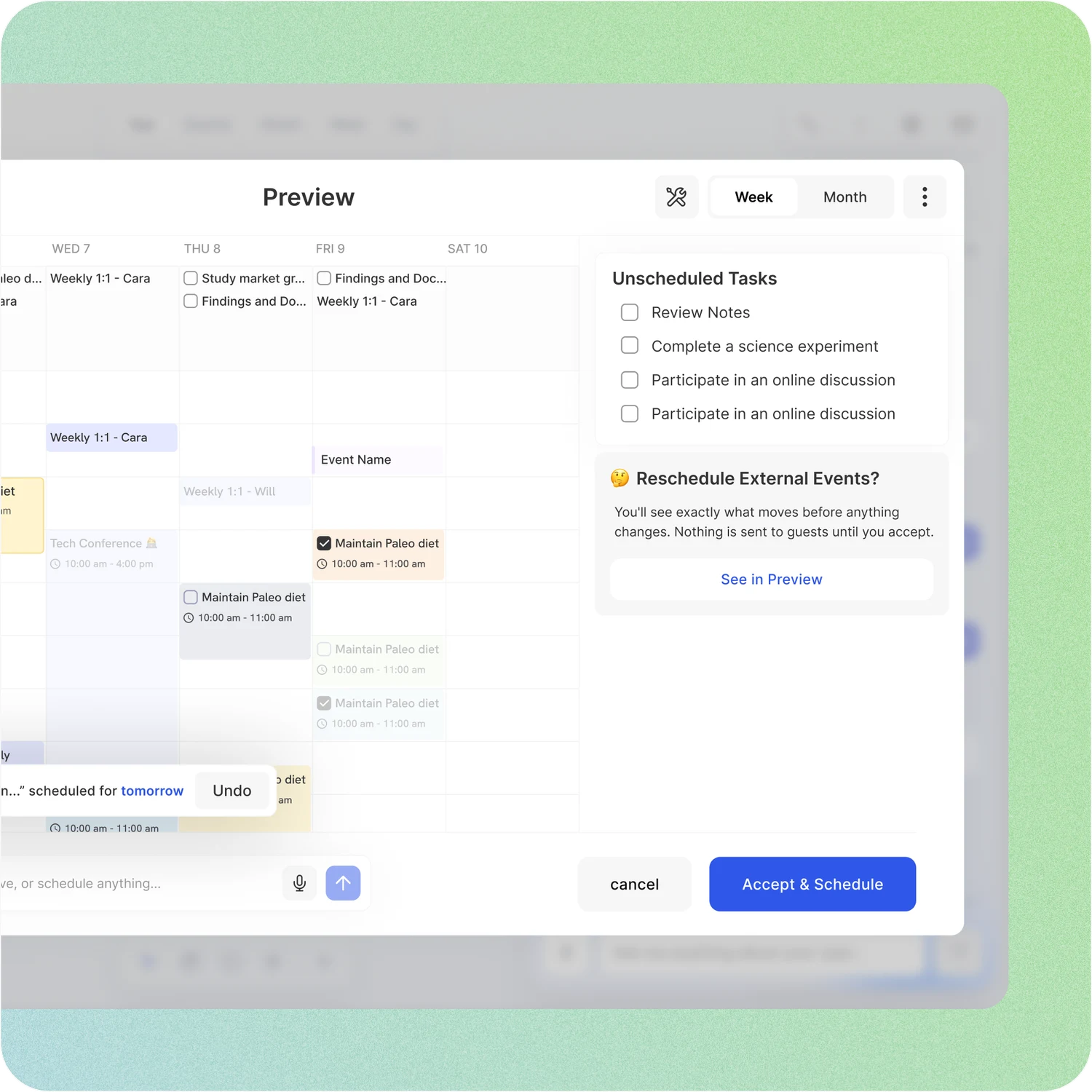
Your whole year on one surface
The planning canvas zooms from the full year down to a single day. Pin goals, notes and milestones where they belong, drag anything, and the plan keeps up.
OmniFocus: Forecast shows the days ahead as tiles, with a sidebar calendar for the next month. Kanban is on Omni’s roadmap; there is no year view, no goal pages and no habit stats.
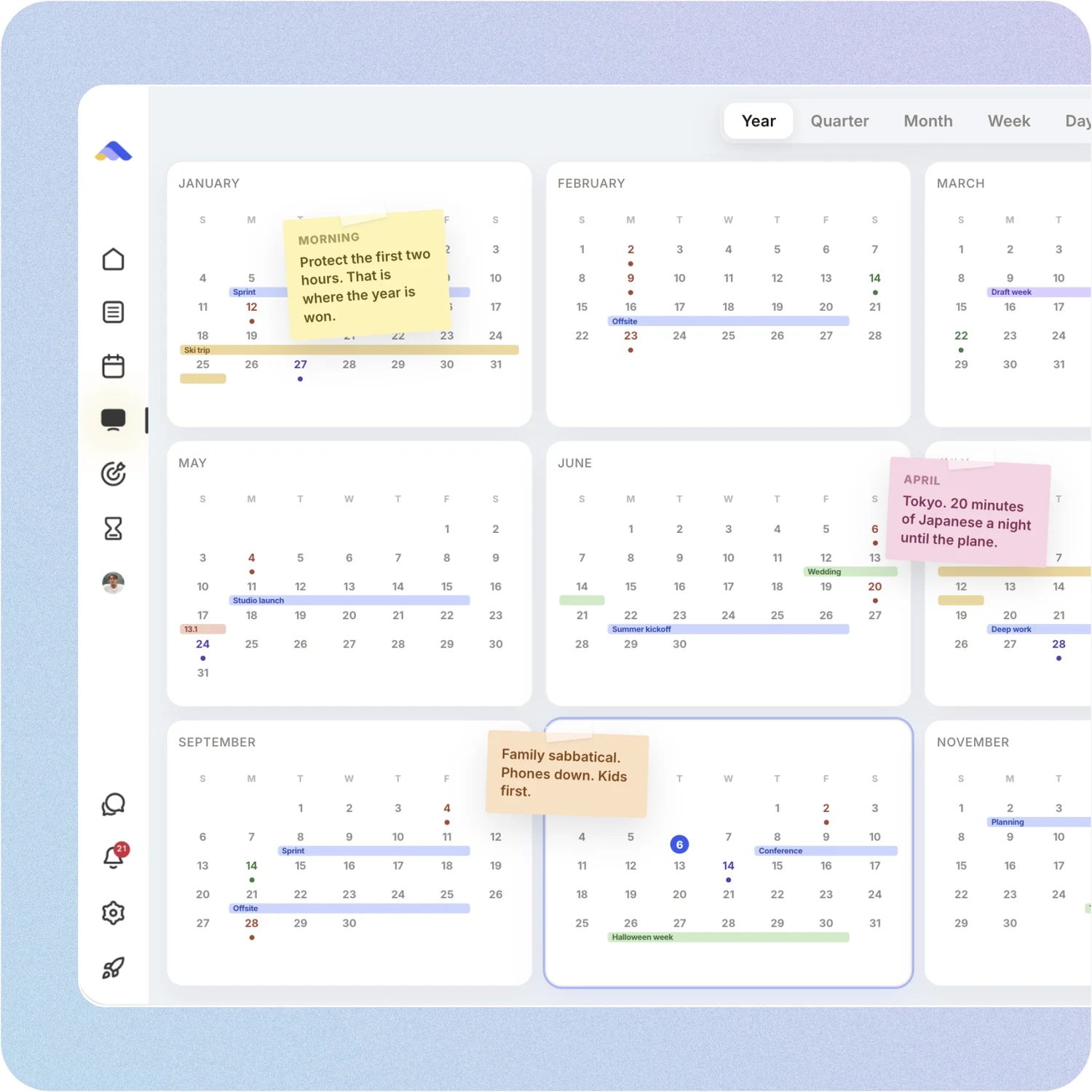
On every device, with your team
ByDesign runs on the web, Mac, Windows, iOS, iPad and Android, so your plan is there on a work PC too. Share pages, assign tasks, @mention in comments and chat in the app.
OmniFocus: OmniFocus runs on Mac, iPhone, iPad, Apple Watch and Vision Pro. Android and PC users get OmniFocus for the Web, a paid companion without calendar events. There is no assigning, commenting or chat; Omni is “working toward” bringing Omni Links to OmniFocus.
Don’t take our word for it.
From Daniel
Honestly, Notion was really exhausting for me... Your product works in the simplest way. I’m a product designer, and I’d love to share my feedback with you after using it more :)
From Callio
Can I just say I love you. Finally, a good-looking app that isn’t complex as hell. There are tears in my eyes. I’ll happily pay for this!💯
From TuneOutlyson003
I just wanna say that I have FINALLY found a to-do list app where I can have recurring tasks and habit/org systems in one place. This is awesome because I keep wondering if one day my autonomous self will break....this is awesome so far!
Make the switch in three steps
No setup project. Start free, connect the calendar you already use, and give ByDesign your first goal.
- Start your free trial. No credit card.
- Connect your Google, Apple or Outlook calendar.
- Say your first goal and watch the plan land on your calendar.
Ready to plan the goal, not just work the list?
Start free. No credit card. Tell ByDesign a goal and watch the plan land on your calendar.
Try ByDesign free