

Comparison

 Structured
ByDesign vs Structured
Structured draws a beautiful day. ByDesign plans the year and fills the day for you.
Structured lays your tasks out on a single visual timeline, with Structured AI that turns text, voice or a scanned planner into tasks, a focus timer on Apple devices, widgets and Live Activities, with apps on Apple, Android and the web. ByDesign starts further back: goals the AI turns into scheduled tasks you approve, a calendar that syncs both ways, habits with streaks, goal pages, notes, a year-to-day canvas, and a team you can share with.
What you get with ByDesign that Structured doesn’t offer
AI that builds the plan from the goal
Say a goal and get tasks, subtasks, courses and deadlines placed on your calendar with a preview you approve. Structured AI creates and edits timeline tasks from what you tell it, on Pro, and Replan re-sorts unfinished tasks; nothing plans a goal or fills your day around your hours.
A calendar that syncs both ways
Edit an event in ByDesign or in Google and Apple Calendar and both stay right. Structured imports calendars one way: imported events can’t be moved, retimed or have their notes changed inside it, and tasks can’t be exported to your calendar, per its help centre.
Habits, goals, notes and a year canvas
A habit tracker with streaks and stats, goal pages with progress, nested pages, Kanban boards and a canvas from the year to the day. Structured has a day timeline with week and month views, notes on tasks and an inbox.
Built for more than one person
Share pages, assign tasks, chat in the app and add seats on a team plan. Structured’s help centre says sharing data or collaborating with other users “is not possible yet”.
ByDesign vs Structured, feature by feature
Only the differences. What both apps do the same is listed underneath.
- Included
- Limited
- Not available
AI planning
AI goal plans
ByDesign
Included: Built and scheduledTasks, subtasks, courses and deadlines land on your calendar; AI and AI Plus plansStructured
Not available: Structured AI creates tasksTurns text, voice or a scanned planner into timeline tasks on Pro; no plan built from a goalAI scheduling with a preview you approve
ByDesign
Included: Preview, then acceptConflicts shown; nothing saves until you say so; AI and AI Plus plansStructured
Limited: Structured AI and ReplanAI places and edits tasks you describe; Replan re-sorts unfinished tasks, on Pro; no schedule built around your hours with a previewAuto-schedule around your hours
ByDesign
Included: Rules you setWork hours, breaks, buffers, max hours a day, split long tasksStructured
Not available: Replan onlyUnfinished tasks move to the inbox or a date you pickPlanning assistant chat
ByDesign
Included: In the app, full contextSees your calendar, goals, habits and notes; moves and reschedules items; AI and AI Plus plansStructured
Limited: Structured AI takes instructionsCreate and edit tasks by text or voice on Apple and Android with Pro; its MCP lets ChatGPT or Claude view, create and reschedule tasksVoice control
ByDesign
Included: Mic and hands-freeOptional wake phrase; AI and AI Plus plansStructured
Limited: Speak to Structured AISiri AI is listed as “coming soon” for iOS 27
Calendar and views
Two-way calendar sync
ByDesign
Included: Google and AppleEdit events in either place; Outlook and ICS subscriptions tooStructured
Limited: One-way importImported events can’t be moved, retimed or have their notes changed in Structured, and tasks can’t be exported to your calendar: “no two-way sync”, per its help centreYear-to-day planning canvas
ByDesign
Included: Year to dayYear, quarter, month, week and day on one zoomable surface; AI and AI Plus plansStructured
Limited: Day timeline, week and monthNo year viewKanban boards
ByDesign
Included: Custom columnsMain board plus boards per pageStructured
Not available: NoSticky notes, images and pinned pages on the calendar
ByDesign
Included: YesStructured
Not available: NoCustomisable dashboard
ByDesign
Included: Drag-and-drop widgetsScore board, tasks, habits, inbox, pinned pages, KanbanStructured
Limited: Widgets and Live ActivitiesHome Screen, Lock Screen and StandBy; no in-app dashboard
Habits, notes and focus
Habit tracker
ByDesign
Included: Check-ins and streaksSkip a day, stats, habits with friendsStructured
Not available: Recurring tasks insteadStructured says it helps you “build habits”; no streaks or habit stats are describedGoals with progress
ByDesign
Included: Goal pagesTasks, resources, percent complete, shareableStructured
Not available: NoNotes and pages
ByDesign
Included: Nested pagesTables, code, embeds, sub-pages, backlinks; publish to the webStructured
Limited: Notes on tasksCourses and roadmaps from the Hub
ByDesign
Included: The HubCourses, roadmaps and a habit library; schedule a roadmap straight onto your calendarStructured
Not available: Free planner sheets on its siteTime tracking on tasks
ByDesign
Included: Start and pause on any taskTotals per task; “most tracked” filterStructured
Not available: No
Collaboration and platforms
Share pages and assign tasks
ByDesign
Included: View, comment or editAssign tasks; @mention in commentsStructured
Not available: Personal onlySharing and collaboration “is not possible yet”, per its help centreBuilt-in chat
ByDesign
Included: Direct and groupThreads, reactions, pollsStructured
Not available: NoTeam plans
ByDesign
Included: Per seatAdd or remove members in settingsStructured
Not available: NoApps
ByDesign
Included: Web, Mac, Windows, iOS, iPad and AndroidStructured
Limited: iPhone, iPad, Mac, Watch, visionOS, Android and webNo Windows app listed
Structured column based on help centre, Structured AI, calendar import, sharing, focus timer, Structured 4.0, MCP, Pro plans, Replan and Siri AI on October 26, 2026. If something has changed, email info@bydesign.io.
Both apps cover the basics
- A visual day timeline
- Tasks with times, durations, subtasks and notes
- Recurring tasks
- Inbox for unscheduled tasks
- Focus timer with Pomodoro intervals
- MCP server for AI assistants
- Home-screen widgets
- Sync across devices
- Multiple interface languages
Why people switch from Structured to ByDesign
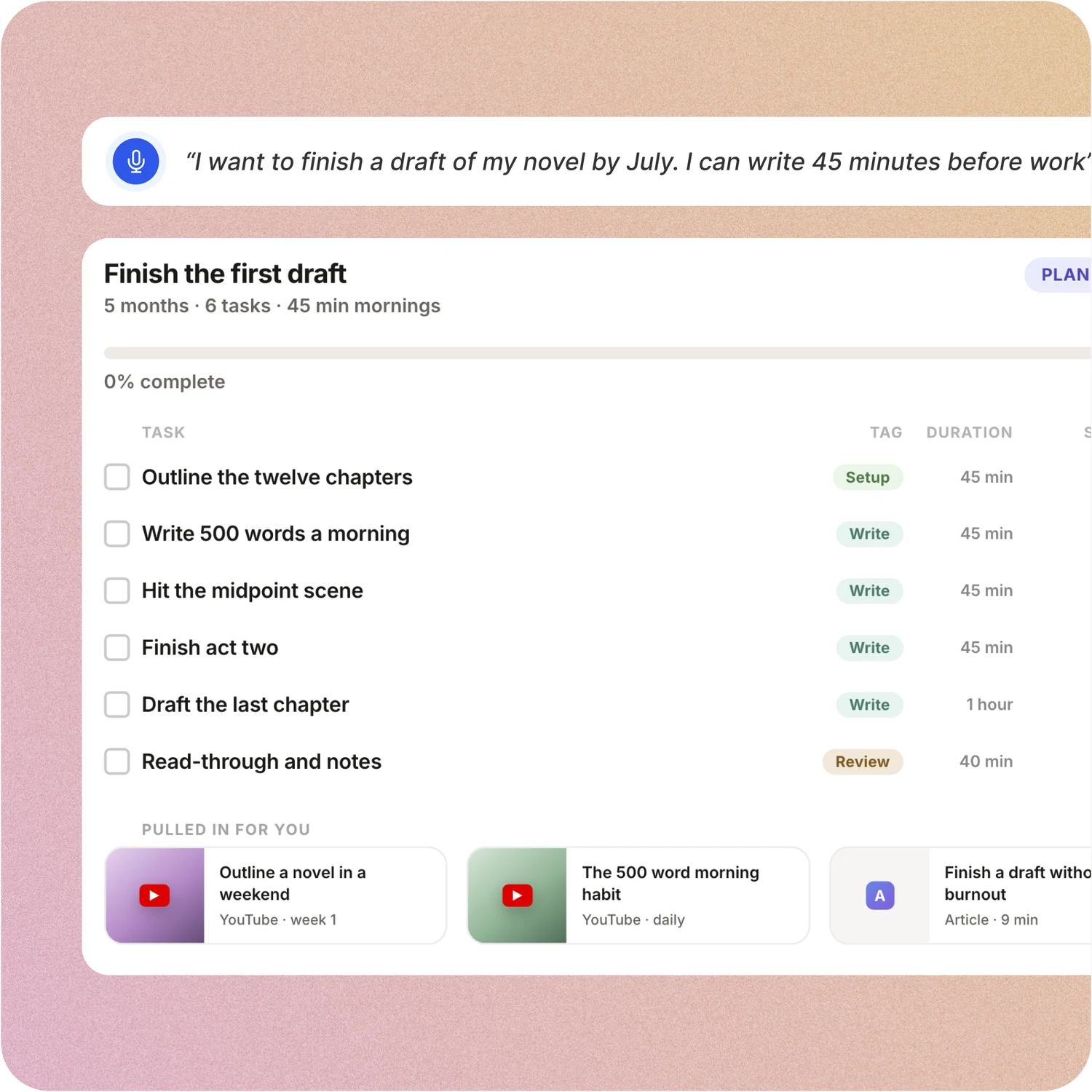
Say the goal. Get a scheduled plan.
Tell ByDesign what you want to achieve. It asks a few questions, then builds the tasks, subtasks, courses and deadlines and schedules them around the life you already have. Replan in one message.
Structured: In Structured you add tasks with a time and duration, or tell Structured AI what you plan to do and it places them on the timeline. The plan itself, and the goal behind it, stay in your head.
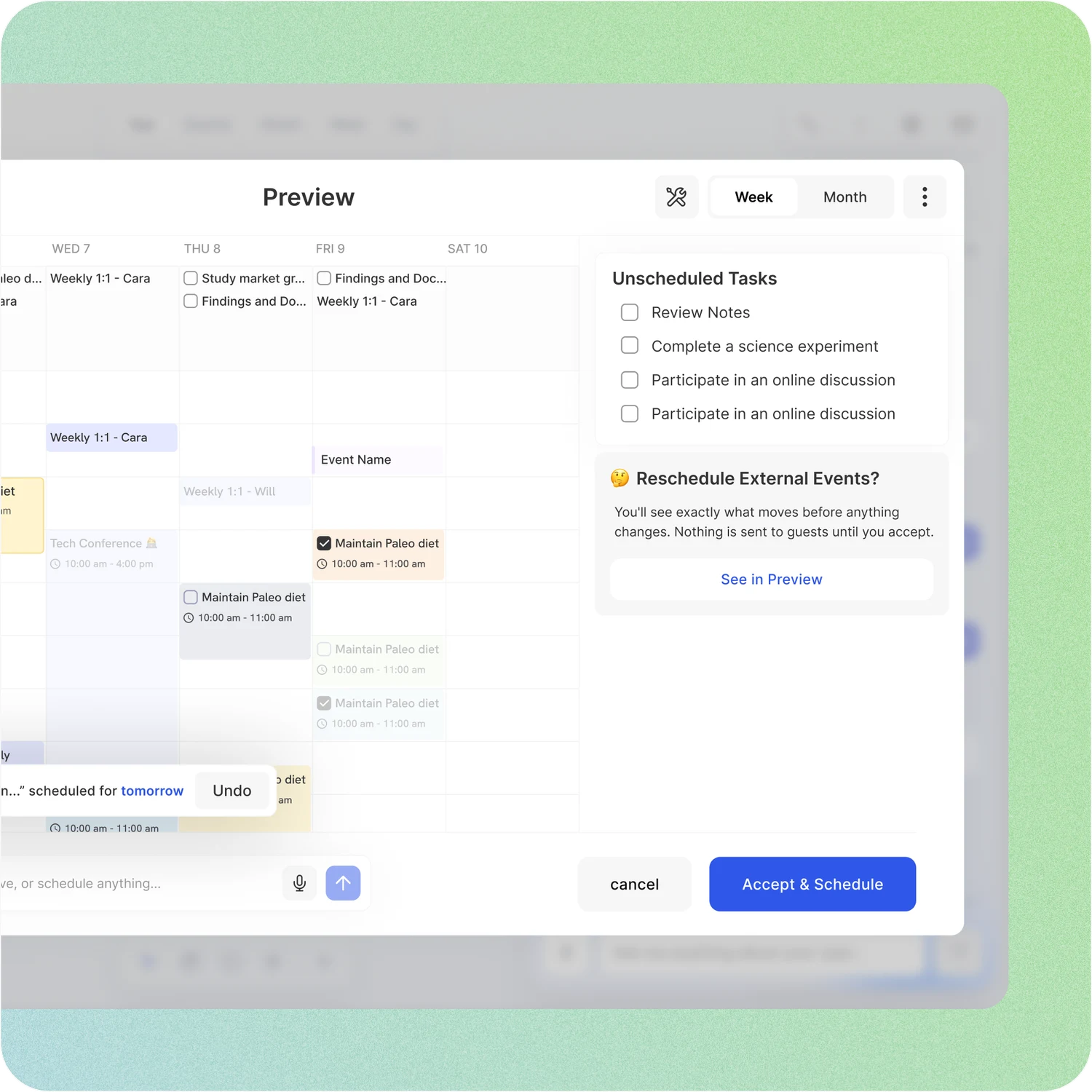
A schedule you approve, not one you drag
Set your hours, breaks and buffers once. ByDesign places tasks into the gaps, splits long ones, shows the proposed week and waits for your OK. Replan after a busy day in one message.
Structured: Structured’s Replan sorts unfinished tasks into the inbox or onto another day, on Pro. Imported calendar events sit on the timeline but can’t be moved or retimed there, and there is no scheduling around your working hours.
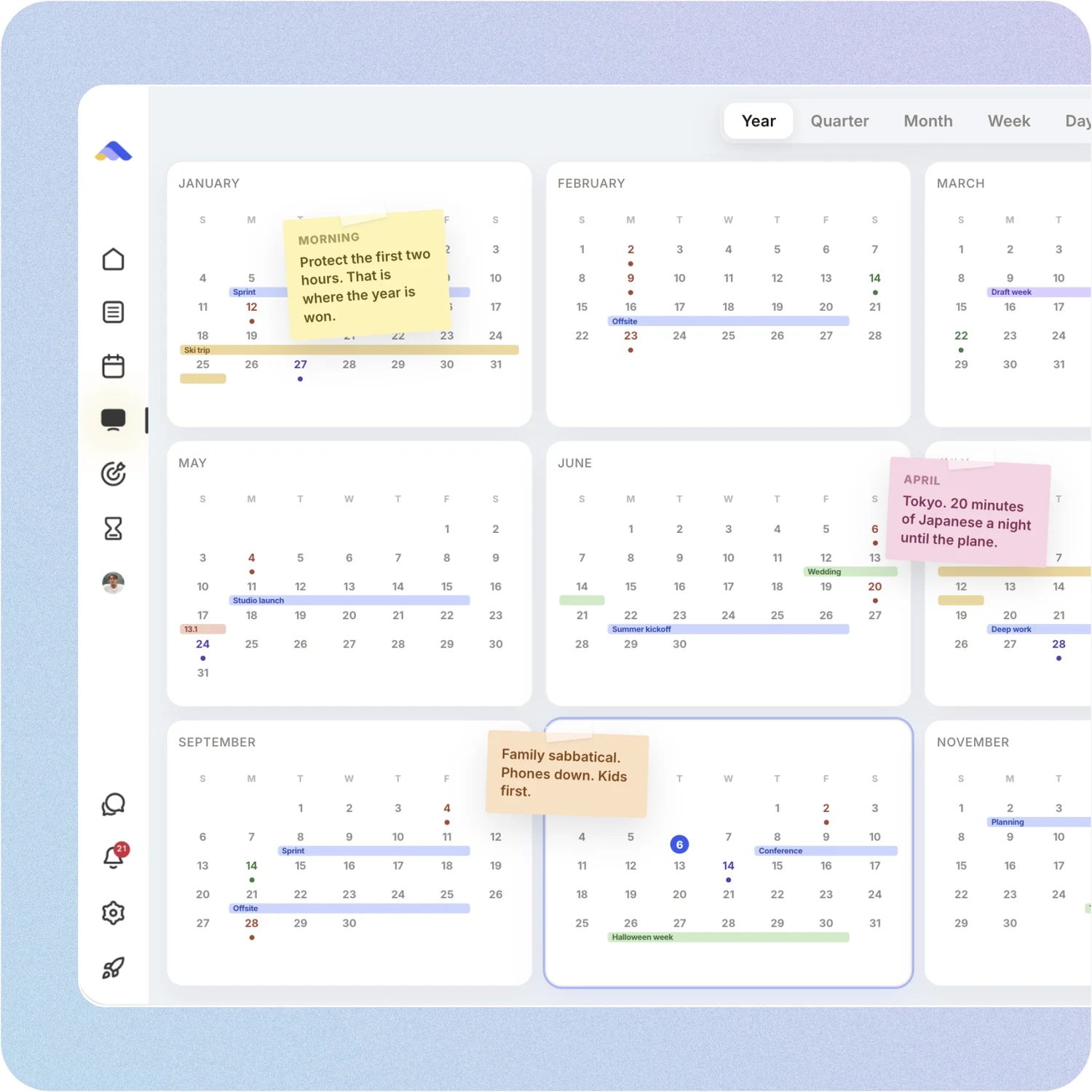
Your whole year on one surface
The planning canvas zooms from the full year down to a single day. Pin goals, notes and milestones where they belong, drag anything, and the plan keeps up.
Structured: Structured shows a day timeline, with week and month views since version 4.0. There is no year view, no Kanban, and no canvas to pin notes and images onto.
A workspace your team can live in
Share pages with view, comment or edit access, assign tasks, @mention people in comments and chat without leaving the app. Add seats from the app on a team plan.
Structured: Structured is personal. Its help centre says it “is not possible yet to share data or collaborate with other Structured users”, and sharing is on the roadmap.
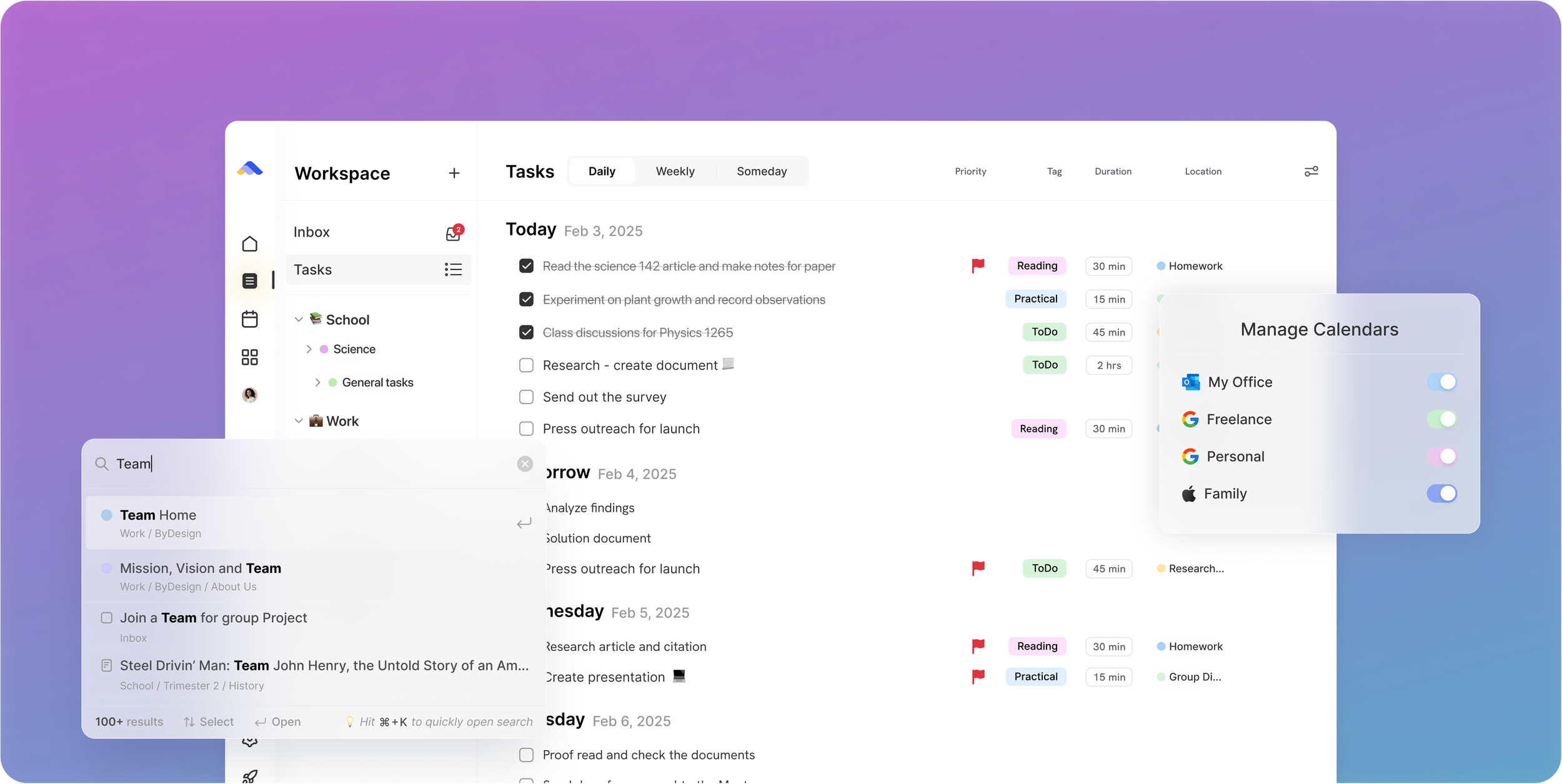
Don’t take our word for it.
From Petey M.
I used to keep a calendar, a to-do list, and a project app. ByDesign replaced all of them. It’s clean, it works, and I haven’t needed anything else.
From Narovsky
Hello! Just found byDesign less than 8 hours ago, and I’m blown away. It has the best of Workflowy (10 yr customer now), Notion, Google Calendar and ICQ (haha)! Oh and a neat Facebook too -- minus the obscure relatives and friends that rant-post too often. Anyhoo, just wanted to say you guys are working on a winner here
App Store Review
I have tried pretty much every calendar app and this one is the best I’ve tried.
Make the switch in three steps
No setup project. Start free, connect the calendar you already use, and give ByDesign your first goal.
- Start your free trial. No credit card.
- Connect your Google, Apple or Outlook calendar.
- Say your first goal and watch the plan land on your calendar.
Ready for the plan behind the timeline?
Start free. No credit card. Tell ByDesign a goal and watch the plan land on your calendar.
Try ByDesign free