

Comparison

 Things 3
ByDesign vs Things 3
Things keeps a beautiful list. ByDesign plans your year.
Things 3 is the to-do app Mac and iPhone people love: fast, calm and beautifully made. It also stops at the list, and at Apple devices. ByDesign puts your tasks on a calendar that syncs both ways, adds habits, goals, notes and a year canvas, builds the plan with AI, and runs on everything.
What you get with ByDesign that Things 3 doesn’t offer
Your tasks on a real calendar
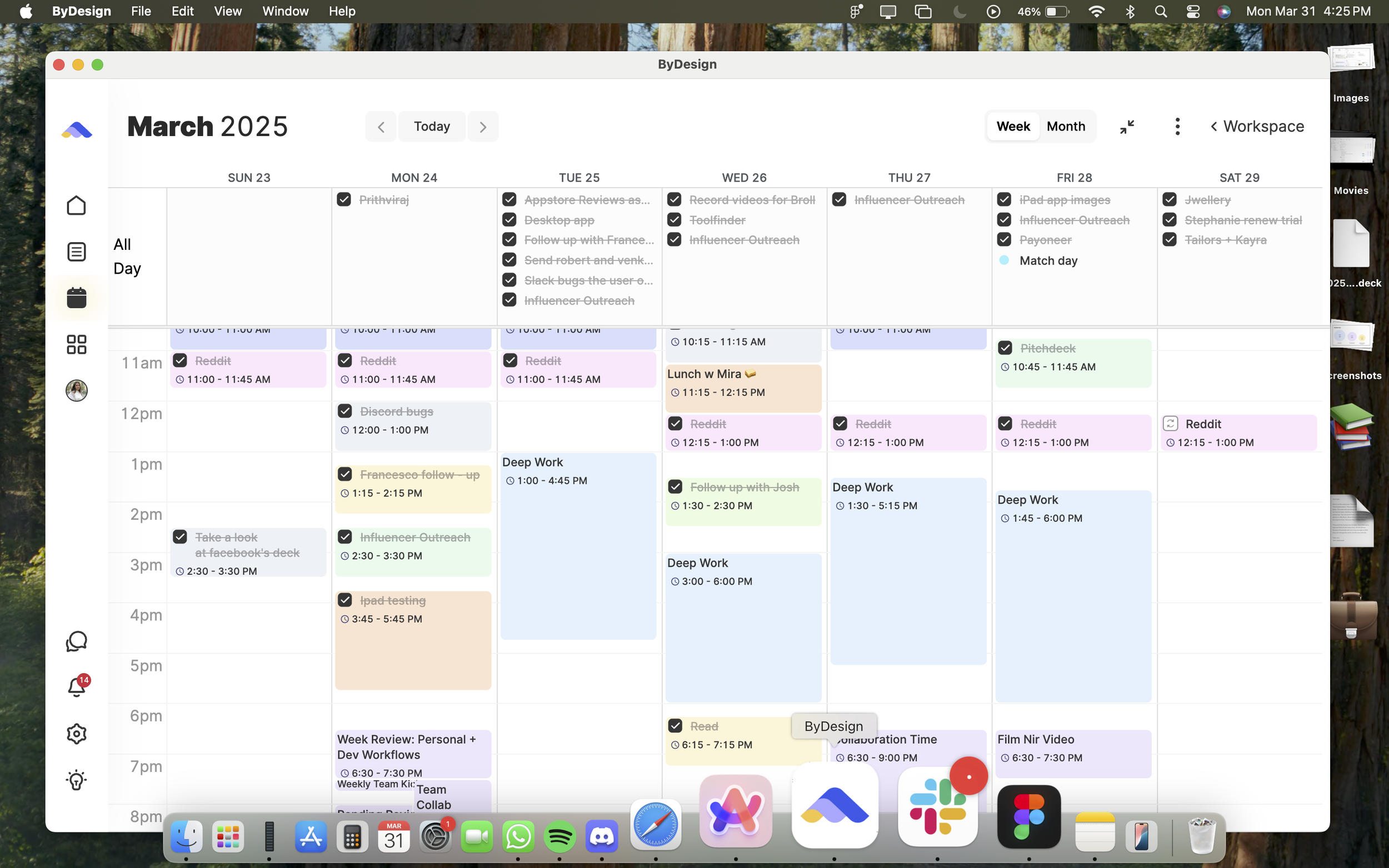
Tasks and events sync both ways with Google and Apple, Outlook connects too, and AI scheduling drafts your week on a preview you approve. Things shows Apple Calendar events read-only and has no built-in way to put a to-do on the calendar, by its own support guide.
AI that builds the plan
Say a goal and get tasks, subtasks, courses and deadlines, scheduled around your calendar, with an assistant you can talk to. Things has no assistant; its AI touchpoints are Siri AI in beta, Apple Writing Tools and Shortcuts.
Habits, goals, courses and time
A habit tracker with streaks and friends, goal pages with progress, Hub courses, Pomodoro and time tracking. Things has repeating to-dos and project progress pies.
Everywhere, with your team
Web, Mac, Windows, iOS, iPad and Android, with shared pages, assignments, chat and team plans. Things runs on Apple devices only and, per its support guide, does not support real-time sharing of to-dos or lists.
ByDesign vs Things 3, feature by feature
Only the differences. What both apps do the same is listed underneath.
- Included
- Limited
- Not available
AI planning
AI goal plans
ByDesign
Included: Built and scheduledTasks, subtasks, courses and deadlines land on your calendar; AI and AI Plus plansThings 3
Not available: No assistant; Siri AI beta, Writing Tools and ShortcutsAI scheduling with a preview you approve
ByDesign
Included: Preview on the calendarConflicts shown; accept, or undo step by step; AI and AI Plus plansThings 3
Not available: NoPlanning assistant chat
ByDesign
Included: Full contextSees your calendar, goals, habits and notes; moves and reschedules items; AI and AI Plus plansThings 3
Not available: No in-app assistantSiri AI can add and correct to-dos in conversationAuto-schedule around your hours
ByDesign
Included: Rules you setWork hours, breaks, buffers, max hours a day, split long tasksThings 3
Not available: You set the dates yourself; repeats follow the rule you setVoice control
ByDesign
Included: Mic and hands-freeOptional wake phrase; AI and AI Plus plansThings 3
Limited: Siri“In Things, remind me to buy milk”
Calendar and views
Tasks on your calendar
ByDesign
Included: Two-way with Google and AppleOutlook too; drag tasks onto the calendar or let AI place themThings 3
Limited: Apple Calendar events, read-onlyNo built-in way to put a to-do on the calendar; a Shortcut can block timeYear-to-day planning canvas
ByDesign
Included: Year to dayYear, quarter, month, week and day on one zoomable surface; AI and AI Plus plansThings 3
Limited: Today, Upcoming, Anytime and Someday listsUpcoming shows events beside to-dos; no month or year viewKanban boards
ByDesign
Included: Custom columnsMain board plus boards per pageThings 3
Not available: NoSticky notes, images and pinned pages on the calendar
ByDesign
Included: YesThings 3
Not available: No
Notes, habits and goals
Notes and pages
ByDesign
Included: Nested pagesTables, code, embeds, sub-pages, backlinks; publish to the webThings 3
Limited: Markdown notes on to-dosNo standalone notes; attachments not supported, per Things supportHabit tracker
ByDesign
Included: Built inStreaks, skip a day, stats, habits with friendsThings 3
Not available: Repeating to-dos onlyGoals with progress
ByDesign
Included: Goal pagesTasks, resources, percent complete, shareableThings 3
Limited: Project progress piesCourses and roadmaps from the Hub
ByDesign
Included: The HubCourses, roadmaps and a habit library; schedule a roadmap straight onto your calendarThings 3
Limited: Duplicate a project as a templateNo built-in templates, courses or roadmapsPomodoro timer
ByDesign
Included: Built in25/5/15 cycles with a floating timerThings 3
Not available: NoTime tracking on tasks
ByDesign
Included: Start and pause on any taskTotals per task; “most tracked” filterThings 3
Not available: No time estimates either
Collaboration and platforms
Share pages and assign tasks
ByDesign
Included: View, comment or editAssign tasks; @mention in commentsThings 3
Not available: “Does not support real-time sharing” at this time, per Things supportBuilt-in chat
ByDesign
Included: Direct and groupThreads, reactions, pollsThings 3
Not available: NoTeam plans
ByDesign
Included: Per seatAdd or remove members in settingsThings 3
Not available: Personal app; Family Sharing for the purchasePlatforms
ByDesign
Included: Web, Mac, Windows, iOS, iPad and AndroidThings 3
Limited: Mac, iPhone, iPad, Watch and VisionNo Windows, Android or web, per Things supportMCP for Claude, ChatGPT and other assistants
ByDesign
Included: YesClaude Desktop, Claude Code and ChatGPT guidesThings 3
Not available: URL scheme and Shortcuts instead
Things 3 column based on support centre, devices and sharing, calendar, attachments, Siri and blog on October 26, 2026. If something has changed, email info@bydesign.io.
Both apps cover the basics
- Tasks with subtasks, tags, deadlines and repeats
- Today, upcoming and someday lists
- Natural-language dates
- Quick add from anywhere
- Email to task
- Siri shortcuts
- Home-screen widgets
- Markdown in notes
- Dark mode
- Keyboard shortcuts
Why people switch from Things 3 to ByDesign
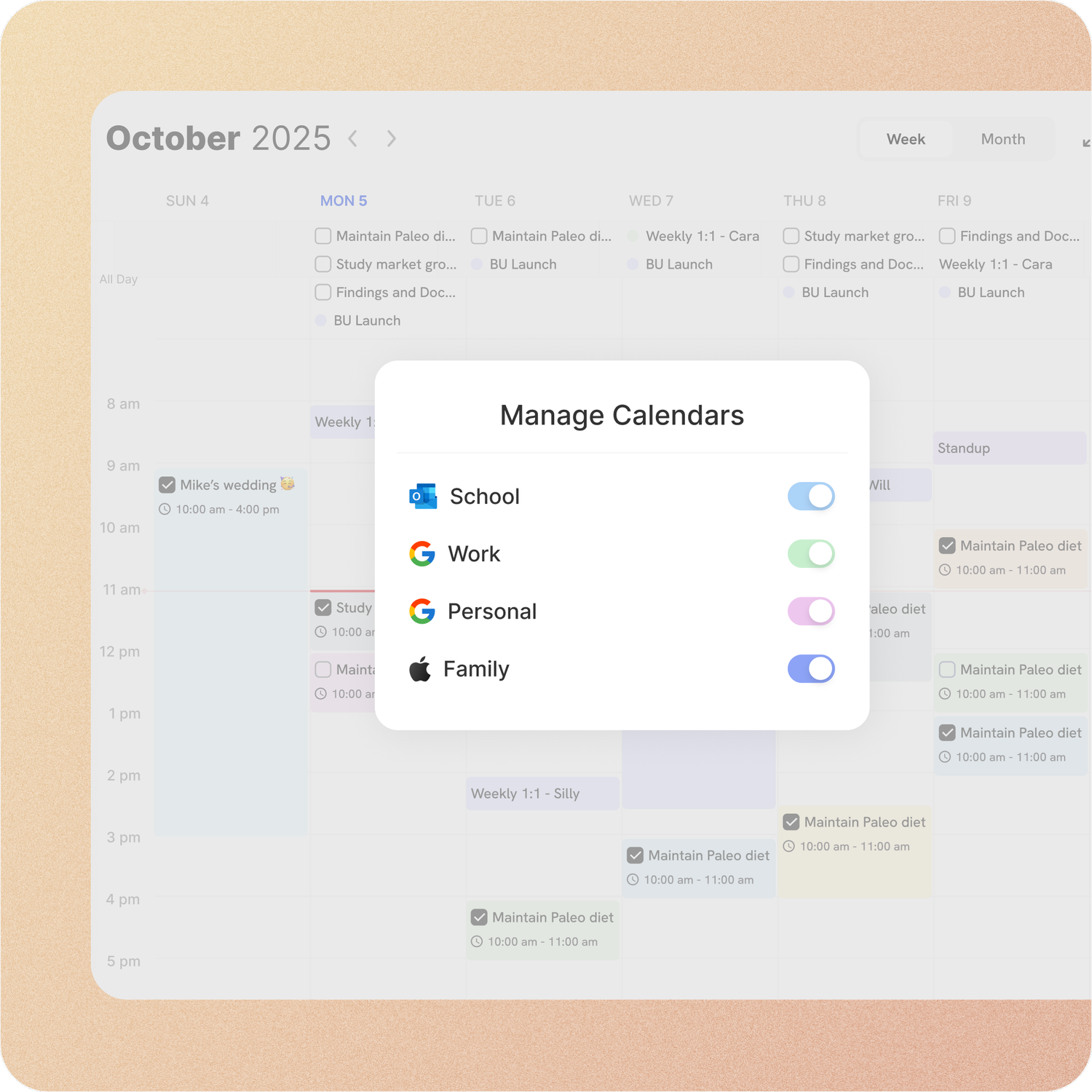
Tasks and calendar in one place
Connect Google, Apple and Outlook. Drag a task onto the calendar, or let AI schedule it, and the change shows up in your calendar app too. Edit it there and ByDesign updates.
Things 3: Things displays your Apple Calendar events beside your to-dos, read-only. Google and Outlook only appear if they sync into Apple Calendar first, and there is no built-in way to put a to-do on the calendar; a Shortcut can block time.
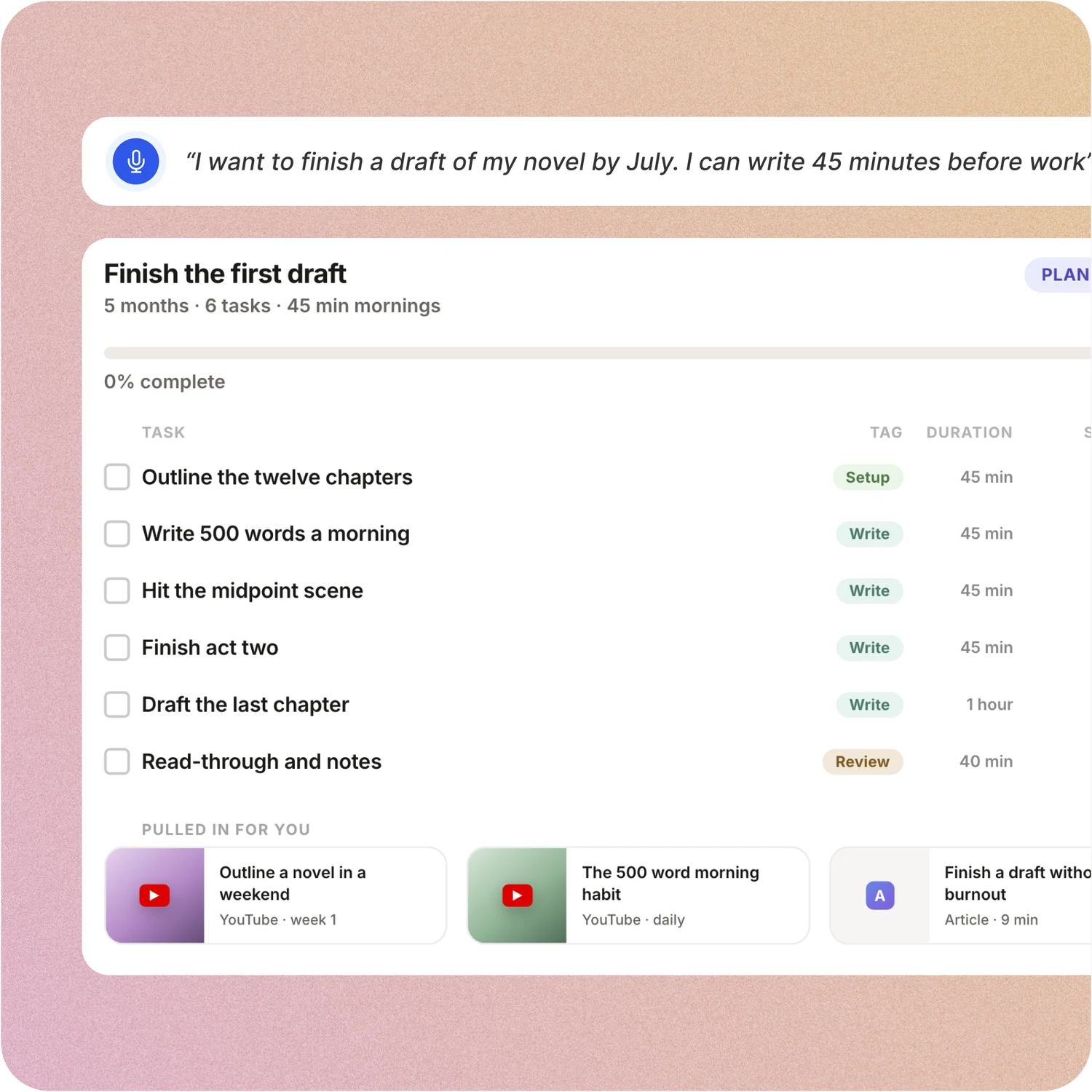
Say the goal. Get a scheduled plan.
Tell ByDesign what you want to achieve. It asks a few questions, then builds the tasks, subtasks, courses and deadlines and schedules them around the life you already have. Replan in one message.
Things 3: Things has no AI assistant or auto-scheduling. You set When dates and deadlines yourself; Siri AI (beta), Writing Tools and Shortcuts are its AI touchpoints.
Habits, goals and focus, built in
Track habits with streaks and stats, keep goal pages with progress, run a Pomodoro and track time on any task. Open ByDesign in the morning and it already works.
Things 3: Things has repeating to-dos, project progress pies and Markdown notes. There is no habit tracker, timer, time tracking or time estimate.
Every device, and the people you work with
ByDesign runs on the web, Mac, Windows, iOS, iPad and Android, so your plan is there on a work PC too. Share pages, assign tasks, @mention in comments and chat in the app.
Things 3: Things runs on Mac, iPhone, iPad, Apple Watch and Vision, with no Windows, Android or web version, and no sharing of lists with other people.
Don’t take our word for it.
From Petey M.
I used to keep a calendar, a to-do list, and a project app. ByDesign replaced all of them. It’s clean, it works, and I haven’t needed anything else.
From Callio
Can I just say I love you. Finally, a good-looking app that isn’t complex as hell. There are tears in my eyes. I’ll happily pay for this!💯
App Store Review
I have tried pretty much every calendar app and this one is the best I’ve tried.
Make the switch in three steps
No setup project. Start free, connect the calendar you already use, and give ByDesign your first goal.
- Start your free trial. No credit card.
- Connect your Google, Apple or Outlook calendar.
- Say your first goal and watch the plan land on your calendar.
Ready to plan your year, not just your list?
Start free. No credit card. Tell ByDesign a goal and watch the plan land on your calendar.
Try ByDesign free