
Comparison
 Todoist
ByDesign vs Todoist
Todoist manages your tasks. ByDesign plans your year.
Todoist is a superb to-do app. ByDesign starts from the calendar: your tasks sync both ways with Google and Apple, notes, habits and goals sit beside them, and AI builds the plan and schedules it for you.
What you get with ByDesign that Todoist doesn’t offer
AI that schedules, not just suggests
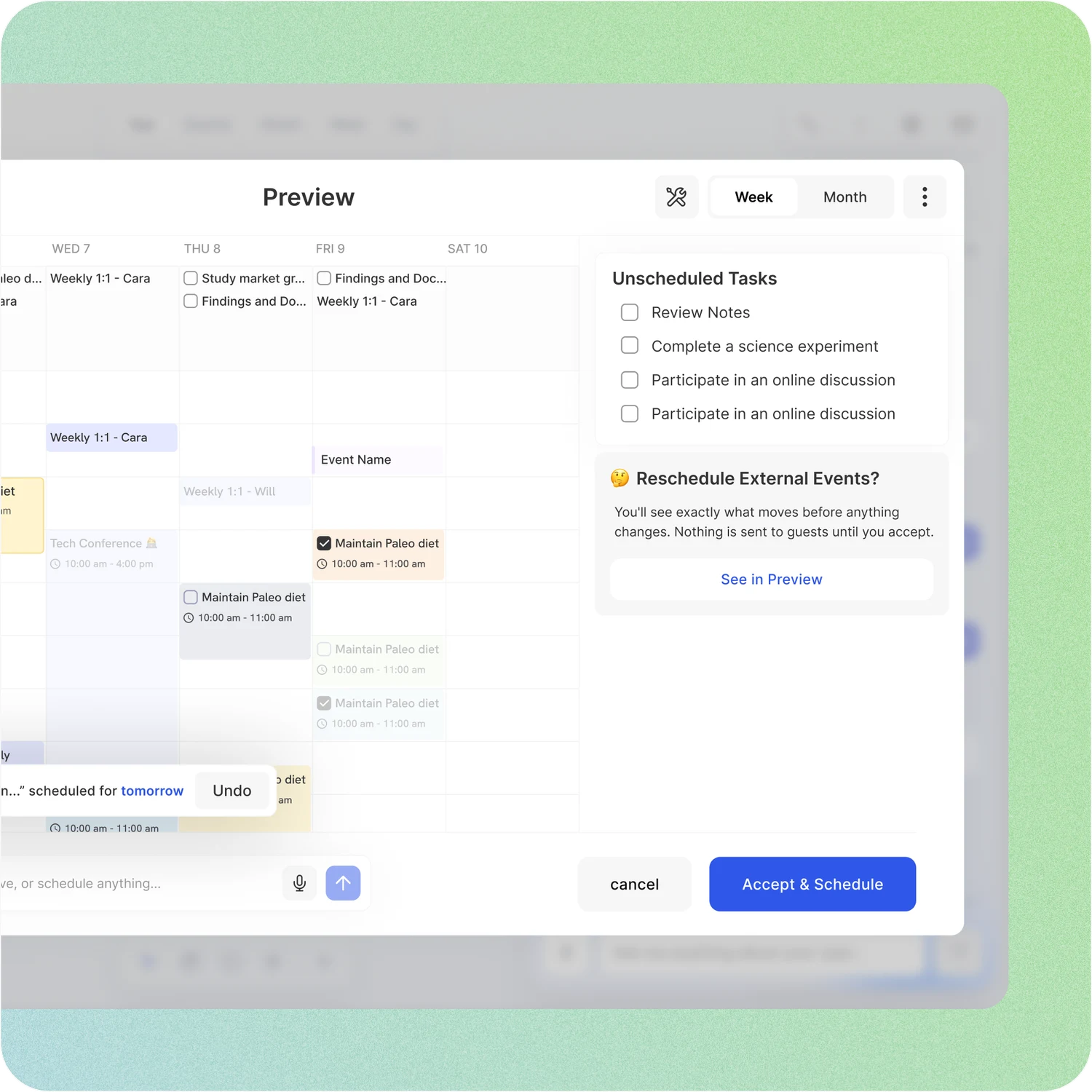
Todoist’s Task Assist turns a goal into a task list. ByDesign’s AI builds the plan and puts it on your calendar, then drafts your week on a preview you approve. Todoist has no AI scheduling.
Your whole year on one canvas
Year, quarter, month, week and day on one zoomable surface, with sticky notes, images and pinned pages. Todoist’s calendar layout goes as far as a month.
Notes, habits and goals in the same place
Block-editor pages with sub-pages and backlinks, a real habit tracker with streaks and friends, and goal pages with progress. Todoist has task descriptions, a web-and-desktop habit extension and no goal pages.
Two-way calendar sync
Google and Apple sync both ways, and Outlook and any ICS calendar connect too. In Todoist, calendar events are read-only, events you add in your calendar never become tasks, and you connect one provider at a time.
ByDesign vs Todoist, feature by feature
Only the differences. What both apps do the same is listed underneath.
- Included
- Limited
- Not available
AI planning
AI goal plans
ByDesign
Included: Built and scheduledTasks, subtasks, courses and deadlines land on your calendar; AI and AI Plus plansTodoist
Limited: Task AssistTurns a goal into a task list; no schedulingAI scheduling with a preview you approve
ByDesign
Included: Preview, then acceptConflicts shown; nothing saves until you say so; AI and AI Plus plansTodoist
Not available: No AI schedulingPlanning assistant chat
ByDesign
Included: In the app, full contextMoves and reschedules items, finds time with people, answers questions about your week; AI and AI Plus plansTodoist
Limited: Through Claude or ChatGPTTodoist Assist handles capture, filters and email; chat planning runs through connected assistantsAuto-schedule around your hours
ByDesign
Included: Rules you setWork hours, breaks, buffers, max hours a day, split long tasksTodoist
Not available: No
Planning views
Year-to-day planning canvas
ByDesign
Included: Year to dayYear, quarter, month, week and day on one zoomable surface; AI and AI Plus plansTodoist
Limited: Week, 3-day and monthCalendar layout on Pro and BusinessSticky notes, images and pinned pages on the calendar
ByDesign
Included: YesTodoist
Not available: NoCustomisable dashboard
ByDesign
Included: Drag-and-drop widgetsScore board, tasks, habits, inbox, pinned pages, KanbanTodoist
Limited: Karma, Productivity view and Insights
Notes, habits and goals
Notes and pages
ByDesign
Included: Block editorHeadings, to-dos, tables, code, embeds, sub-pages, backlinksTodoist
Limited: Task descriptions and commentsHabit tracker
ByDesign
Included: Built inStreaks, skip a day, stats, habits with friendsTodoist
Limited: Habit Tracker extensionWeb and desktop only; the streak resets if a task goes overdue or is rescheduledGoals with progress
ByDesign
Included: Goal pagesTasks, resources, percent complete, shareableTodoist
Limited: Karma targets; projects as goalsNo goal page with progress trackingCourses and roadmaps from the Hub
ByDesign
Included: The HubCourses, roadmaps and a habit library; schedule a roadmap straight onto your calendarTodoist
Limited: Template galleryCreator and Todoist templates such as Goal Tracker; no courses to schedule
Time
Pomodoro timer
ByDesign
Included: Built in25/5/15 cycles with a floating timerTodoist
Not available: Third-party integrations onlyTime tracking on tasks
ByDesign
Included: Start and pause on any taskTotals per task; “most tracked” filterTodoist
Not available: Via Toggl, Clockify and others
Calendar sync
Two-way sync
ByDesign
Included: Google and AppleEdit events in either place; Outlook and ICS subscriptions tooTodoist
Limited: Google or Outlook, one at a timeEvents are read-only in Todoist; new calendar events don’t become tasksApple Calendar
ByDesign
Included: Native, two-wayTodoist
Limited: iCal subscription feedRead-only in Apple Calendar; shows the first seven occurrences of a recurring task
Collaboration
Built-in chat
ByDesign
Included: Direct and groupThreads, reactions, pollsTodoist
Not available: Comments on tasksTodoist Comms, a team chat tool, is in early access
Todoist column based on help centre, Todoist Assist, plans FAQ, calendar integration, calendar layout and habit tracker on October 23, 2026. If something has changed, email info@bydesign.io.
Both apps cover the basics
- Tasks with subtasks, priorities and labels
- Recurring tasks, deadlines and reminders
- Natural-language quick add and an inbox
- Board (Kanban) view
- Templates
- Email to task and attachments
- Shared projects, assignments and @mention comments
- Team plans
- MCP server for Claude and ChatGPT
- Web, Mac, Windows, iOS, iPad and Android apps
- Widgets on iOS and Android
- Dark mode
- Multiple languages
- Keyboard shortcuts
Why people switch from Todoist to ByDesign
Say the goal. Get a scheduled plan.
Tell ByDesign what you want to achieve. It asks a few questions, then builds the tasks, subtasks, courses and deadlines and schedules them around the life you already have. Replan in one message.
Todoist: Todoist’s Task Assist turns a goal into a list of tasks. Scheduling them is still on you.
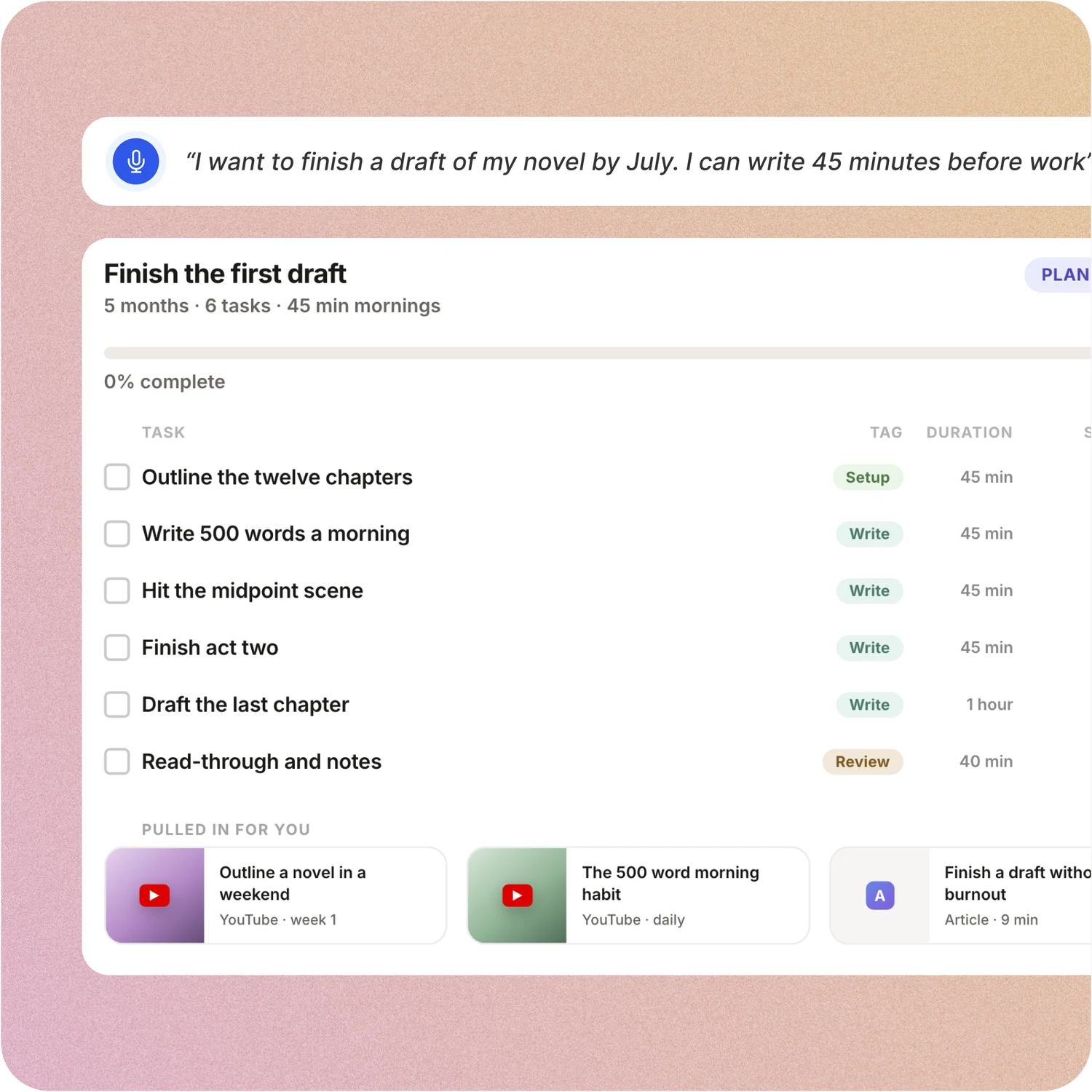
Plan your week in one sentence
Say “plan my week” and ByDesign drafts the changes on a preview of your calendar, conflicts included. Nothing is saved until you accept.
Todoist: Todoist has no AI scheduling. Time blocking is drag-and-drop by hand, on the Pro and Business plans.
Your whole year on one surface
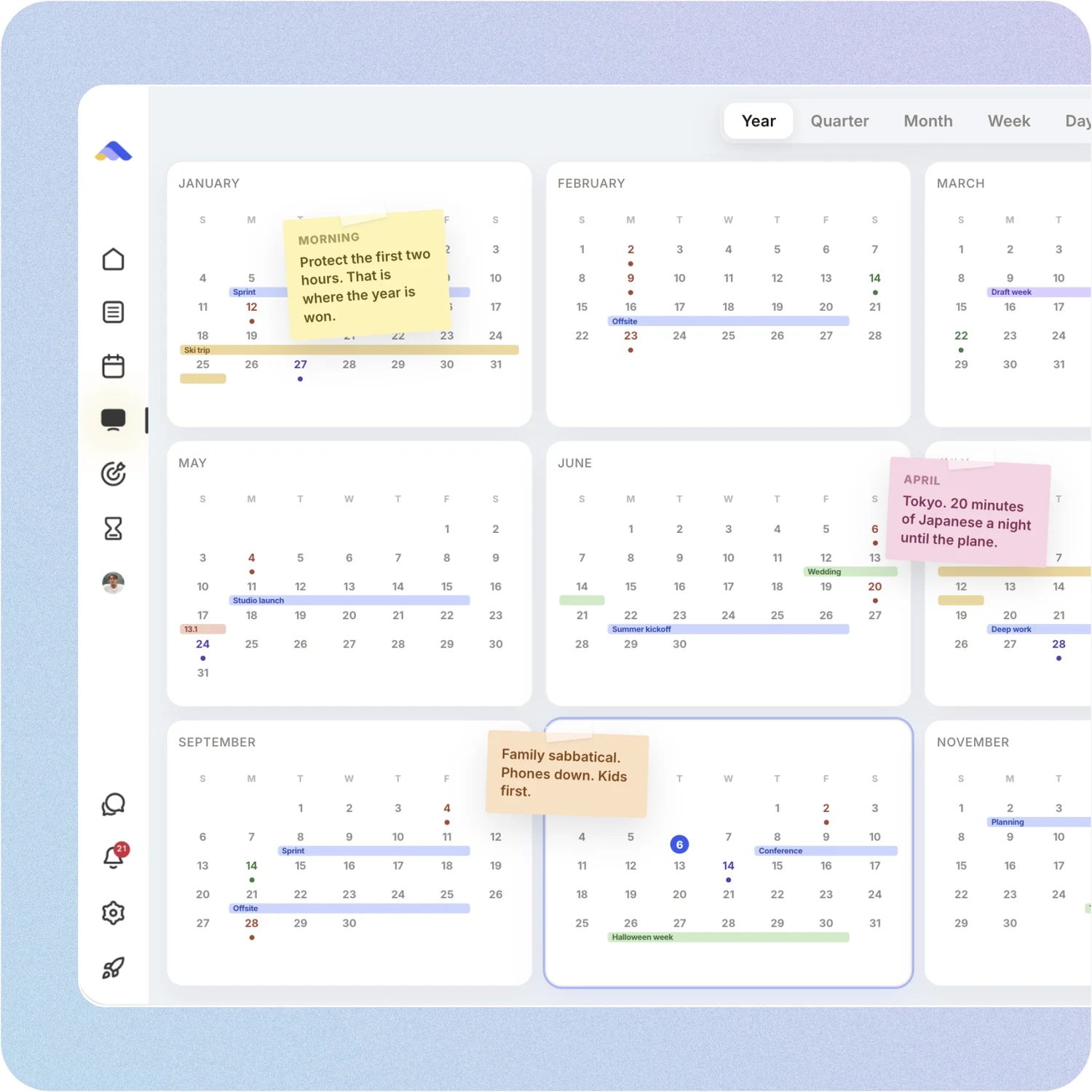
The planning canvas zooms from the full year down to a single day. Pin goals, notes and milestones where they belong, drag anything, and the plan keeps up.
Todoist: Todoist’s calendar layout shows a week, three days or a month.
Calendar sync that goes both ways
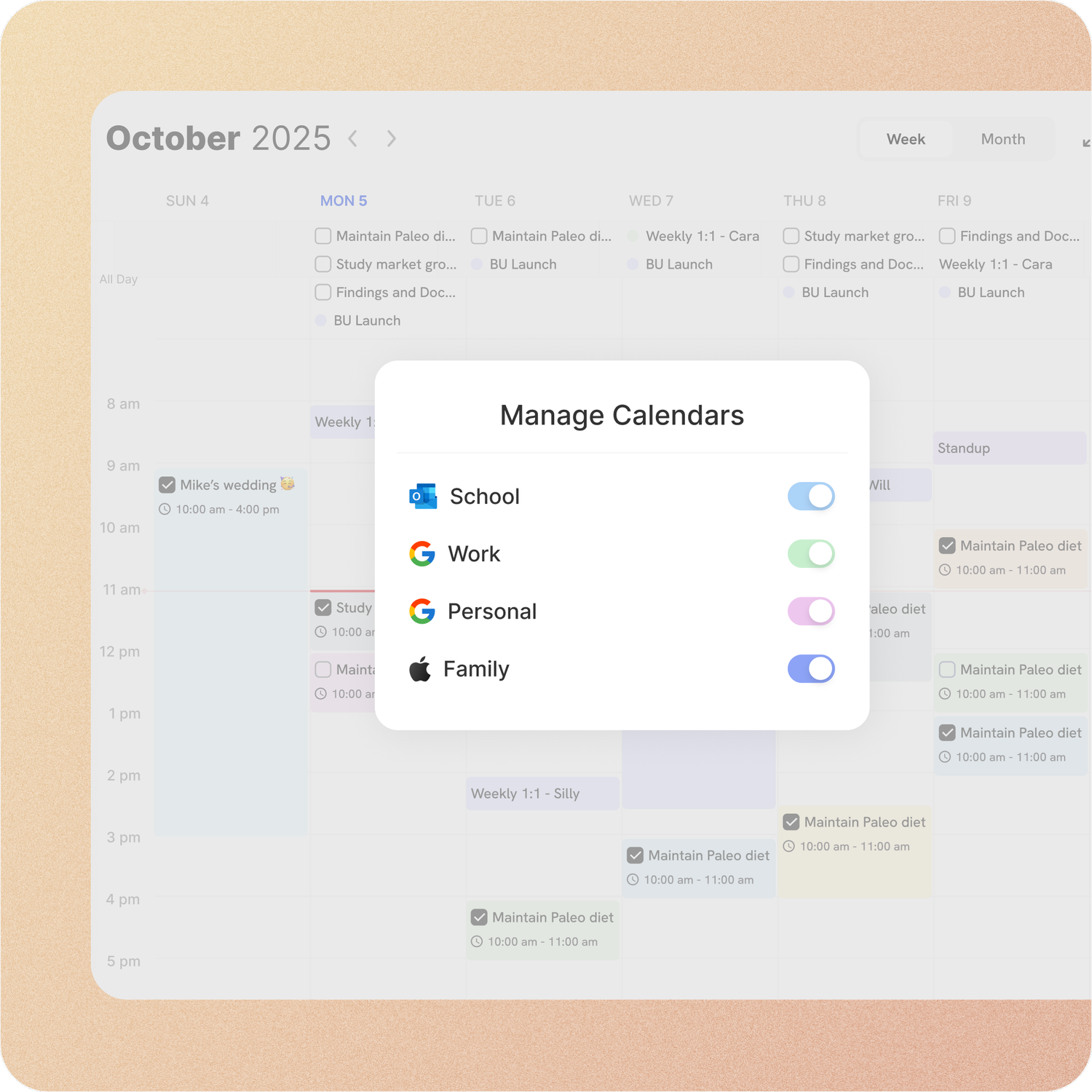
Connect Google, Apple and Outlook at the same time. Events and tasks sync in both directions with Google and Apple, so a change in either place shows up in the other.
Todoist: In Todoist, calendar events are read-only, events you add in your calendar never become tasks, one provider connects at a time, and Apple Calendar is a subscription feed.
Don’t take our word for it.
From Petey M.
I used to keep a calendar, a to-do list, and a project app. ByDesign replaced all of them. It’s clean, it works, and I haven’t needed anything else.
From Daniel
Honestly, Notion was really exhausting for me... Your product works in the simplest way. I’m a product designer, and I’d love to share my feedback with you after using it more :)
From E
I really like ByDesign - a lot. I was looking for something that works for me but is also simple and intuitive enough to work for my 12 yr old daughter who needs to start planning out her homework and chores around her other calendar events. I think this is it - and I have looked at a lot of your competitors - Notion, Motion, Tick Tick, To-Do, Todoist. None have the simplicity of user interface combined with the rich features (but not overly complex). love it😍
Make the switch in three steps
No setup project. Start free, connect the calendar you already use, and give ByDesign your first goal.
- Start your free trial. No credit card.
- Connect your Google, Apple or Outlook calendar.
- Say your first goal and watch the plan land on your calendar.
Ready to plan your year, not just your list?
Start free. No credit card. Tell ByDesign a goal and watch the plan land on your calendar.
Try ByDesign free