

Comparison

 Trello
ByDesign vs Trello
Trello keeps your cards moving. ByDesign plans the goal behind them.
Trello is boards, lists and cards, with an Inbox for capture, a Planner that puts Google Calendar and Outlook beside your cards, Butler automation, and AI on paid plans that drafts checklists, builds boards from a goal and blocks focus time. ByDesign starts from the goal: AI builds the plan and schedules it with a preview you approve, your calendar syncs both ways, and habits, goal pages, notes, a Pomodoro timer and a year-to-day canvas live in the same app.
What you get with ByDesign that Trello doesn’t offer
A scheduled plan, not just a board
Say a goal and ByDesign writes the tasks, subtasks, courses and deadlines and places them on your calendar for your approval. Trello’s AI can build a board from a goal and suggest a checklist on paid plans; the schedule is still cards you drag into the Planner or AI focus-time suggestions you accept one by one.
A calendar that syncs both ways
Edit an event in ByDesign or in Google and Apple Calendar and both stay right, with Outlook and ICS subscriptions too, plus auto-scheduling around your hours. Trello’s Planner shows Google or Outlook events beside your cards and writes focus-time blocks back to that calendar.
Habits, goals, notes and focus
A habit tracker with streaks, goal pages with progress, nested notes pages, a Pomodoro timer and time tracking on every task. Trello has card descriptions, Butler automation, and Power-Ups for timers and time tracking.
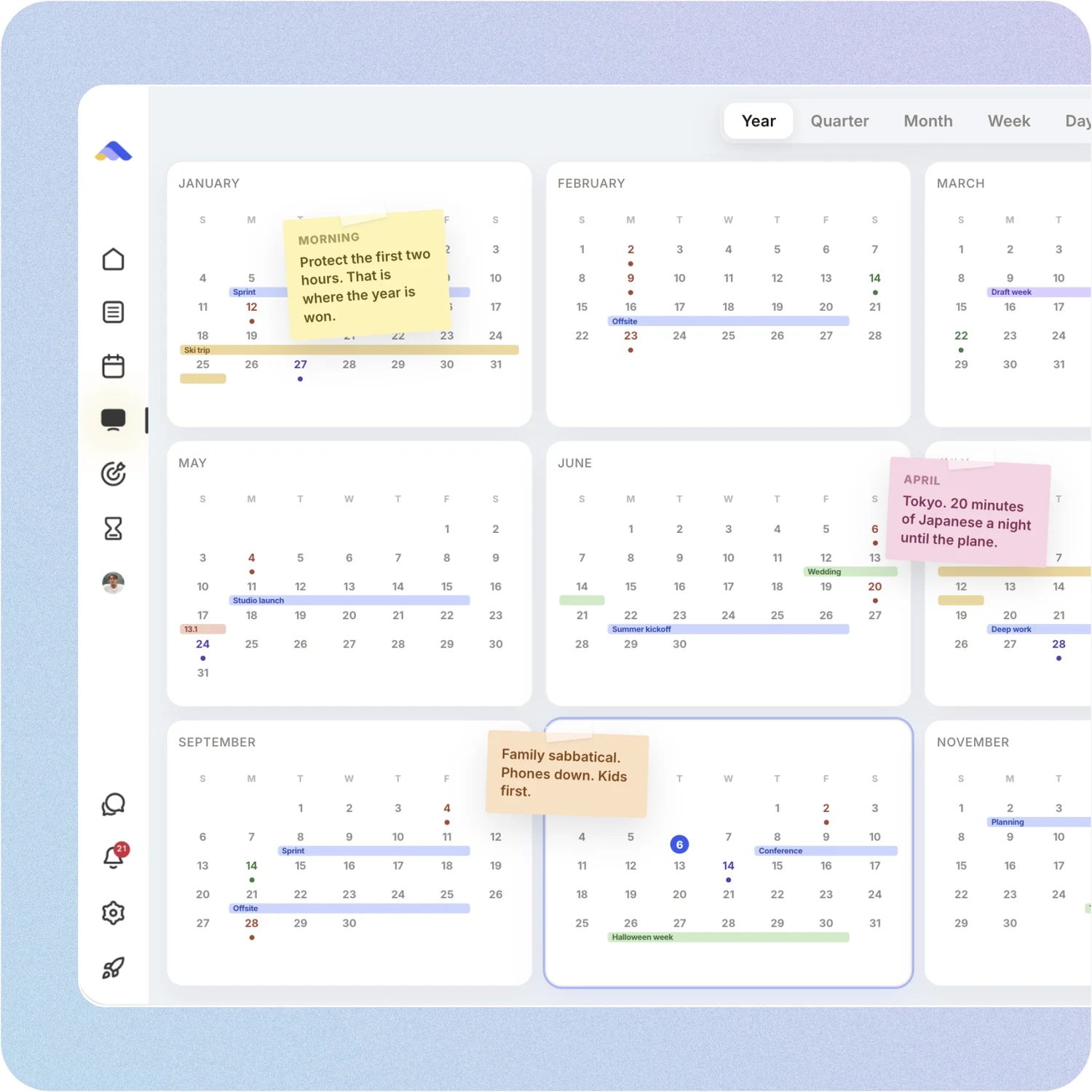
Your whole year on one canvas
Year, quarter, month, week and day on one zoomable surface, with sticky notes, images and pinned pages. Trello’s Calendar and Timeline views come with Premium, and Timeline zooms out to a year.
ByDesign vs Trello, feature by feature
Only the differences. What both apps do the same is listed underneath.
- Included
- Limited
- Not available
AI planning
AI goal plans
ByDesign
Included: Built and scheduledTasks, subtasks, courses and deadlines land on your calendar; AI and AI Plus plansTrello
Limited: AI board from a goalDescribe a goal and Trello drafts a board of cards on Standard and up; no courses or calendar placement; the AI can read due dates from card titlesAI scheduling with a preview you approve
ByDesign
Included: Preview, then acceptConflicts shown; nothing saves until you say so; AI and AI Plus plansTrello
Limited: AI focus timeSuggests focus blocks you accept or dismiss; proactive mode checks daily for cards due within five days and blocks time itself, Standard and upAuto-schedule around your hours
ByDesign
Included: Rules you setWork hours, breaks, buffers, max hours a day, split long tasksTrello
Limited: AI focus time rulesNatural-language rules for when and what it suggestsPlanning assistant chat
ByDesign
Included: In the app, full contextSees your calendar, goals, habits and notes; moves and reschedules items; AI and AI Plus plansTrello
Not available: AI writing on cardsContent generation and summaries; Trello MCP connects outside assistantsVoice control
ByDesign
Included: Mic and hands-freeOptional wake phrase; AI and AI Plus plansTrello
Limited: Siri“Hey Siri, add … to Trello” captures to your Inbox
Calendar and views
Two-way calendar sync
ByDesign
Included: Google and AppleEdit events in either place; Outlook and ICS subscriptions tooTrello
Limited: PlannerShows Google or Outlook events beside your cards and writes focus-time blocks to that calendar; the Calendar view can be added to other calendar appsYear-to-day planning canvas
ByDesign
Included: Year to dayYear, quarter, month, week and day on one zoomable surface; AI and AI Plus plansTrello
Limited: Calendar and Timeline on PremiumTimeline zooms from day to year; no canvas, sticky notes or pinned pagesSticky notes, images and pinned pages on the calendar
ByDesign
Included: YesTrello
Not available: Board stickers and AI cover images insteadCustomisable dashboard
ByDesign
Included: Drag-and-drop widgetsScore board, tasks, habits, inbox, pinned pages, KanbanTrello
Limited: Dashboard view on PremiumTrello’s reporting tool
Habits, goals and focus
Habit tracker
ByDesign
Included: Check-ins and streaksSkip a day, stats, habits with friendsTrello
Not available: Automation rules insteadGoals with progress
ByDesign
Included: Goal pagesTasks, resources, percent complete, shareableTrello
Not available: Boards and cards insteadNotes and pages
ByDesign
Included: Nested pagesTables, code, embeds, sub-pages, backlinks; publish to the webTrello
Limited: Card descriptions and Inbox notesNo standalone pagesCourses and roadmaps from the Hub
ByDesign
Included: The HubCourses, roadmaps and a habit library; schedule a roadmap straight onto your calendarTrello
Not available: Board templates and guidesPomodoro timer
ByDesign
Included: Built in25/5/15 cycles with a floating timerTrello
Not available: Through Power-UpsTime tracking on tasks
ByDesign
Included: Start and pause on any taskTotals per task; “most tracked” filterTrello
Not available: Through Power-Ups
Collaboration
Built-in chat
ByDesign
Included: Direct and groupThreads, reactions, pollsTrello
Limited: Comments on cards
Trello column based on pricing and features, Planner, Inbox, Calendar view, AI features, July 2026, personal productivity, 2025, MCP, platforms, Butler, Timeline view and Planner help on October 26, 2026. If something has changed, email info@bydesign.io.
Both apps cover the basics
- Kanban boards
- Cards with checklists, due dates and labels
- An inbox for capture
- Email-to-task
- Assignees and shared boards
- Per-seat team plans
- MCP server for AI assistants
- Web, Mac, Windows, iOS and Android apps
Why people switch from Trello to ByDesign
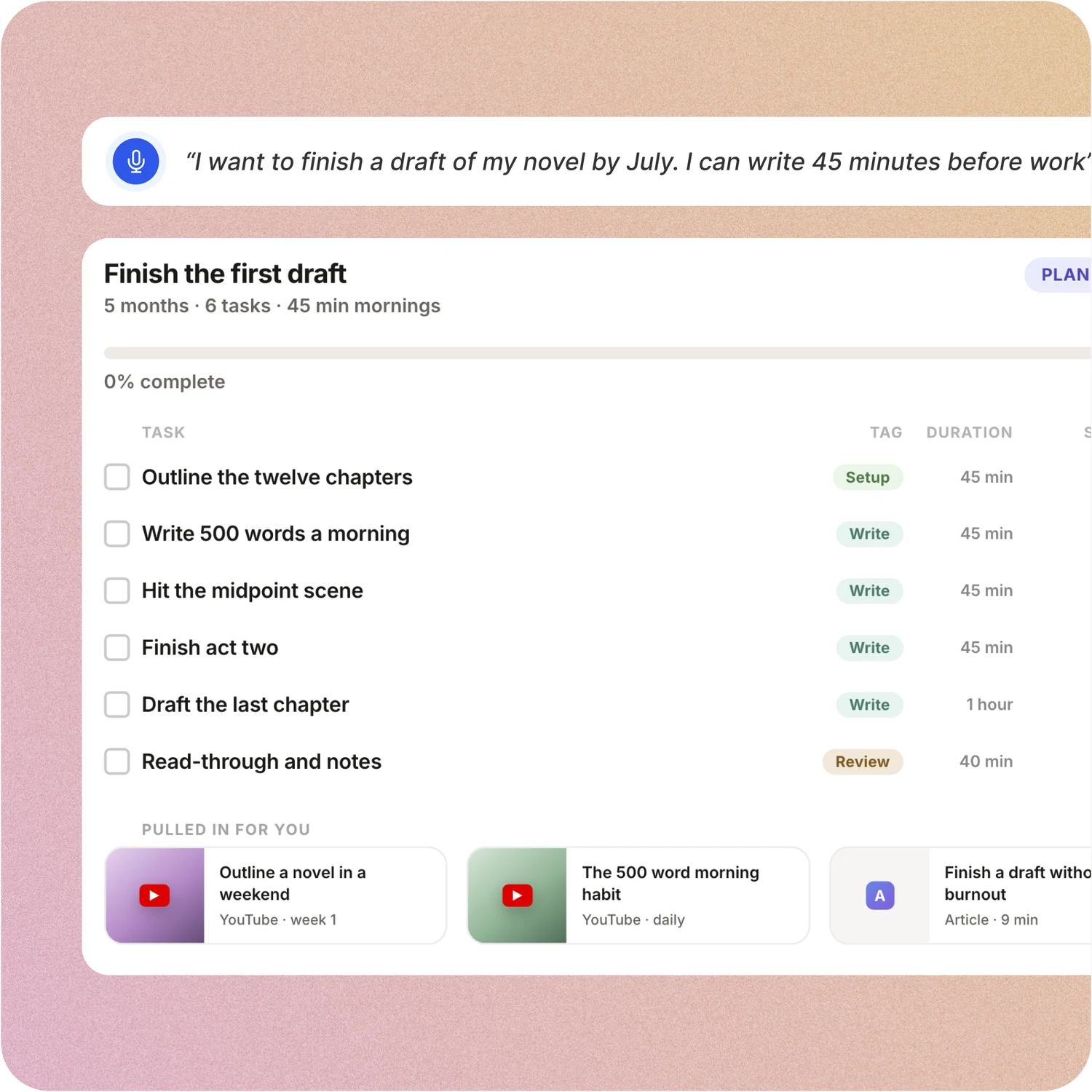
Say the goal. Get a scheduled plan.
Tell ByDesign what you want to achieve. It asks a few questions, then builds the tasks, subtasks, courses and deadlines and schedules them around the life you already have. Replan in one message.
Trello: Trello’s AI, on Standard and up, can turn a described goal into a board and a card into a checklist. The AI can read a due date from a card’s title, but the week is still planned by dragging them into the Planner or accepting AI focus-time suggestions one at a time.
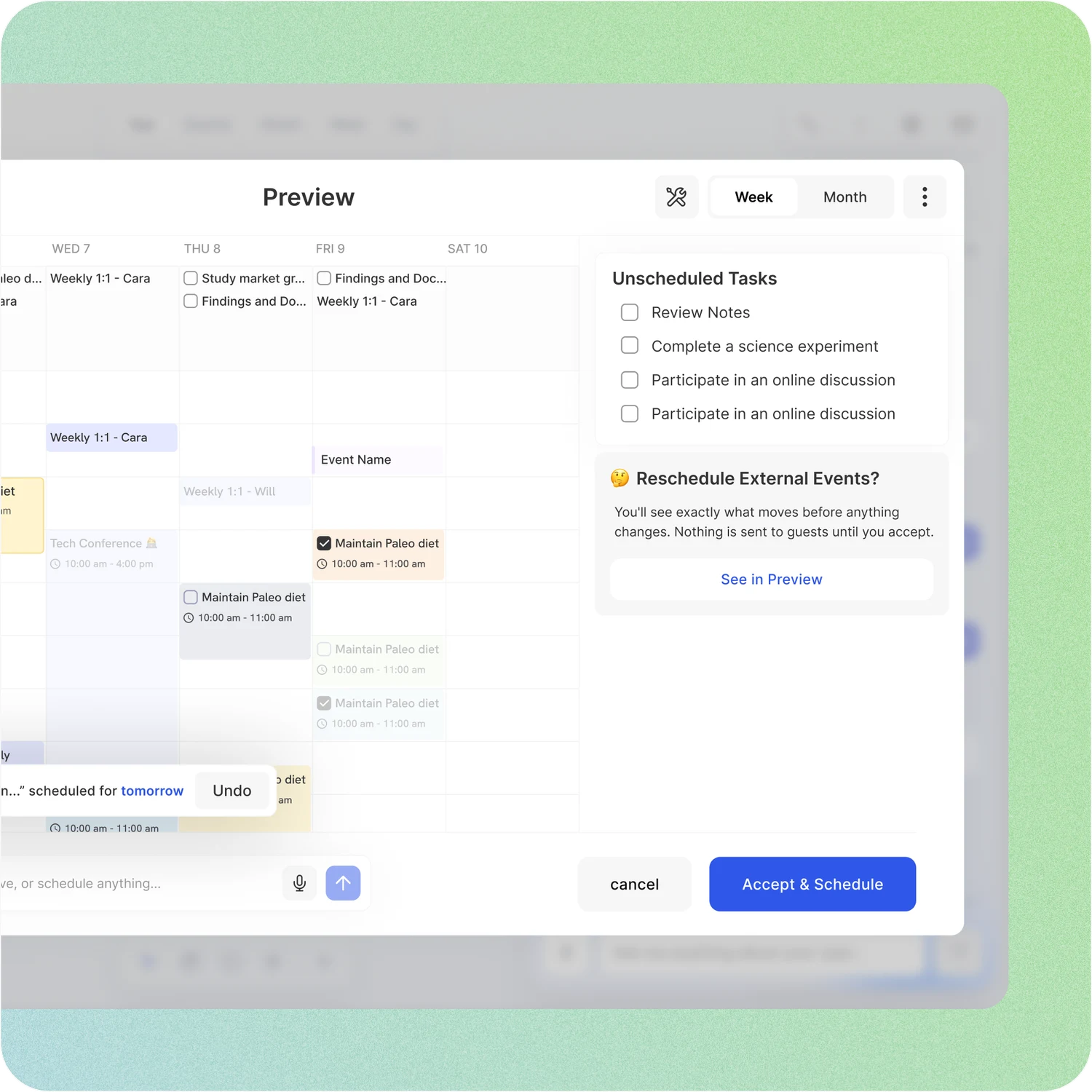
A schedule you approve, not one you drag
Set your hours, breaks and buffers once. ByDesign places tasks into the gaps, splits long ones, shows the proposed week and waits for your OK. Replan after a busy day in one message.
Trello: Trello’s Planner lets you drag cards onto a calendar to block time, and AI focus time suggests blocks you accept or dismiss or, in proactive mode, blocks time for cards due within five days by itself, on paid plans. There is no plan of your whole week to review.
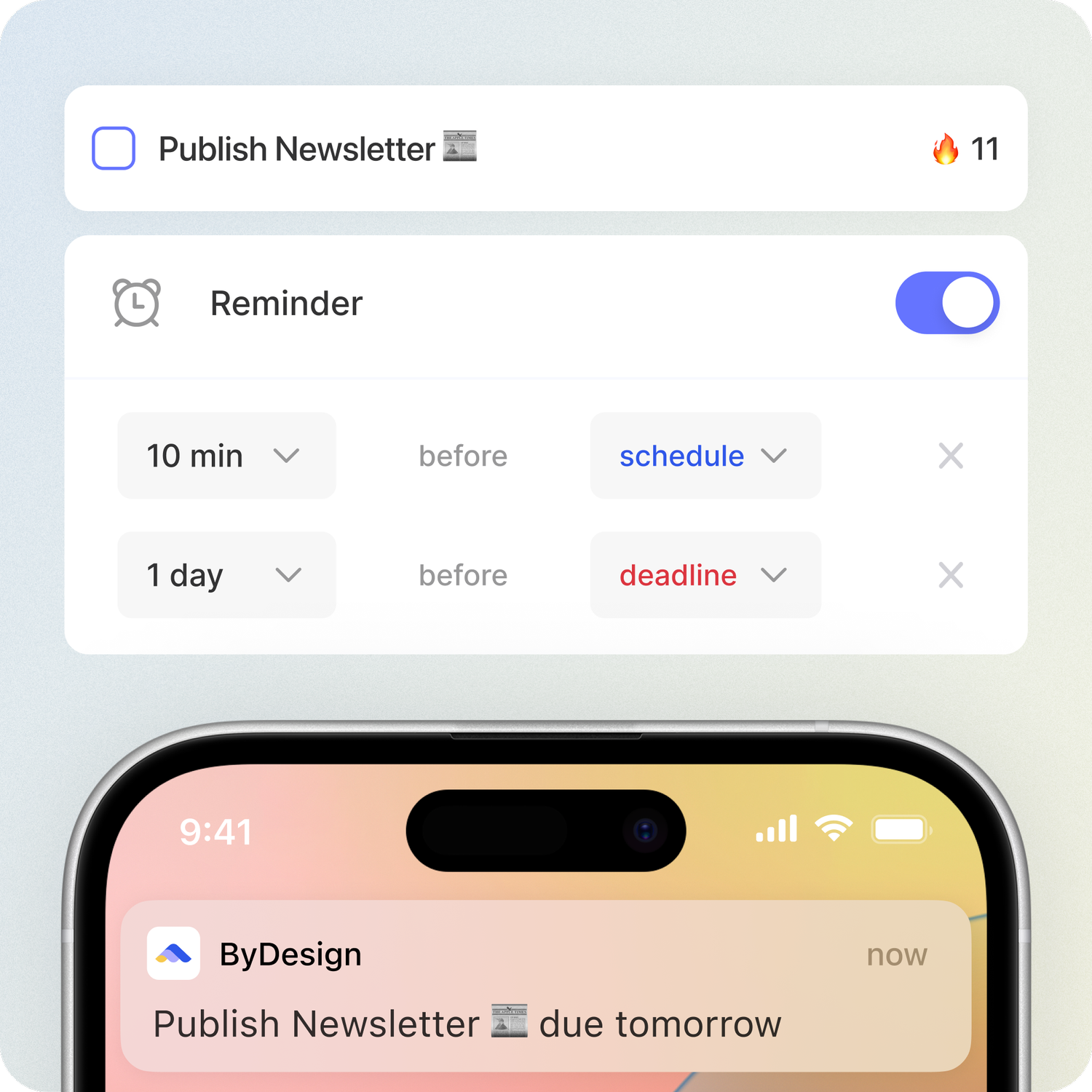
Habits, goals and focus, built in
Track habits with streaks and stats, keep goal pages with progress, run a Pomodoro and track time on any task. Open ByDesign in the morning and it already works.
Trello: Trello has Butler automation for repeating work, card checklists and Power-Ups for timers. There is no habit tracker, no goal pages and no built-in Pomodoro or time tracking.
Your whole year on one surface
The planning canvas zooms from the full year down to a single day. Pin goals, notes and milestones where they belong, drag anything, and the plan keeps up.
Trello: Trello shows boards, and on Premium a Calendar, Timeline, Table, Dashboard and Map. Timeline zooms out to a year, but there is no canvas and no sticky notes on the plan; stickers go on boards.
Don’t take our word for it.
From Daniel
Honestly, Notion was really exhausting for me... Your product works in the simplest way. I’m a product designer, and I’d love to share my feedback with you after using it more :)
From adsm1993
Omg I downloaded the app and this is MY DREAM! Is like an easier onenote/word/calendar/notes in ONE🙏
From TuneOutlyson003
I just wanna say that I have FINALLY found a to-do list app where I can have recurring tasks and habit/org systems in one place. This is awesome because I keep wondering if one day my autonomous self will break....this is awesome so far!
Make the switch in three steps
No workspace to design. Start free, connect the calendar you already use, and give ByDesign your first goal.
- Start your free trial. No credit card.
- Connect your Google, Apple or Outlook calendar.
- Say your first goal and watch the plan land on your calendar.
Ready to plan the goal, not just move the cards?
Start free. No credit card. Tell ByDesign a goal and watch the plan land on your calendar.
Try ByDesign free