

Dark mode for late-night planning
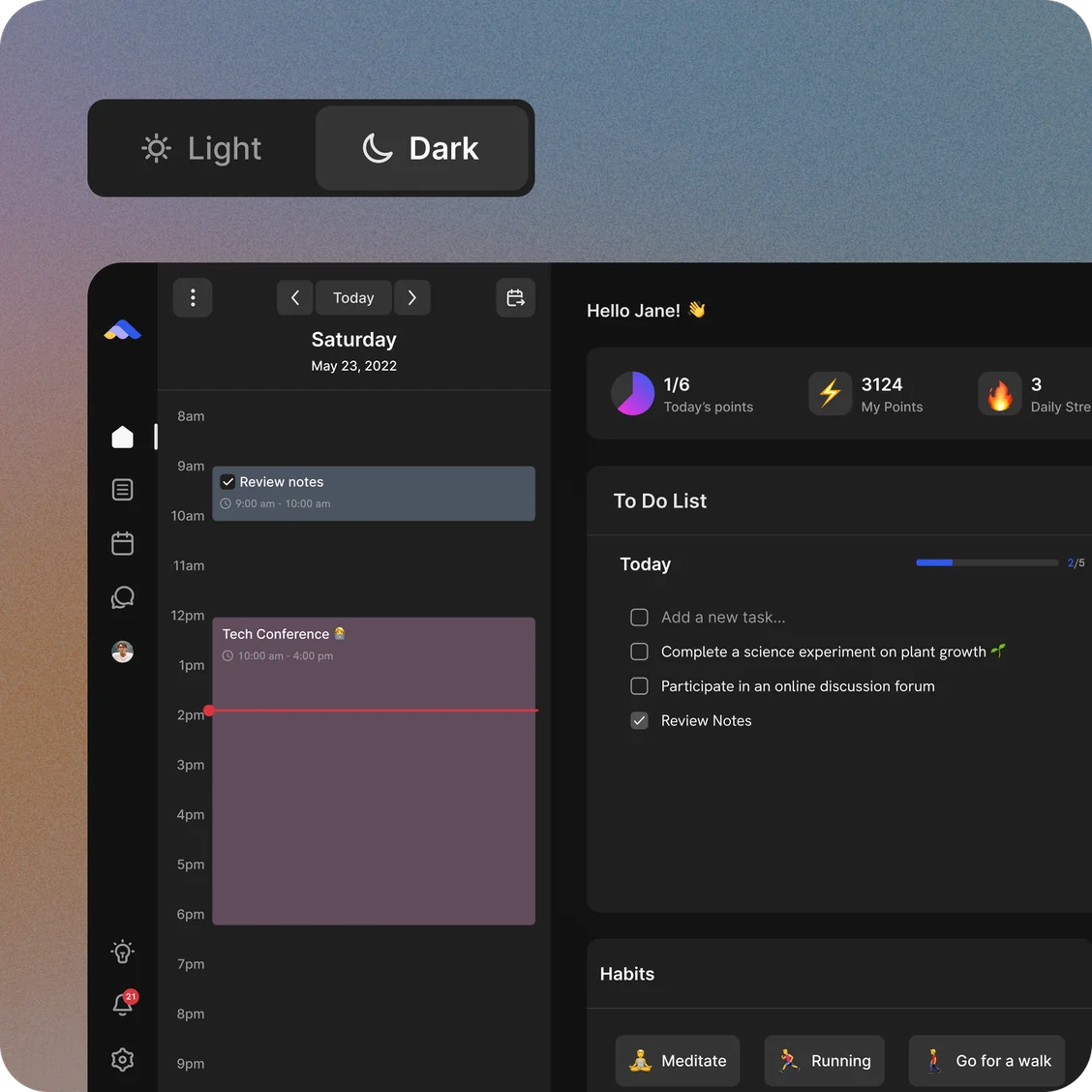
Choose Light, Dark or System in ByDesign’s settings. System follows your device as it switches, and your phone’s widgets match too.
In every plan, from Pro · Updated November 6, 2026.
What is dark mode in ByDesign?
Dark mode in ByDesign switches the whole app to a dark theme that’s easier on your eyes at night. Choose Light, Dark or System; System follows your device’s setting as it changes.
On the web your choice is saved to your account. The iPhone and Android apps keep their own setting on each device, so your phone can look different from your computer.
Works onByDesign on the web, iPhone, iPad and Android, and in the Mac and Windows apps.
How to turn on dark mode
Three steps, on any device.
Step 1: Open Customizations
In ByDesign’s settings, open Customizations.
Step 2: Find the theme setting
On the web it’s called Appearance; in the iPhone and Android apps it’s Display Mode.
Step 3: Pick Light, Dark or System
System switches between light and dark with your device.
What you get
Light, Dark or System
Three choices, on the web and in the phone apps.
Follows your device
System switches with your device’s light or dark setting as it changes.
On every device
The web, iPhone, iPad, Android, and the Mac and Windows apps.
Saved to your account on the web
Set it once on the web and it stays the same each time you sign in.
Widgets that match
iPhone widgets follow your light or dark appearance, and the Android calendar, Inbox and page widgets have dark versions.
Your colours, too
Set a default colour for new tasks, events and habits.
Good to know
- ByDesign starts in Light. Choose Dark or System to change it.
- The phone apps keep their own setting, so switching your phone to dark doesn’t change the web app.
- There are no accent colour or app icon options; default item colours are set in Customizations.
Which plan includes it?
Dark mode comes with every plan: Pro ($8 a month or $69 a year), AI ($15 a month or $119 a year) and AI Plus ($20 a month or $199 a year). Free for 7 days, no credit card, no commitment.
More ByDesign features
- AI scheduling
- AI goal planner
- Habit tracker
- Year planner
- Time blocking
- Calendar sync
- Reminders
- Quick capture
- Task views
- Widgets
- See every feature →
Use ByDesign with your AI assistantUse ByDesign with ChatGPTUse ByDesign with ClaudeUse ByDesign with Gemini
Dark mode questions
Does ByDesign have dark mode?
Yes. Choose Light, Dark or System in Customizations, on the web, in the desktop apps and in the phone apps.
Can it follow my device’s setting?
Yes. Choose System and ByDesign switches between light and dark with your device.
Does dark mode sync between devices?
On the web it’s saved to your account. The iPhone and Android apps keep their own setting on each device.
Do the widgets have dark mode?
Yes. iPhone widgets follow your light or dark appearance, and the Android calendar, Inbox and page widgets have dark versions.
Which plan includes dark mode?
Dark mode comes with every plan: Pro ($8 a month or $69 a year), AI ($15 a month or $119 a year) and AI Plus ($20 a month or $199 a year). Free for 7 days, no credit card, no commitment.
Plan comfortably, day or night
Tasks, calendar, habits and notes in one app, with AI planning built in. Free for 7 days, no credit card.
Try ByDesign free