

Reminders before the start or the deadline
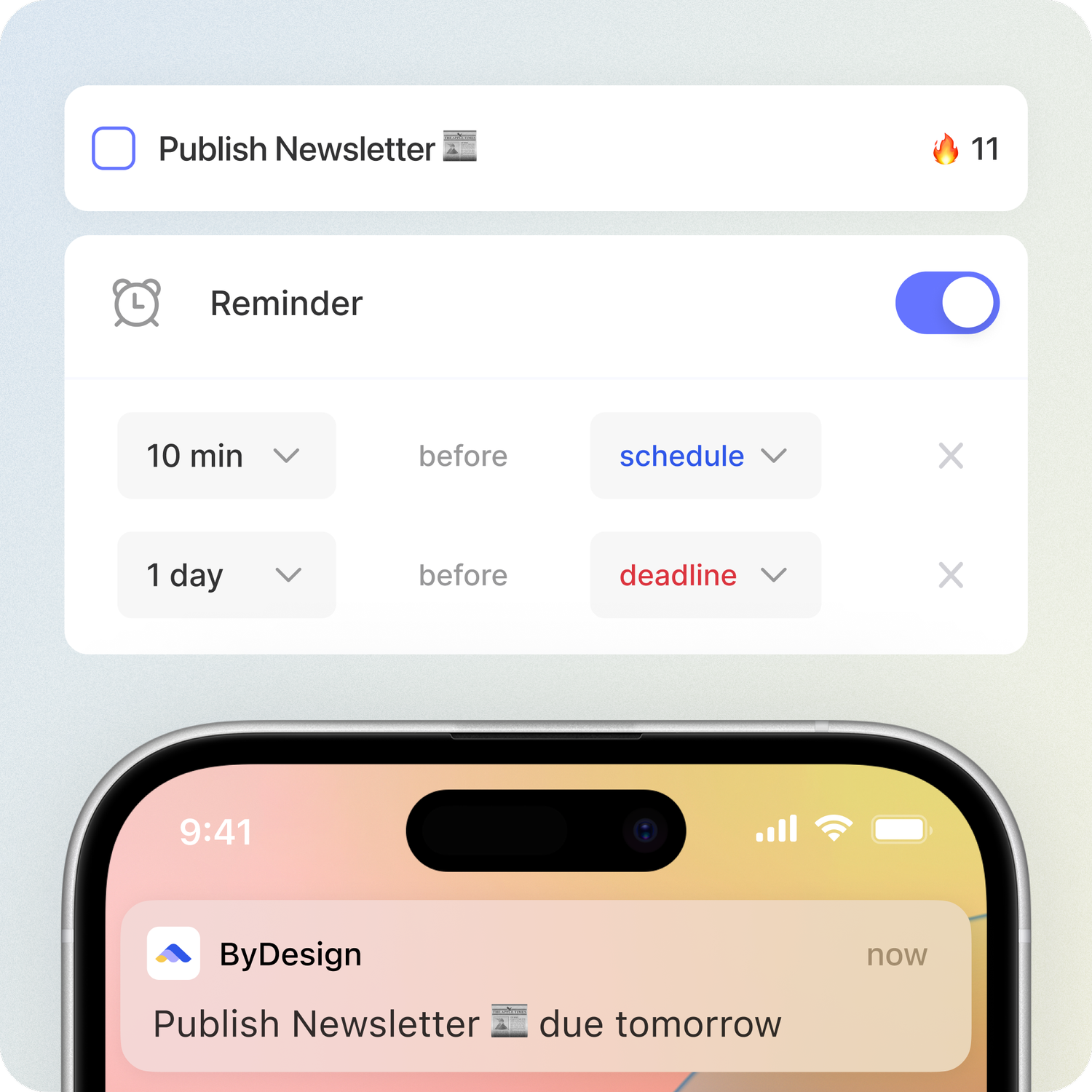
Add as many reminders as you need to a task, event or habit. For a task, choose whether each one counts back from when you plan to do it or from its deadline, and get them as push notifications on your phone or in your browser.
In every plan, from Pro · Updated November 6, 2026.
What are reminders in ByDesign?
Reminders in ByDesign are push notifications you set on a task, event or habit. A task reminder can count back from its schedule, when you plan to do it, or from its deadline, so you hear about it at the right moment for both.
Set each reminder in minutes, hours, days, weeks, months or years, add more than one to the same item, and turn on defaults so new items get reminders automatically.
Works onByDesign on the web, iPhone, iPad and Android, and in the Mac and Windows apps. Reminders arrive as push notifications on your phone and, once you allow them, in your browser.
How reminders work
A few seconds per item, or set it once as a default.
Step 1: Open a task, event or habit
Open the item, or create one, and go to its Reminders section.
Step 2: Add a reminder
Click Add Reminder, then pick a number and a unit, from minutes to years.
Step 3: Choose what it counts back from
For a task, pick before schedule or before deadline. Events count back from their start, and habits from their set time.
Step 4: Get notified
The reminder arrives as a push notification on your phone or in your browser.
What you can do with reminders
Before the schedule or the deadline
Remind yourself before you plan to start, before it’s due, or both.
Minutes to years ahead
Each reminder can be minutes, hours, days, weeks, months or years ahead.
More than one reminder
Add as many as you need to the same task, event or habit.
Events and habits too
Events remind you before they start, and habits before their set time.
Defaults for new items
Turn on reminders by default for tasks, events or habits, so new ones get them automatically.
A time for all-day items
Choose what time reminders arrive for all-day tasks, events and habits.
On your phone and in your browser
Get reminders as push notifications on iPhone and Android, and in your browser once you allow them.
Choose what you hear about
Under Notifications, switch task, event and habit reminders and Deadline approaching on or off.
Good to know
- A reminder before an all-day task’s schedule is set in days or longer, not minutes or hours.
- On the web, all-day habits don’t have reminders; the phone apps allow them.
- Browser reminders need notifications allowed for ByDesign in your browser.
- The time reminders arrive for all-day items is set under Customizations.
Which plan includes it?
Reminders comes with every plan: Pro ($8 a month or $69 a year), AI ($15 a month or $119 a year) and AI Plus ($20 a month or $199 a year). Free for 7 days, no credit card, no commitment.
More ByDesign features
- AI scheduling
- AI goal planner
- Habit tracker
- Year planner
- Time blocking
- Calendar sync
- Quick capture
- Task views
- Widgets
- Dark mode
- See every feature →
Use ByDesign with your AI assistantUse ByDesign with ChatGPTUse ByDesign with ClaudeUse ByDesign with Gemini
Reminder questions
Can I get a reminder before a deadline?
Yes. On a task, choose before deadline and set how far ahead, from minutes to years. You can add another reminder before its schedule too.
Can I add more than one reminder?
Yes. Add as many as you need to a task, event or habit.
How do reminders reach me?
As push notifications on your iPhone or Android phone, and in your browser once you allow notifications.
Can new tasks get reminders automatically?
Yes. Turn on Add reminders by default for tasks, events or habits, and set a default time for all-day items.
Do habits have reminders?
Yes, before the habit’s set time. On the web, all-day habits don’t have reminders; the phone apps allow them.
Which plan includes reminders?
Reminders comes with every plan: Pro ($8 a month or $69 a year), AI ($15 a month or $119 a year) and AI Plus ($20 a month or $199 a year). Free for 7 days, no credit card, no commitment.
Get reminded at the right moment
Tasks, calendar, habits and notes in one app, with AI planning built in. Free for 7 days, no credit card.
Try ByDesign free