

Set up your Workspace
- Folders: Personal, Work, and Health & Habits.
- Inside Personal: pages like Life List, Budget, Travel Plans and Daily Journal.
- Inside Work: pages like Side Projects, To-Dos and Meeting Notes.
Tip
Start small. A few pages you actually open beat a perfect structure you never use.
Your daily flow
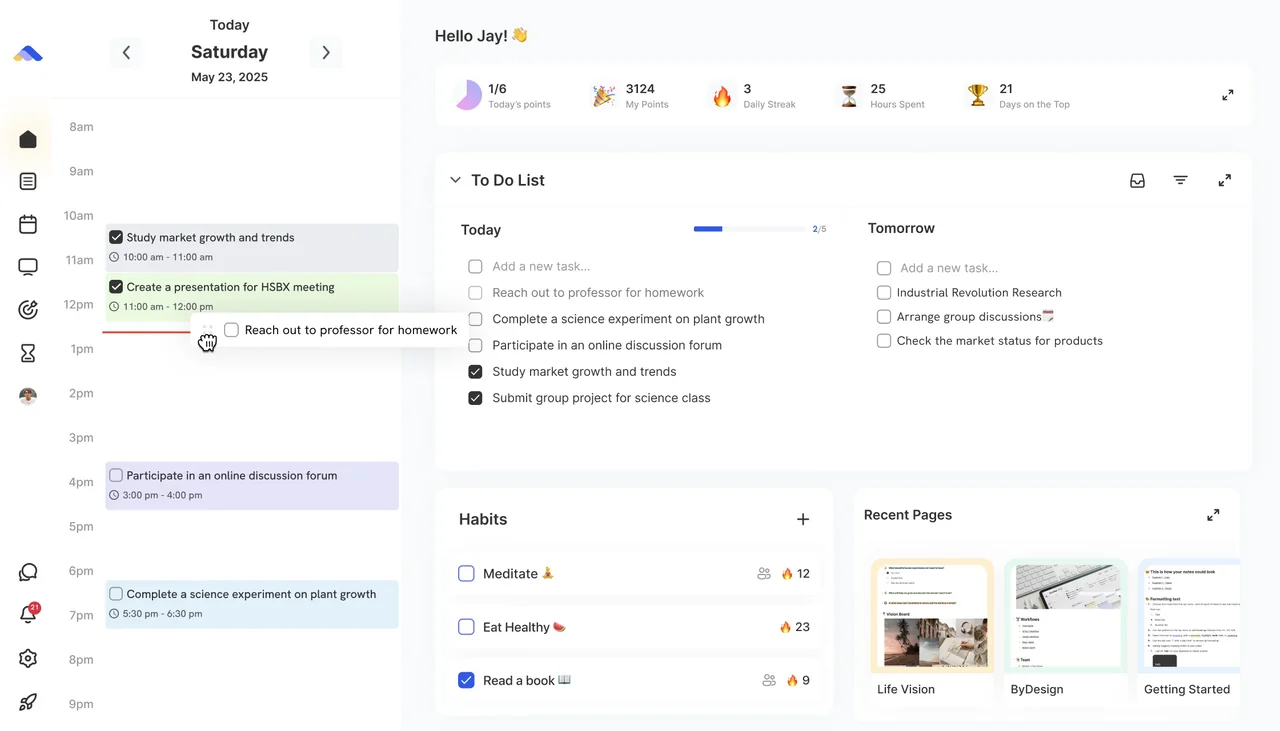
- Plan on the Dashboard: see today’s calendar beside your tasks, and drag tasks onto the calendar to block time for them.
- Capture first, sort later: drop ideas and to-dos into your Inbox with Quick Add (Ctrl+G) or by email, then move them to the right page when you have a minute.
- Clean up once a week: clear finished tasks, reschedule what slipped and tidy your notes and repeating plans.
Build habits
- Add daily self-care and home routines as habits, and tick them off on the Dashboard.
- Give a habit a set time and choose a calendar in its Calendar row, so it shows up in Google, Apple or Outlook too.
On the go
- On your iPhone, use Siri Shortcuts to add a task by voice while you’re in the middle of something.
- Add tasks in the ByDesign app on your phone and review them later on your laptop: everything stays in sync.
Keep reading
- Planning basicsUsing the DashboardPlan your day from one screen: today’s calendar, your tasks, habits, pinned pages and the widgets you choose.
- Planning basicsBuilding habitsCreate a habit, choose how often it repeats, check it off, keep your streak and build it with friends.
- Getting startedSiri and ShortcutsAdd tasks with Siri, from the Shortcuts app or your Home Screen, and open the AI assistant by voice.